soft Product List and Ranking from 1820 Manufacturers, Suppliers and Companies | IPROS

Last Updated: Aggregation Period:Mar 25, 2026~Apr 21, 2026
This ranking is based on the number of page views on our site.

soft Manufacturer, Suppliers and Company Rankings

Last Updated: Aggregation Period:Mar 25, 2026~Apr 21, 2026
This ranking is based on the number of page views on our site.

  1. ユニオンシステム Osaka//Information and Communications
  2. アークシステム 本社 Kanagawa//others
  3. シネマレイ 名古屋本社 Aichi//Information and Communications
  4. 4 JIPテクノサイエンス Tokyo//Information and Communications
  5. 5 B7 Tokyo//Information and Communications

soft Product ranking

Last Updated: Aggregation Period:Mar 25, 2026~Apr 21, 2026
This ranking is based on the number of page views on our site.

  1. Super Build/SS7 Op.木造ラーメン ユニオンシステム
  2. Safety Education and Technical Education VR シネマレイ 名古屋本社
  3. Quicker and more accurate construction cost estimation! Drawing extraction software Hiroi-kun III アークシステム 本社
  4. 4 PLAXIS HSLSモデル JIPテクノサイエンス
  5. 5 Easy operation with just a click" - Drawing extraction software "Hiroi-kun III アークシステム 本社

soft Product List

811~840 item / All 6442 items

Displayed results

[Free WEB Seminar] FlowDesigner Operation Experience Seminar

Heat and airflow simulation that can be used in just three hours, even for beginners!

【Participants Only! Trial License Issued!】 Would you like to experience airflow simulation with FlowDesigner before implementation? ◆ Seminar Overview ◆ This seminar is designed for those who are new to FlowDesigner, allowing you to learn from model creation to result display. You will experience the overwhelming calculation speed of FlowDesigner and its simple, intuitive operability while being introduced in detail to basic operation methods and techniques applicable to actual design challenges, based on real examples. Please take advantage of this as your first step into airflow analysis simulation. We look forward to receiving many applications from you. ◆ Recommended for the following people! ◆ - Those considering airflow simulation software in the architectural field - Those who want to create more improvisational materials for proposals on environmental design and energy conservation - Those considering the introduction of FlowDesigner

  • Scientific Calculation and Simulation Software
  • soft

Added to bookmarks

Bookmarks list

Bookmark has been removed

Bookmarks list

You can't add any more bookmarks

By registering as a member, you can increase the number of bookmarks you can save and organize them with labels.

Free membership registration

FlowDesigner Operation Experience Seminar [Free, WEB]

Heat and airflow simulation that can be used in just 3 hours, even for beginners!

【Participants Only! Trial License Issued!】 Would you like to experience airflow simulation with FlowDesigner before implementation? ◆ Seminar Overview ◆ This seminar is designed for those who are new to FlowDesigner, allowing you to learn everything from model creation to result display. You will experience the overwhelming calculation speed of FlowDesigner and its simple, intuitive operability while being introduced to basic operation methods and techniques applicable to actual design challenges, based on real examples. We encourage you to take advantage of this as your first step into airflow analysis simulation. We look forward to receiving many applications from you. ◆ Recommended for ◆ - Those considering the introduction of FlowDesigner - Those who want to experience operating FlowDesigner

Added to bookmarks

Bookmarks list

Bookmark has been removed

Bookmarks list

You can't add any more bookmarks

By registering as a member, you can increase the number of bookmarks you can save and organize them with labels.

Free membership registration

[Case Study] Examination of the Arrangement of Heat Resistance Elements through Inverse Analysis

Visualizing the "direction to move" to promote cooling with the world's first inverse analysis technology!

Using the "position sensitivity" obtained from Flow□esigner's inverse analysis, we can visually represent how to arrange all parts to promote cooling. By utilizing "inverse analysis," effective improvement proposals can be quickly identified even without knowledge or experience in thermal design. *Sensitivity... An indicator that represents the degree of influence of boundary conditions and other factors on design objectives.

Added to bookmarks

Bookmarks list

Bookmark has been removed

Bookmarks list

You can't add any more bookmarks

By registering as a member, you can increase the number of bookmarks you can save and organize them with labels.

Free membership registration

Visualizing the spread of dust/spray in 3D! [Free trial version available]

Does the layout of the dust collector make a difference in FlowDesigner? Easily visualize the benefits of implementation! Also useful for ventilation considerations.

Amid increasing attention to the revision of the Labor Safety and Health Act and infection control measures, it is not easy to consider highly effective countermeasures in environments where welding fumes, oil mist, dust, droplets/viruses, and other contaminants are present. Even if dust collectors and air purifiers are introduced as countermeasures, if they are poorly positioned and create stagnant areas where air does not flow, the benefits may not be realized. By utilizing airflow simulation software "FlowDesigner," it is possible to visualize air flow immediately, allowing for the evaluation of the effectiveness of design proposals in advance. Additionally, in the introduction of ventilation and air conditioning systems, where on-site trial runs are difficult due to one-off production, pre-simulation can clearly visualize the effects, enabling relative comparisons and design proposals to gain consensus, which is key to successful implementation. Using simulations, it is also possible to output indicators for evaluating air stagnation and visual animations, thus addressing those challenges as well. Please make use of this for improving work environments, proposal introductions, ventilation considerations, and infection control measures! ★Special Offer★ We are currently offering "free trial versions" and "free seminars"!

Added to bookmarks

Bookmarks list

Bookmark has been removed

Bookmarks list

You can't add any more bookmarks

By registering as a member, you can increase the number of bookmarks you can save and organize them with labels.

Free membership registration

Thermal Fluid Analysis Software 'FlowDesigner'

Easy operation with an intuitive interface! Development of a new analytical method called non-parametric inverse analysis.

"FlowDesigner" is a thermal fluid analysis software that boasts exceptional stability and overwhelming speed. There is no need for complex and detailed parameter settings. It is finely tuned to ensure that anyone conducting the analysis can achieve extremely good results. Additionally, from model creation to analysis tasks, you can easily consult us about any issues you may encounter while using our product via email, phone, or a dedicated customer page. 【Features】 ■ Development of a new analysis method called non-parametric inverse analysis ■ Deliberately limiting the target to "incompressible fluids only" and selecting an orthogonal structural grid ■ Not only fast but also ensuring accuracy and stability ■ Ability to simulate any ideas as many times as needed *For more details, please refer to the PDF materials or feel free to contact us.

  • Scientific Calculation and Simulation Software
  • soft

Added to bookmarks

Bookmarks list

Bookmark has been removed

Bookmarks list

You can't add any more bookmarks

By registering as a member, you can increase the number of bookmarks you can save and organize them with labels.

Free membership registration

The use of thermal fluid analysis is increasing in the early stages of design.

The use of thermal fluid simulations is advancing in various aspects of plant design, such as stratified air conditioning, heat stroke prevention, and ensuring cleanliness, etc.

Recently, there has been an increasing number of companies introducing thermal fluid analysis in the early stages of design for factory plant design, where short delivery times, efficiency, and energy conservation are required. ● Quickly visualize the effects of equipment introduction in the pre-design phase ● Appeal to carbon neutrality and SDGs policies ● Create materials that demonstrate superiority in competitions We have published a collection of analysis case studies for the thermal fluid analysis simulation software 'FlowDesigner,' which can be started in just 5 minutes and can be utilized in the above scenarios. ◆ Featured Cases - Visualization of the effects of introducing stratified air conditioning - Visualization of cleanliness levels - Case study on heat stroke countermeasures using transport fans ◆ No work required! Outsourcing (contract analysis) is also available For those who say, "I don't have time to operate the software!" we offer a [analysis service (contract analysis)] where we handle everything from modeling to analysis, so please feel free to contact us. ◆ Exclusive for online seminar participants! Trial version licenses are being issued We are distributing trial version licenses to those who participate in our online seminars. You can evaluate our support services as well, so please feel free to apply!

  • Scientific Calculation and Simulation Software
  • soft

Added to bookmarks

Bookmarks list

Bookmark has been removed

Bookmarks list

You can't add any more bookmarks

By registering as a member, you can increase the number of bookmarks you can save and organize them with labels.

Free membership registration

Construction Photo Builder 3 Version Compatible with September 2010 Standards

Significant reduction in management costs through full digitalization! "Construction Photo Builder 3," which thoroughly understands the administrative processes of the construction and civil engineering industry.

For "Construction Photo Album Creation" and "Electronic Delivery Data Creation," choose "Construction Photo Builder 3." You can easily manage construction photos with three basic operations: 1. "Image Import," 2. "Image Data Management," and 3. "Construction Photo Album Creation/Electronic Delivery Output." Additionally, it allows for easy photo management tailored to the construction content using an explorer-style format based on work type, category, and subcategory. You can associate imported photos with reference diagrams and notes, and the entered photo information will be reflected in the construction photo album and electronic delivery output data, enabling seamless information utilization. ≪Construction Photo Album Creation≫ We provide about 50 types of attached formats. You can create original formats with free layouts, such as double-page layouts and the addition of your company logo. It also supports PDF data output. "Construction Photo Builder 3" enables highly flexible construction photo album creation with speedy and flexible operability. ≪Electronic Delivery Data Creation≫ It complies with the Ministry of Land, Infrastructure, Transport and Tourism's "Digital Photo Management Information Standards" and "Guidelines for Electronic Delivery of Completed Construction Documents" (September 2010). Furthermore, input rule checks in accordance with each standard allow for smooth and accurate data creation and submission.

  • photograph
  • Other Software
  • soft

Added to bookmarks

Bookmarks list

Bookmark has been removed

Bookmarks list

You can't add any more bookmarks

By registering as a member, you can increase the number of bookmarks you can save and organize them with labels.

Free membership registration

Architect Mitsumoro 17

The definitive version of the estimation processor. Equipped with enhanced usability and management techniques to seize business opportunities, it features functions that streamline the submission of construction estimates and improve the contract rate.

A cost estimation processor that enables quick and accurate document creation. It features editing of up to 60,000 lines in a maximum of 6 hierarchical levels, an automatic classification master, and a rounding function for amount adjustments, along with new capabilities for calculating amounts based on gross profit margins and a simplified statutory welfare cost calculation function recommended for appropriate construction contracts. Additionally, it includes features such as construction comments for recording negotiation information, which contribute to the efficiency of submitting construction estimates and increasing the contract rate. In addition to flexible printing capabilities, it offers a variety of output functions such as PDF creation and EXCEL output. The text output document data can be linked with the separately sold construction ledger management system [Construction Cost Builder]. There are also LAN products available for master sharing and centralized document management.

  • Interior construction
  • Cost management and cost estimation software
  • soft

Added to bookmarks

Bookmarks list

Bookmark has been removed

Bookmarks list

You can't add any more bookmarks

By registering as a member, you can increase the number of bookmarks you can save and organize them with labels.

Free membership registration

Free trial version available! Comprehensive process automation software 'Site Navigation Process Auto'

Just enter 9 basic pieces of information about the building! The comprehensive process will be automatically created instantly!

"Site Navigation Process Auto" is software that can automatically create a comprehensive schedule by simply entering nine basic pieces of information about the building, such as its purpose and number of floors. Compared to creating a schedule from scratch, it significantly reduces labor. The created data can be imported into the company's schedule creation software, "Site Navigation Process," which is used as standard software by major general contractors, allowing for editing and printing as a comprehensive schedule at the implementation level. ★ A 30-day trial program is currently available for free download! 【Features】 ■ Automatically created by entering just nine pieces of building information ■ Instantly creates schedules compatible with RC, S, and SRC structures ■ Initial values for construction period calculation can be modified ■ Editing and printing as a comprehensive schedule is possible with "Site Navigation Process" 【Main Usage Scenarios】 ■ Proposing a rough schedule to clients when time is limited ■ Creating standard schedules within the company ■ Creating the original schedule before the implementation schedule ■ Schedule consideration during the planning stage ■ Determining the usage period of lifting machinery in construction cost estimates, etc. * For more details, please download the catalog or contact us.

  • Construction and process management software
  • soft

Added to bookmarks

Bookmarks list

Bookmark has been removed

Bookmarks list

You can't add any more bookmarks

By registering as a member, you can increase the number of bookmarks you can save and organize them with labels.

Free membership registration

Civil engineering estimation software "Land 2000"

High-performance and low-cost civil engineering estimation software. Its ease of use is well-received.

The civil engineering estimation software "Land 2000" is a low-cost, high-functionality estimation tool that leverages the know-how gained from civil engineering design and management work, as well as user demands. It will deliver maximum performance in future estimation tasks. - Comes standard with a wealth of unit price data: - Ministry of Land, Infrastructure, Transport and Tourism: General civil engineering, parks and green spaces, telecommunications, sewerage [open-cut] - Ministry of Agriculture, Forestry and Fisheries: Land improvement, forest management - Ministry of Health, Labour and Welfare: Water supply projects [open-cut] - Ministry of the Environment: Decontamination and other construction - Capable of calculating standard prices such as low bid investigation standard prices and minimum limit prices (forward calculation, reverse calculation) - Includes a unit price reverse calculation function from target construction prices - Easy creation of estimates, execution budgets, and quantity statements - Capable of analyzing and importing design documents distributed as PDF or Excel files - Estimate files can be transferred to spreadsheet software

  • Cost management and cost estimation software
  • soft

Added to bookmarks

Bookmarks list

Bookmark has been removed

Bookmarks list

You can't add any more bookmarks

By registering as a member, you can increase the number of bookmarks you can save and organize them with labels.

Free membership registration

Brush Pen Name Tag Writing System "Fudimaro for 11"

Renewed and compatible with Windows 11! "Easy and convenient, beautiful and fast" has also been powered up.

"FudeMaro for 11" is a calligraphy name tag writing system based on the concept that "it is a waste to use a calligraphy system solely for writing characters." Instead of directly inputting text, it adds a function that allows the insertion of information such as the deceased's name and funeral date into a designated text box where the content can be displayed. This enables input corrections without opening the input mode of the box, making it easier and more convenient to input for memorial service notices and banners. 【Features】 ■ Renewed to support Windows 11 ■ Additional convenient features ■ Further enhances operational efficiency ■ Easy, beautiful, and quick printing from memorial service notices to banners ■ Simple insertion of family crests and images *For more details, please refer to the PDF document or feel free to contact us.

  • Company:SHF
  • Price:Other
  • Other Software
  • soft

Added to bookmarks

Bookmarks list

Bookmark has been removed

Bookmarks list

You can't add any more bookmarks

By registering as a member, you can increase the number of bookmarks you can save and organize them with labels.

Free membership registration

Seismic Diagnosis Software 'Super Build / RC Diagnosis'

Seismic Diagnosis Software "Super Build / RC Diagnosis"

"Super Build/RC Diagnosis" is software (program) that conducts seismic diagnosis (primary diagnosis, secondary diagnosis, tertiary diagnosis) for reinforced concrete buildings, corresponding to the "2001 Revised Edition of Seismic Diagnosis Standards for Existing Reinforced Concrete Buildings and Its Commentary" and the "2017 Revised Edition of Seismic Diagnosis Standards for Existing Reinforced Concrete Buildings and Its Commentary" published by the Japan Architectural Disaster Prevention Association, a public interest incorporated foundation. It has obtained the seismic diagnosis program evaluation from the Japan Architectural Disaster Prevention Association (Evaluation Number: P Evaluation 18-RC). ● For other functions and details, please contact us.

  • Other Software
  • soft

Added to bookmarks

Bookmarks list

Bookmark has been removed

Bookmarks list

You can't add any more bookmarks

By registering as a member, you can increase the number of bookmarks you can save and organize them with labels.

Free membership registration

Seismic Diagnosis Software 'Super Build / S Seismic Diagnosis'

Seismic Diagnosis Software 'Super Build / S Seismic Diagnosis'

This is a standalone seismic diagnosis software (program) for existing steel-framed buildings, based on the "2011 Revised Edition Guidelines and Commentary for Seismic Diagnosis and Seismic Retrofit of Existing Steel Structures" published by the Japan Architectural Disaster Prevention Association. It calculates the structural seismic index Isi and the capacity lateral strength indicators qi for each floor, and assesses seismic performance. ● For other functions and details, please contact us.

  • Scientific Calculation and Simulation Software
  • soft

Added to bookmarks

Bookmarks list

Bookmark has been removed

Bookmarks list

You can't add any more bookmarks

By registering as a member, you can increase the number of bookmarks you can save and organize them with labels.

Free membership registration

Finite Element Method Software "Super Build/FEM"

Finite Element Method Software "Super Build/FEM"

This is software (program) that applies loads and boundary conditions to a model of arbitrary shape composed of line elements (beam elements) and surface elements (plate elements), and performs various analyses. It is equipped with an automatic mesh generation function, allowing for diverse validations with simple operations. ● For other features and details, please download the catalog.

  • Other Software
  • soft

Added to bookmarks

Bookmarks list

Bookmark has been removed

Bookmarks list

You can't add any more bookmarks

By registering as a member, you can increase the number of bookmarks you can save and organize them with labels.

Free membership registration

Design support for steel frame components 'Super Build/MC1'

Steel member-related design support software 'Super Build/MC1'

This is software (program) that gathers individual programs for calculations related to steel frame components. It performs calculations for steel beams, columns, small beams, cantilever beams, braces, purlins, intermediate columns, wind-resistant beams, rafters, CMoQoδ, and the load-bearing ratio of columns and beams. Additionally, by adding the optional software 'Super Build / MC1 Op.1', you can utilize functions for examining S lateral bracing, calculating S beam joints, and determining the ultimate load capacity of non-filled S beams and S columns. ● For other features and details, please contact us.

Added to bookmarks

Bookmarks list

Bookmark has been removed

Bookmarks list

You can't add any more bookmarks

By registering as a member, you can increase the number of bookmarks you can save and organize them with labels.

Free membership registration

Retaining wall design support 'Super Build / Residential Retaining Walls'

Retaining wall design support software 'Super Build / Residential Retaining Wall'

This is software (program) for the design (structural calculation) of reinforced concrete cantilever retaining walls (L-type retaining walls, inverted L-type retaining walls, inverted T-type retaining walls) and unreinforced concrete retaining walls (gravity type). ● For other features and details, please contact us.

  • Scientific Calculation and Simulation Software
  • soft

Added to bookmarks

Bookmarks list

Bookmark has been removed

Bookmarks list

You can't add any more bookmarks

By registering as a member, you can increase the number of bookmarks you can save and organize them with labels.

Free membership registration

弾塑性地震応答解析ソフトウェア『DynamicPRO』

弾塑性地震応答解析ソフトウェア『SS21/DynamicPRO』

『SS21/DynamicPRO』は、多質点系にモデル化された建物や地盤の地震応答解析(固有値解析および地震応答解析)を行うソフトウェア(プログラム)です。 時刻歴解析はNewmark のβ法(β値を選択)を用いた直接積分で行います。振動モデルは、等価せん断型モデルまたは等価曲げせん断型モデル(*1)とし、非線形復元力特性を有する要素を扱います。減衰条件には、建物の解析で一般に指定される剛性比例型やRayleigh型のほか、各部別に減衰定数を指定することや減衰係数を直接指定することも可能です。 (*1)『SS21/DynamicPRO-L』では扱えません。 ●詳しくはお問い合わせ、またはカタログをダウンロードしてください。

  • Other Software
  • soft

Added to bookmarks

Bookmarks list

Bookmark has been removed

Bookmarks list

You can't add any more bookmarks

By registering as a member, you can increase the number of bookmarks you can save and organize them with labels.

Free membership registration

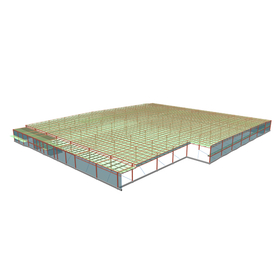
Structural Calculation Software Example | Steel Structure 2-Story Factory

An example of a two-story factory that manufactures parts such as metal cabinets and system racks!

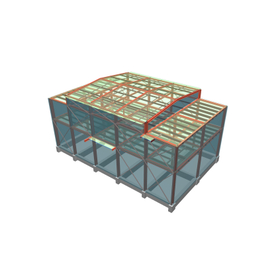
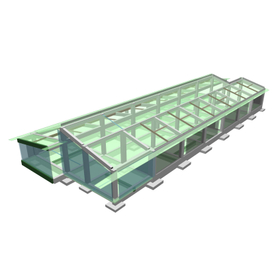
We would like to introduce a case study of the integrated structural calculation software "Super Build/SS7" for a certain manufacturing factory. The central part of the building is designed as a single-story structure, anticipating the operation of a hoist-type ceiling crane. A second floor is planned for part of the outer perimeter, which will include various rooms such as a cafeteria, break room, and exhibition room. Additionally, equipment storage areas are planned for the east and west sides of the building, featuring a setback shape. 【Case Study Overview】 ■ Purpose: Certain manufacturing factory ■ Structural Type: Steel structure ■ Number of Floors: 2 ■ Design: Kyushaku Design Co., Ltd. (Aichi Prefecture) *For more details, please download the PDF or feel free to contact us.

  • S造 2階建て工場2.jpg
  • S造 2階建て工場3.jpg
  • S造 2階建て工場4.jpg
  • S造 2階建て工場5.jpg
  • Architectural Design Software
  • soft

Added to bookmarks

Bookmarks list

Bookmark has been removed

Bookmarks list

You can't add any more bookmarks

By registering as a member, you can increase the number of bookmarks you can save and organize them with labels.

Free membership registration

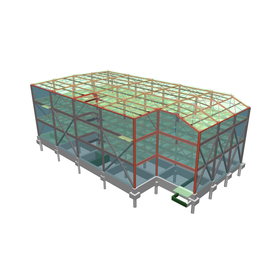
Structural Calculation Software Example │ 3-Story Steel Structure Logistics Facility

A three-story building with a floor plan of approximately 60m x 34m, designed as a logistics warehouse with a total floor area of about 6,000m2!

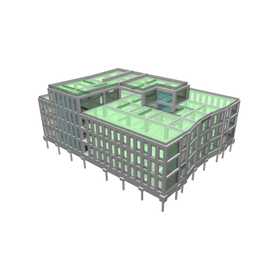
We would like to introduce an example of the integrated structural calculation software "Super Build/SS7" for logistics facilities. The floor height of each level is set between 5.1m and 6.5m to ensure a large effective height under the beams. The structural type is steel frame, the floor is an RC slab using flat deck formwork, the roof is a folded plate, and the exterior walls are made of ALC panels. Additionally, the loading capacity for the warehouse sections on the 1st to 3rd floors is designed to accommodate a heavy-duty specification with a floor load capacity of 1.5t/m2. 【Example Overview】 ■ Purpose: Logistics Facility ■ Structural Type: Steel Frame ■ Number of Floors: 3 ■ Design: MUSA Institute Co., Ltd. (Tokyo) *For more details, please download the PDF or feel free to contact us.

  • S造 3階建て物流施設2.jpg
  • S造 3階建て物流施設3.jpg
  • S造 3階建て物流施設4.jpg
  • Architectural Design Software
  • soft

Added to bookmarks

Bookmarks list

Bookmark has been removed

Bookmarks list

You can't add any more bookmarks

By registering as a member, you can increase the number of bookmarks you can save and organize them with labels.

Free membership registration

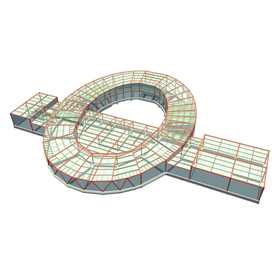
Structural Calculation Software Example │ S-Type 2-Story Twisting Factory

An example of a two-story yarn spinning factory that also includes production and sales stores for towels and clothing!

We would like to introduce a case study of the integrated structural calculation software "Super Build/SS7" used for a yarn twisting factory. The building shape is based on the motif of the number "0," which relates to the products being produced, and features an elliptical design with a central courtyard planned. The elliptical section has a single-pitched roof, while the cantilevered section has a flat roof. An entrance and product sales area (shop) are located on the southeast side of the building, and a glass curtain wall is used for the exterior to create an open and spacious atmosphere. 【Case Study Overview】 ■ Purpose: A certain yarn twisting factory ■ Structural Type: Steel structure ■ Number of Floors: 2 ■ Design: Kyushaku Design Co., Ltd. (Aichi Prefecture) *For more details, please download the PDF or feel free to contact us.

  • S造 2階建て撚糸工場2.jpg
  • S造 2階建て撚糸工場3.jpg
  • S造 2階建て撚糸工場4.png
  • S造 2階建て撚糸工場5.jpg
  • S造 2階建て撚糸工場6.png
  • S造 2階建て撚糸工場7.png
  • S造 2階建て撚糸工場8.png
  • S造 2階建て撚糸工場9.png
  • Architectural Design Software
  • soft

Added to bookmarks

Bookmarks list

Bookmark has been removed

Bookmarks list

You can't add any more bookmarks

By registering as a member, you can increase the number of bookmarks you can save and organize them with labels.

Free membership registration

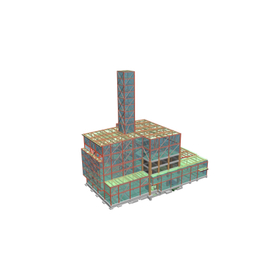
Structural Calculation Software Examples │ Steel Structure + Reinforced Concrete Structure + Steel Reinforced Concrete Structure Waste Treatment Plant

An example of a waste treatment facility with 4 floors above ground and 1 basement level! Special attention is given to the transmission of seismic forces and the load of seismic forces on columns and seismic walls.

We would like to introduce a case study of the integrated structural calculation software "Super Build/SS7" for a waste treatment facility. The plan dimensions are 57.0m × 38.3m, and it is broadly divided into three areas: the furnace room, the waste pit, and the platform. Additionally, a chimney approximately 59.0m high from the ground is planned to be integrated with the building in the furnace room area. 【Case Overview】 ■ Purpose: Waste treatment facility ■ Structural Type: Steel structure + Reinforced concrete structure + Steel-reinforced concrete structure ■ Levels: 4 stories above ground, 1 basement level, 9th floor penthouse ■ Design: S.A.I Structural Design Co., Ltd. (Fukuoka Prefecture) *For more details, please download the PDF or feel free to contact us.

  • S造+RC造+SRC造 ごみ処理場2.jpg
  • S造+RC造+SRC造 ごみ処理場3.jpg
  • S造+RC造+SRC造 ごみ処理場4.jpg
  • S造+RC造+SRC造 ごみ処理場5.jpg
  • Architectural Design Software
  • soft

Added to bookmarks

Bookmarks list

Bookmark has been removed

Bookmarks list

You can't add any more bookmarks

By registering as a member, you can increase the number of bookmarks you can save and organize them with labels.

Free membership registration

Structural Calculation Software Example │ S-Type 2-Story Food Service Center

Consideration for maintenance within the piping pit, routing of facility piping, and future equipment updates!

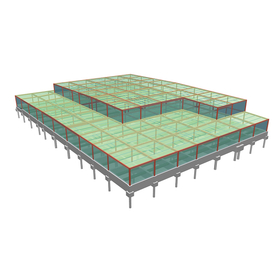
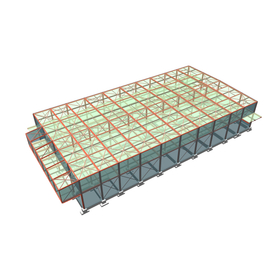
We would like to introduce an example of the structural calculation software "Super Build/SS7" used for a food service center. This building is a steel structure food service center being constructed in Aichi Prefecture. The first floor contains a kitchen, while the second floor has a training room and a conference room. The floor plan is a rectangle measuring 79.0m in the X direction and 52.3m in the Y direction. The second floor features a void and is partially set back. The floor heights are 4.3m for the first floor and 4.4m for the second floor. 【Example Overview】 ■ Purpose: Food Service Center ■ Structural Type: Steel Structure ■ Number of Floors: 2 ■ Design: Morimoto Structural Design Office, Inc. (Aichi Prefecture) *For more details, please download the PDF or feel free to contact us.

  • S造 2階建て給食センター2.jpg
  • S造 2階建て給食センター3.jpg
  • S造 2階建て給食センター4.jpg
  • S造 2階建て給食センター5.jpg
  • S造 2階建て給食センター6.jpg
  • S造 2階建て給食センター7.jpg
  • Architectural Design Software
  • soft

Added to bookmarks

Bookmarks list

Bookmark has been removed

Bookmarks list

You can't add any more bookmarks

By registering as a member, you can increase the number of bookmarks you can save and organize them with labels.

Free membership registration

Structural Calculation Software Examples | Steel Structure + Reinforced Concrete Structure, Komoro Distillery, Aging Warehouse

The vertical structure of the Komoro Distillery is composed of a row of steel post columns, reinforced concrete columns, and seismic walls!

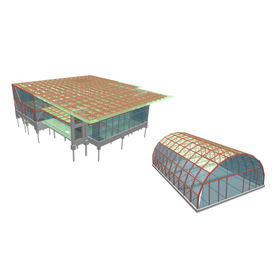
We would like to introduce an example of the structural calculation software "Super Build/SS7" used for the Komoro Distillery and its aging warehouse. The Komoro Distillery is a two-story factory with a steel structure and partially reinforced concrete structure. The floor plan is somewhat T-shaped, measuring approximately 33.9m on the long side and 32.2m on the short side, with a two-story atrium in the distillery section on the west side and the lobby on the east side. The aging warehouse has a floor plan of 25m x 40m, and its elevation features an arch shape in the Y direction. [Example Overview] - Use: Komoro Distillery, Aging Warehouse - Structural Type: Steel Structure + Reinforced Concrete Structure, Steel Structure - Number of Stories: 2 - Design: On Studio Structural Design Office (Tokyo) *For more details, please download the PDF or feel free to contact us.

  • 小諸蒸留所、熟成倉庫2.jpg
  • 小諸蒸留所、熟成倉庫3.jpg
  • 小諸蒸留所、熟成倉庫4.jpg
  • 小諸蒸留所、熟成倉庫5.jpg
  • 小諸蒸留所、熟成倉庫6.jpg
  • 小諸蒸留所、熟成倉庫7.jpg
  • 小諸蒸留所、熟成倉庫8.jpg
  • 小諸蒸留所、熟成倉庫9.jpg
  • Architectural Design Software
  • soft

Added to bookmarks

Bookmarks list

Bookmark has been removed

Bookmarks list

You can't add any more bookmarks

By registering as a member, you can increase the number of bookmarks you can save and organize them with labels.

Free membership registration

Structural Calculation Software Example │ RC Structure One-Story Outdoor Viewing Area

The planar shape measures 36.4m in both the X and Y directions, and it is an example of a curved shape that matches the layout of the ground!

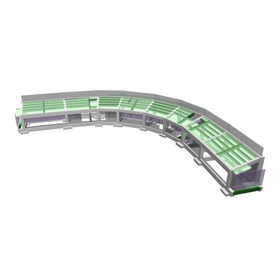
We would like to introduce an example of the structural calculation software "Super Build/SS7" for an outdoor viewing area. This building is a single-story reinforced concrete outdoor viewing area being constructed in Aichi Prefecture. The first floor includes a dugout, changing rooms, and a broadcasting room, while the second floor consists entirely of spectator seats. Although it is classified as a two-story building for the confirmation application, it is designed as a single-story structure. 【Example Overview】 ■ Purpose: Outdoor viewing area ■ Structural Type: Reinforced Concrete ■ Levels: 1 floor ■ Design: Morimoto Structural Design Office, Inc. (Aichi Prefecture) *For more details, please download the PDF or feel free to contact us.

  • RC造 1階建て屋外観覧場2.jpg
  • RC造 1階建て屋外観覧場3.jpg
  • RC造 1階建て屋外観覧場4.jpg
  • RC造 1階建て屋外観覧場5.jpg
  • 15306.jpg
  • Architectural Design Software
  • soft

Added to bookmarks

Bookmarks list

Bookmark has been removed

Bookmarks list

You can't add any more bookmarks

By registering as a member, you can increase the number of bookmarks you can save and organize them with labels.

Free membership registration

Structural Calculation Software Example | 3-Story Steel Factory

An example of a building with a 9.5m × 6.2m module that has a regular flat shape and an almost regular vertical shape!

We would like to introduce a case study of the integrated structural calculation software "Super Build/SS7" for factories. The project is a new construction case for a certain workshop, consisting of a two-story steel structure with a penthouse, with an outer dimension of 31.00m east-west and 19.00m north-south, and a height of 15.60m. Each floor has relatively heavy equipment distributed unevenly. The direction of the beams is supported by a brace framework, and the foundation is a pile foundation for a well-shaped building. 【Case Overview】 ■ Purpose: Factory ■ Structural Type: Steel Structure ■ Number of Floors: 3 ■ Design: Kaku Design (Wakayama Prefecture) *For more details, please download the PDF or feel free to contact us.

  • S造 3階建て工場2.jpg
  • S造 3階建て工場3.jpg
  • S造 3階建て工場4.jpg
  • S造 3階建て工場5.jpg
  • S造 3階建て工場6.jpg
  • Architectural Design Software
  • soft

Added to bookmarks

Bookmarks list

Bookmark has been removed

Bookmarks list

You can't add any more bookmarks

By registering as a member, you can increase the number of bookmarks you can save and organize them with labels.

Free membership registration

Structural Calculation Software Example | RC Structure 1-Story Health Check Center

The main structure is made of reinforced concrete, and it is an example of a frame structure with seismic walls in both the X and Y directions!

We would like to introduce a case study of the structural calculation software "Super Build/SS7" used for a health check center. The building is a single-story health check center with a simple exterior featuring two sloped roofs. Inside, the design utilizes the two sloped roofs to create a central plaza (waiting area) with a ceiling height of 7 meters that crosses the center of the building. Additionally, by exposing wooden beams in the ceilings of the central plaza and entrance, the design allows visitors to feel the presence of natural wood, aiming to create a facility that provides comfort and healing to those who visit. 【Case Study Overview】 ■ Purpose: Certain Health Check Center ■ Structural Type: Reinforced Concrete (RC) ■ Number of Floors: 1 ■ Design: Shimizu Corporation, Nagoya Branch Structural Design Department (Aichi Prefecture) *For more details, please download the PDF or feel free to contact us.

  • RC造 1階建て検診センター2.jpg
  • RC造 1階建て検診センター3.jpg
  • RC造 1階建て検診センター4.jpg
  • RC造 1階建て検診センター5.jpg
  • RC造 1階建て検診センター6.jpg
  • RC造 1階建て検診センター7.jpg
  • Architectural Design Software
  • soft

Added to bookmarks

Bookmarks list

Bookmark has been removed

Bookmarks list

You can't add any more bookmarks

By registering as a member, you can increase the number of bookmarks you can save and organize them with labels.

Free membership registration

Structural Calculation Software Example | 4-Story RC Hospital

Construct a hospital on the existing hospital site through a scrap-and-build approach, enabling it to "remain" operational even during disasters!

We would like to introduce a case study of the consistent structural calculation software "Super Build/SS7" for hospitals. We considered the construction steps for expansion, demolition, and renovation, planning to ensure that inpatients and staff can always receive treatment and operate on the premises. We are planning multiple buildings, but we will describe a newly constructed reinforced concrete building measuring 35.5m x 45m with four floors. 【Case Study Overview】 ■ Purpose: A certain hospital ■ Structural Type: Reinforced Concrete ■ Number of Floors: 4 ■ Design: Shimizu Corporation, Nagoya Branch Structural Design Department (Aichi Prefecture) *For more details, please download the PDF or feel free to contact us.

  • RC造 4階建て病院2.jpg
  • RC造 4階建て病院3.jpg
  • RC造 4階建て病院4.jpg
  • Architectural Design Software
  • soft

Added to bookmarks

Bookmarks list

Bookmark has been removed

Bookmarks list

You can't add any more bookmarks

By registering as a member, you can increase the number of bookmarks you can save and organize them with labels.

Free membership registration

Structural Calculation Software Example │ S-Type 2-Story Clean Room and Office

It is possible to input details such as beam levels even in the model input! You can also visually confirm the connections at the beam step differences.

We would like to introduce a case study of the integrated structural calculation software "Super Build/SS7" for clean rooms and offices. This building is a two-story steel structure factory being constructed in Shiga Prefecture. The floor plan shape is a rectangle measuring 60m in the X direction and 32m in the Y direction. The floor heights are 5.60m for the first floor and 3.90m for the second floor. As it will serve as a maintenance factory for production equipment, the first-floor slab is designed to accommodate the installation of a clean room and the movement of forklift vehicles. The roof is a folded plate, and the second-floor slab is a composite deck slab. [Case Study Overview] - Purpose: Clean room and office - Structural Type: Steel structure - Number of Stories: 2 - Design: At Planning Co., Ltd. (Osaka Prefecture) *For more details, please download the PDF or feel free to contact us.

  • S造 2階建てクリーンルーム・事務所2.jpg
  • S造 2階建てクリーンルーム・事務所3.jpg
  • S造 2階建てクリーンルーム・事務所4.jpg
  • S造 2階建てクリーンルーム・事務所5.jpg
  • S造 2階建てクリーンルーム・事務所6.jpg
  • S造 2階建てクリーンルーム・事務所7.jpg
  • S造 2階建てクリーンルーム・事務所8.jpg
  • Architectural Design Software
  • soft

Added to bookmarks

Bookmarks list

Bookmark has been removed

Bookmarks list

You can't add any more bookmarks

By registering as a member, you can increase the number of bookmarks you can save and organize them with labels.

Free membership registration

Structural Calculation Software Examples │ 13-Story Steel Office/Hotel

The Y direction will use a long-span structure with 2 grids as 1 span, enhancing the flexibility of the architectural plan!

We would like to introduce an example of the integrated structural calculation software "Super Build/SS7" for offices and hotels. This is a mixed-use facility with offices on the 1st to 3rd floors and a hotel on the 4th to 13th floors. The top floor (13th floor) features a large public bath, and the plan includes an open-air bath with a view of the sea. It has a steel structure measuring 46.9m in the X direction and 19.6m and 12.2m in the Y direction. 【Example Overview】 ■ Use: Office/Hotel ■ Structural Type: Steel Structure ■ Floors: 13 ■ Design: RIA Co., Ltd. (Tokyo) *For more details, please download the PDF or feel free to contact us.

  • 13階建て事務所・ホテル2.jpg
  • 13階建て事務所・ホテル3.jpg
  • 13階建て事務所・ホテル4.jpg
  • 13階建て事務所・ホテル5.jpg
  • Architectural Design Software
  • soft

Added to bookmarks

Bookmarks list

Bookmark has been removed

Bookmarks list

You can't add any more bookmarks

By registering as a member, you can increase the number of bookmarks you can save and organize them with labels.

Free membership registration

Structural Calculation Software Example │ Wooden Single-Story Nursery

An example of modeling that closely reflects the actual situation using dummy layers, node unification, node movement, etc.!

We would like to introduce a case study of the integrated structural calculation software "Super Build/SS7" for a nursery school. This is a nursery school project located in the suburbs of Fukuoka Prefecture, covering approximately 700m². It is surrounded by rural areas and low-rise buildings, providing an environment suitable for child-rearing. The building was originally planned as two separate structures with an expansion joint, but considering the usability of the building, it was designed as a single structure. Due to its complex wooden design, the basic and detailed design was carried out using "SS7 Op. Wooden Frame." [Case Study Overview] ■ Purpose: Nursery School ■ Structural Type: Wooden (Conventional Frame Construction) ■ Number of Floors: 1 ■ Design: Noguchi Yutaka Architectural Structural Design Co., Ltd. (Fukuoka Prefecture) *For more details, please download the PDF or feel free to contact us.

  • Architectural Design Software
  • soft

Added to bookmarks

Bookmarks list

Bookmark has been removed

Bookmarks list

You can't add any more bookmarks

By registering as a member, you can increase the number of bookmarks you can save and organize them with labels.

Free membership registration