1~45 item / All 95 items
Displayed results
Filter by category

Added to bookmarks
Bookmarks listBookmark has been removed
Bookmarks listYou can't add any more bookmarks
By registering as a member, you can increase the number of bookmarks you can save and organize them with labels.
Free membership registrationContact this company
Contact Us Online1~45 item / All 95 items
Filter by category

We would like to introduce the "Corporate Mobile Communication Cost Review" that we offer. Cost reduction is achieved not just through simple price cuts, but through optimization tailored to actual usage. The extent of improvement can vary significantly depending on your contract situation. In some cases, cost reductions of nearly 40% are possible. 【Four Points That Can Be Resolved Through Review】 ■ Rate Plans ■ Call Options ■ User-Specific Design ■ Elimination of Unnecessary Costs *For more details, please download the PDF or feel free to contact us.
Added to bookmarks
Bookmarks listBookmark has been removed
Bookmarks listYou can't add any more bookmarks
By registering as a member, you can increase the number of bookmarks you can save and organize them with labels.
Free membership registration
The "Corporate Smartphone Bulk Management Service" is a service that organizes lines, devices, and operations together to simplify management. As the number of devices increases, understanding contract details and usage conditions becomes complicated, making the burden on the management department less visible yet increasing. By visualizing management, we create a system that makes operations smoother for around 100 devices and reduces the burden on the management department. 【What can be done with bulk management】 ■ Line organization ■ Device management ■ Unified operations ■ Streamlined arrangements ■ Burden reduction *For more details, please download the PDF or feel free to contact us.
Added to bookmarks
Bookmarks listBookmark has been removed
Bookmarks listYou can't add any more bookmarks
By registering as a member, you can increase the number of bookmarks you can save and organize them with labels.
Free membership registration
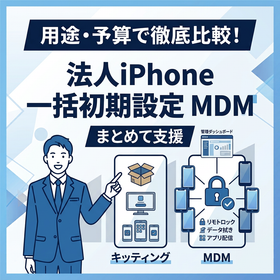
When introducing dozens of iPhones as company smartphones all at once, many administrators struggle with the enormous effort of "setting up each device individually and installing apps" and the inability to understand "the security management status of all devices." Especially in corporate implementations, it is essential to establish a Mobile Device Management (MDM) system that not only handles the initial setup (kitting) of devices but also manages security controls after deployment (remote locking, data wiping, bulk app distribution, restrictions on personal use) and centralized management of device inventories. Leaving these tasks to individual employees can lead to information leaks in case of loss and decreased management efficiency. At P-Up Co., Ltd., we provide comprehensive support from unboxing iPhones to initial setup, profile configuration for your specified MDM software, and app installation, tailored to the nature of your business and the number of devices being deployed. We aim to reduce the effort required during implementation to zero. From building a safe and optimal MDM management system to operation, we offer total support. If you want to "eliminate the hassle of kitting" or "start safe MDM management," please feel free to contact us first.
Added to bookmarks
Bookmarks listBookmark has been removed
Bookmarks listYou can't add any more bookmarks
By registering as a member, you can increase the number of bookmarks you can save and organize them with labels.
Free membership registration
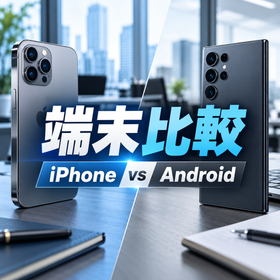
We will introduce the "Comparison Points between iPhone and Android for Corporate Smartphones." It is important to compare not only the device prices but also the performance and operational costs. The key factor is not which one is better, but whether it fits your company's usage purposes. Please feel free to contact us if you have any inquiries. 【iPhone】 ■ Security: High sense of security, easy to manage ■ Usability: Many everyday users, easy for employees to adopt ■ Performance: Stable operation, user-friendly even for high-load tasks ■ Suitable for companies: Emphasizing usability, consistency, and security *For more details, please download the PDF or feel free to contact us.
Added to bookmarks
Bookmarks listBookmark has been removed
Bookmarks listYou can't add any more bookmarks
By registering as a member, you can increase the number of bookmarks you can save and organize them with labels.
Free membership registration
We would like to introduce our "Free Communication Cost Diagnosis." Contracts that have not been reviewed can unknowingly lead to increased costs. We will organize your current contract details and clearly identify areas for potential review. Please feel free to contact us when needed. 【Five Common Causes of Overpaying】 ■ Old pricing plans ■ Mismatch with usage ■ Unnecessary options ■ Increase in the number of lines ■ Complexity of contracts *For more details, please download the PDF or feel free to contact us.
Added to bookmarks
Bookmarks listBookmark has been removed
Bookmarks listYou can't add any more bookmarks
By registering as a member, you can increase the number of bookmarks you can save and organize them with labels.
Free membership registration
We will introduce how to implement iPhones for corporations at a great value. The reason why the cost of introducing iPhones feels high is not only due to the device price but also because of the less visible total burden. By reviewing communication costs, it may be possible to reduce the feeling of burden when introducing iPhones. Please feel free to contact us when needed. 【Four Considerations to Reduce Device Costs】 ■ Device selection ■ Capacity selection ■ Implementation method selection ■ Optimization of communication costs *For more details, please download the PDF or feel free to contact us.
Added to bookmarks
Bookmarks listBookmark has been removed
Bookmarks listYou can't add any more bookmarks
By registering as a member, you can increase the number of bookmarks you can save and organize them with labels.
Free membership registration
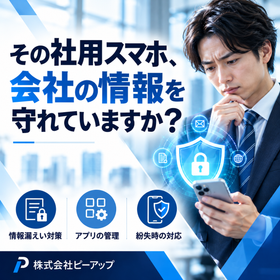
We would like to introduce the "Measures Against Information Leakage in Case of Company Smartphone Loss" that we provide. The loss of a single smartphone can lead to the risk of information leakage, such as unauthorized access to important information of customers and business partners. We will prepare a system that allows administrators to take initial response actions, such as remote locking, after a loss occurs. Please feel free to contact us when needed. 【Loss Prevention Measures with MDM】 ■ Remote Lock ■ Lost Mode ■ Device Status Check ■ Location Check Based on Conditions *For more details, please download the PDF or feel free to contact us.
Added to bookmarks
Bookmarks listBookmark has been removed
Bookmarks listYou can't add any more bookmarks
By registering as a member, you can increase the number of bookmarks you can save and organize them with labels.
Free membership registration
We would like to introduce the benefits of the corporate-exclusive plan. When work and personal matters are mixed, it becomes cumbersome to process expense reimbursements, making costs and management less transparent. The key is to have a contract that fits your usage and to manage it collectively within the company. Please feel free to contact us when you need assistance. 【Are you experiencing increased burdens while still on an individual contract?】 ■ Cumbersome expense reimbursement process ■ Lack of visibility into overall company costs ■ Easy to miss opportunities to review fees *For more details, please download the PDF or feel free to contact us.
Added to bookmarks
Bookmarks listBookmark has been removed
Bookmarks listYou can't add any more bookmarks
By registering as a member, you can increase the number of bookmarks you can save and organize them with labels.
Free membership registration
We will guide you on the key points to consider when changing careers and how to reduce the burden of the procedures. By organizing the steps in advance, we will support you in smoothly transitioning while minimizing the burden on the person in charge. By preparing in advance, it becomes easier to proceed even with multiple devices. 【Four Points to Confirm Before Switching】 ■MNP and Switching Procedures ■Whether you can use your current device ■Data and Business Applications ■Switching Schedule *For more details, please download the PDF or feel free to contact us.
Added to bookmarks
Bookmarks listBookmark has been removed
Bookmarks listYou can't add any more bookmarks
By registering as a member, you can increase the number of bookmarks you can save and organize them with labels.
Free membership registration
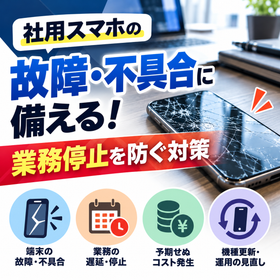
We would like to introduce measures for dealing with smartphone malfunctions in corporations. The failure of a single smartphone can lead to a halt in communication and delays in customer response, potentially resulting in business stagnation and increased workload. Our "P-Up Member Service" supports initial response from the time of malfunction reporting to the sending of a replacement device and repair. 【What you can do with the P-Up Member Service】 ■ Consultation for malfunctions ■ Communication using a dedicated format ■ Situation confirmation ■ Sending of a replacement device ■ Repair support ■ Return of repaired items *For more details, please download the PDF or feel free to contact us.
Added to bookmarks
Bookmarks listBookmark has been removed
Bookmarks listYou can't add any more bookmarks
By registering as a member, you can increase the number of bookmarks you can save and organize them with labels.
Free membership registration
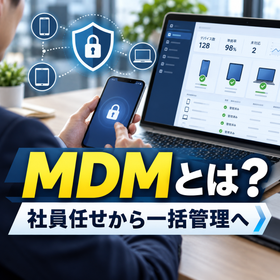
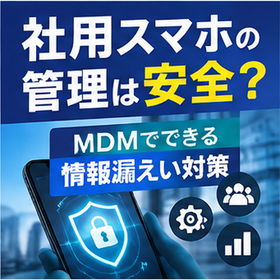
We will introduce how to safely manage company smartphones. MDM is a system that allows you to manage rules, settings, and device information all in one place. It visualizes the management of company-issued smartphones. As the number of smartphones increases, it is important to have a system that does not leave management to others. 【What MDM can do】 ■Remote lock ■Usage rule settings ■App management ■Understanding device information ■Enhanced security *For more details, please download the PDF or feel free to contact us.
Added to bookmarks
Bookmarks listBookmark has been removed
Bookmarks listYou can't add any more bookmarks
By registering as a member, you can increase the number of bookmarks you can save and organize them with labels.
Free membership registration
When reviewing the costs of corporate smartphones, many companies may wonder, "What is a reasonable price per device?" However, the appropriate price for corporate smartphones cannot simply be determined as "X yen per device." For example: - How much data is being used each month? - Are there many or few calls? - Are there unnecessary options included? - Has the number of lines increased, making the contract more complex? - Is there a significant difference in usage among employees? The points to consider for review will vary based on these factors. In particular, if all employees are on the same pricing plan, there may be cases where the actual usage does not match the plan details, leading to unnecessary costs. What is important is not just to look at "how much per device," but to check "whether that price aligns with actual usage." By first organizing the current billing details, number of lines, and data usage, it becomes clearer whether there is room for review. We provide an easy-to-understand introduction to the check points for reviewing corporate smartphone costs and the approach to optimization in our catalog.
Added to bookmarks
Bookmarks listBookmark has been removed
Bookmarks listYou can't add any more bookmarks
By registering as a member, you can increase the number of bookmarks you can save and organize them with labels.
Free membership registration
【Measures Against Loss of Company Smartphones】 Can the company respond immediately if a smartphone is lost? When a company smartphone is lost, the issue is not just the device itself. The device contains various information such as emails, customer data, internal data, and business applications. Therefore, how quickly the initial response can be made at the time of loss is crucial. In particular, - There is no designated contact for reporting a loss - It is unclear who manages the devices - The method for remote locking is not organized - The response methods vary by employee - The procedures after a loss are not shared within the company Companies facing these issues need to establish a management system in advance. What is important is to prepare before a loss occurs, rather than thinking about it after losing the device. We provide an easy-to-understand catalog that outlines the common risks during a loss, the flow of initial response, and points to prepare in advance. "Would the company be able to respond immediately if an employee lost their smartphone right now?" Why not take a moment to review your current management system?
Added to bookmarks
Bookmarks listBookmark has been removed
Bookmarks listYou can't add any more bookmarks
By registering as a member, you can increase the number of bookmarks you can save and organize them with labels.
Free membership registration
When reviewing the costs of corporate smartphones, many companies may wonder, "What is a reasonable amount per device?" However, the appropriate pricing for corporate smartphones cannot simply be determined as "X yen per device." For example: - How much data is being used each month? - Are there many or few calls being made? - Are there unnecessary options included? - Has the number of lines increased, making the contract more complicated? - Is there a significant variation in usage among employees? The points to consider for review will change based on these factors. In particular, if all employees are on the same pricing plan, there may be cases where the actual usage does not match the plan details, leading to unnecessary costs. What is important is not just to look at "how much per device," but to check "whether that cost aligns with actual usage." By first organizing the current billing details, number of lines, and data usage, it becomes clearer whether there is room for review. "Is our current corporate smartphone pricing really appropriate as it is?" Why not take a moment to check your current contract details?
Added to bookmarks
Bookmarks listBookmark has been removed
Bookmarks listYou can't add any more bookmarks
By registering as a member, you can increase the number of bookmarks you can save and organize them with labels.
Free membership registration
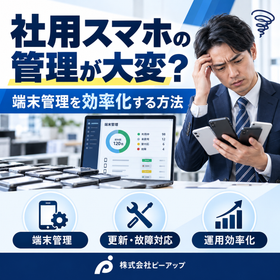
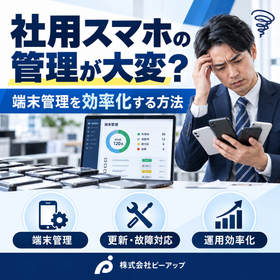
The management burden of company smartphones increases as the number of devices grows. For around 10 devices, it may be possible for the person in charge to manage them using Excel or a ledger. However, as the number increases to 50 or 100 devices, the following challenges are likely to arise: - It becomes difficult to track who is using which device. - Managing device upgrades and replacement schedules becomes complicated. - There is an increase in the handling of device lending and collection during employee onboarding and offboarding. - It takes more effort to check billing and service plans. - Responses to loss or damage become reliant on the person in charge. For example, with around 10 devices, "management that the person in charge can oversee" may suffice, but at 50 devices, "establishing operational rules for management" becomes necessary, and at 100 devices, **"utilizing centralized management or management tools"** becomes crucial. What is important is not to wait until the number of devices increases to change the management method, but to prepare the management system with future growth in mind. "Will the current management method be sufficient if the number of company smartphones increases?" Why not take a moment to review the current management system?
Added to bookmarks
Bookmarks listBookmark has been removed
Bookmarks listYou can't add any more bookmarks
By registering as a member, you can increase the number of bookmarks you can save and organize them with labels.
Free membership registration
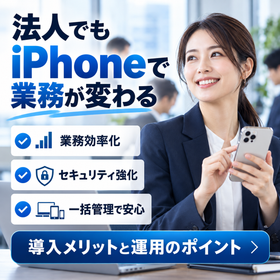
To companies considering the introduction or review of corporate mobile phones. "Each employee has a different device, making management difficult." "I want to work efficiently even when I'm out." "I'm worried about the security of business smartphones." Do you have such concerns? The iPhone, with its intuitive usability and robust security features, is a smartphone suitable for corporate use. 【Three Benefits of Introducing iPhones in Corporations】 1: Improved Work Efficiency Handle emails, document reviews, and online meetings from outside the office. 2: Security Measures Protect corporate information through device encryption and authentication features. 3: Centralized Device Management By combining with MDM, it is also possible to manage app distribution and device settings collectively. When introducing, it is important to consider not only the device price but also communication fees, management methods, and operational burdens. The materials clearly explain the benefits of introducing iPhones for corporations and management methods. Please download and check it out.
Added to bookmarks
Bookmarks listBookmark has been removed
Bookmarks listYou can't add any more bookmarks
By registering as a member, you can increase the number of bookmarks you can save and organize them with labels.
Free membership registration
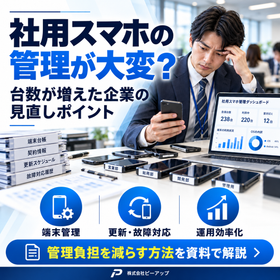
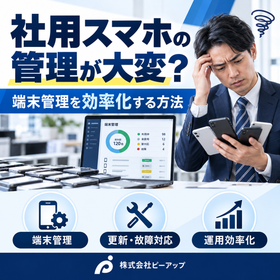
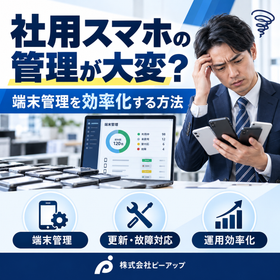
Are you spending too much time on management tasks as the number of company smartphones increases? "I don't know who is using which device." "It takes time for device changes and dealing with malfunctions." "I can't keep track of contract details and renewal dates." These issues can be an opportunity to rethink how you manage company smartphones. 【Three Points to Check】 1: Centralized Management of Device Information Organize user information, phone numbers, device types, and contract details to keep the management ledger up to date. 2: Streamlining Updates and Malfunction Responses Clarify the timing for device changes and the procedures for repairs to prevent any oversights. 3: Reducing Management Burden with MDM Manage device settings and app distribution collectively to streamline operations. It is important to consider the operation after the introduction of company smartphones. The document introduces specific points for re-evaluating to reduce the burden of management tasks. Please download it and check it out.
Added to bookmarks
Bookmarks listBookmark has been removed
Bookmarks listYou can't add any more bookmarks
By registering as a member, you can increase the number of bookmarks you can save and organize them with labels.
Free membership registration
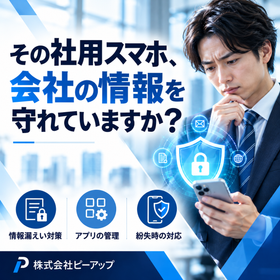
Are you adequately addressing security measures for company smartphones? Business smartphones may store and access important company information, such as customer data and internal documents. - "There are no established procedures for when a device is lost." - "Employees can freely install applications." - "Security settings are not standardized across devices." Such conditions can lead to the risk of information leakage. **Three measures companies should confirm:** 1. Device lock and authentication settings Utilize passcodes and biometric authentication to prevent unauthorized use. 2. Rules for using business applications Establish rules regarding application installation and information handling. 3. Centralized management through MDM Manage device settings and usage restrictions collectively, preparing for remote responses in case of loss. This document explains the security measures for company smartphones that companies should keep in mind. Please utilize it when reviewing your management system.
Added to bookmarks
Bookmarks listBookmark has been removed
Bookmarks listYou can't add any more bookmarks
By registering as a member, you can increase the number of bookmarks you can save and organize them with labels.
Free membership registration
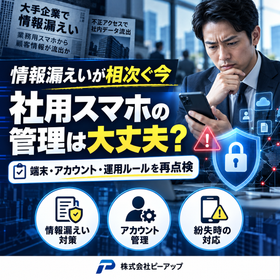
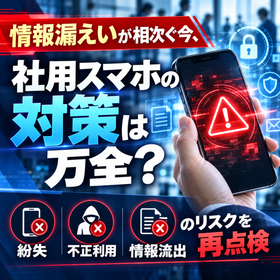
Recently, there have been a series of announcements regarding information leakage incidents, and the IPA is calling on businesses to review and inspect external services, accounts, and retained data. In this situation, it is also important to re-confirm the management system for company smartphones. "Are device locks and authentication settings standardized?" "Are there rules for using business applications and cloud services?" "Is there a predetermined initial response for lost devices?" "Can devices be managed collectively through MDM or similar solutions?" While company smartphones are convenient business tools, insufficient management can lead to risks of information leakage and unauthorized use. The document clearly explains the points companies should check regarding the management of company smartphones and how to proceed with the review. Please download it and make use of it.
Added to bookmarks
Bookmarks listBookmark has been removed
Bookmarks listYou can't add any more bookmarks
By registering as a member, you can increase the number of bookmarks you can save and organize them with labels.
Free membership registration
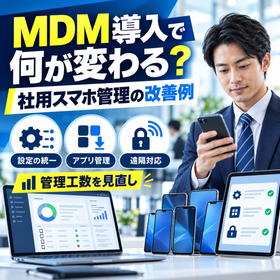
As the number of company smartphones increases, the burden on management personnel grows significantly due to tasks such as changing settings, distributing apps, monitoring usage, and responding to lost devices. Issues such as "inconsistent settings across devices," "time-consuming device changes and updates," and "concerns about initial response to lost devices" highlight the need for improvements, and MDM (Mobile Device Management) is gaining attention as a solution. By utilizing MDM, it becomes easier to unify device settings, manage apps, impose usage restrictions, and perform remote locking all at once. The materials will clearly explain what changes with the introduction of MDM, along with examples of improvements in company smartphone management. Please download and check it out.
Added to bookmarks
Bookmarks listBookmark has been removed
Bookmarks listYou can't add any more bookmarks
By registering as a member, you can increase the number of bookmarks you can save and organize them with labels.
Free membership registration
Are you spending time and effort dealing with the breakdowns of company smartphones? "Screen cracks and battery degradation are increasing." "There are no established procedures for replacement devices or communication when a breakdown occurs." "I can't keep track of which devices are getting old." Such situations can lead to stagnation in on-site operations and increased burdens on management personnel. In addressing breakdowns, it is important not only to consider the issues with the devices themselves but also to understand the timing for updates, usage rules, response procedures for breakdowns, and a review of device selection. The materials clearly explain the points that companies experiencing ongoing smartphone breakdowns should reconsider and the approach to operational improvements. Please download and make use of it.
Added to bookmarks
Bookmarks listBookmark has been removed
Bookmarks listYou can't add any more bookmarks
By registering as a member, you can increase the number of bookmarks you can save and organize them with labels.
Free membership registration
There have been a series of announcements regarding information leaks within the country, and the Personal Information Protection Commission and IPA are calling on companies to review their security measures. Company-issued smartphones are no exception. "Can they be remotely locked in case of loss?" "Are employee accounts and applications being managed?" "Are the devices and access rights of former employees being handled appropriately?" Company smartphones are business devices that access customer information and internal systems. It is necessary to prepare not only for loss but also for unauthorized use and deficiencies in account management. 【Three measures companies should confirm】 1: Device lock and authentication settings 2: Management of business applications and accounts 3: Centralized management of devices through MDM Would you like to review the security management of company smartphones and protect your company's valuable information? The document explains specific measures and management methods. Please download it for more information.
Added to bookmarks
Bookmarks listBookmark has been removed
Bookmarks listYou can't add any more bookmarks
By registering as a member, you can increase the number of bookmarks you can save and organize them with labels.
Free membership registration
Are you leaving the security management of company smartphones to your employees? As concerns about information leaks and unauthorized access rise, it is important for companies to review their smartphone management systems. "Settings differ by device" "Unable to restrict unnecessary apps for work" "No established response for lost devices" "Devices and access rights of former employees remain active" One solution to these issues is MDM (Mobile Device Management). [Main capabilities of MDM] 1: Centralized management of security settings 2: Distribution and usage restrictions of business apps 3: Remote locking and data wiping in case of loss 4: Monitoring the status of managed devices *Available features may vary by product and OS. However, simply implementing MDM does not complete the solution. It is important to combine it with usage rules, account management, and a communication system for lost devices. At P-Up Co., Ltd., we offer consultations tailored to your company's usage situation, from the introduction and model changes of corporate mobile phones to MDM proposals, as well as reviewing communication costs and management methods. The materials explain the differences in management methods before and after implementation, as well as points for improvement. Please make use of them.
Added to bookmarks
Bookmarks listBookmark has been removed
Bookmarks listYou can't add any more bookmarks
By registering as a member, you can increase the number of bookmarks you can save and organize them with labels.
Free membership registration
After the company smartphone of a retired employee has been returned, have you confirmed the device ledger, the name on the line, and the handover to the next user? Even if only the device is collected, there are still things to verify, such as the whereabouts of the SIM and accessories, the continuation of the contract, and company information within the device. If the methods differ by person in charge, it is important to standardize the flow from collection to reuse. At P-Up, we ask about the issues you face with device management at the time of retirement as part of our consultation on the introduction and operation of corporate mobile phones. ■ Verification of device, SIM, and user information ■ Management methods for collected and uncollected devices ■ Organization of continued use and unused lines ■ Organization of items to confirm before redistribution ■ Review of communication procedures between general affairs and each location When inquiring, please provide the "number of devices in use," "approximate number of retirees each month," and "current collection method." [Consultation Example] The returned devices do not match the ledger, and it is unclear which devices can be redistributed. We will confirm the scope of support and costs and provide guidance. Please consult us through "Contact Us via Web" on this page.
Added to bookmarks
Bookmarks listBookmark has been removed
Bookmarks listYou can't add any more bookmarks
By registering as a member, you can increase the number of bookmarks you can save and organize them with labels.
Free membership registration
I would like to prepare company smartphones in line with the new employees' joining, but are we keeping up with the necessary number of devices and the organization of contract procedures? If we decide on the model and plan just before their joining, changes in distribution locations or additional arrangements may overlap, increasing the verification tasks for the person in charge. First, let's organize the number of employees, start date, and business purposes, and consider preparations including the reuse of existing devices. At P-Up, you can consult us about the new introduction of corporate mobile phones, including device selection, line contracts, and matters to confirm before distribution. - Organizing the number of new employees and required devices - Confirming the purposes such as phone, email, and business applications - Comparing the reuse of existing devices with new purchases - Confirming procedures leading up to the start date - Managing user and device information after distribution When inquiring, please let us know the "planned number of devices," "desired start date," and "business you want to use." [Consultation example] Prepare 20 devices in line with next month's joining and manage them with a ledger after distribution. Stock, review, delivery time, and setup work availability will be confirmed individually. Please consult us through the "Contact Us via Web" on this page.
Added to bookmarks
Bookmarks listBookmark has been removed
Bookmarks listYou can't add any more bookmarks
By registering as a member, you can increase the number of bookmarks you can save and organize them with labels.
Free membership registration
Are you finding it difficult to keep track of the number of corporate mobile contracts and billing details at headquarters as the number of contracts increases at each branch or sales office? When the contract periods, models, and user record-keeping methods differ by location, it can be cumbersome to confirm updates and communicate about employee onboarding and offboarding. Before consolidating billing, it is essential to organize who is using which line and where it is being managed. At P-Up, we can discuss the current contracts and management methods for corporate mobile phones used across multiple locations and how to proceed with a review. - Organizing the number of lines and contract status by location - Methods for confirming user and device information - Organizing the billing confirmation contact points and management units - Procedures for communicating about renewal periods and additional arrangements - Reviewing the division of roles between headquarters and the field When inquiring, please provide the "number of locations," "total number of devices," and "current contract providers and how billing is divided." [Consultation example] There are individual contracts at five locations, and headquarters cannot grasp the total number of devices. The feasibility of billing consolidation and contract conditions will be confirmed individually. Please consult us through the "Contact Us via Web" link on this page.
Added to bookmarks
Bookmarks listBookmark has been removed
Bookmarks listYou can't add any more bookmarks
By registering as a member, you can increase the number of bookmarks you can save and organize them with labels.
Free membership registration
When considering a change of model for corporate mobile phones, can you quickly check the start date of use and payment status for each line? In companies that repeatedly add contracts, the timing of updates can vary, and the replacement of old devices and cost comparisons tend to be postponed. It is important to separate the consideration of contract renewals and device replacements, and to plan after confirming the current conditions. At P-Up, we assist with consultations on corporate mobile phone contracts and operations by organizing the necessary checks for renewals and model changes. - Organizing contract periods and users for each line - Checking the age and issues of devices - Confirming the remaining balance of device costs and contract conditions - Organizing replacement targets and priorities - Considering the timing for reviewing multiple lines When inquiring, please provide information on the "number of devices," "contract provider," "desired replacement timing," and "condition of problematic devices." [Consultation example] I would like to review devices in need of replacement in order, for 50 lines with different contract periods. Costs and procedures will be explained after confirming the current conditions. Please consult us via the "Contact Us from the Web" link on this page.
Added to bookmarks
Bookmarks listBookmark has been removed
Bookmarks listYou can't add any more bookmarks
By registering as a member, you can increase the number of bookmarks you can save and organize them with labels.
Free membership registration
Are you continuing to pay for unused lines or spare corporate mobile phones of former employees? Even lines that appear unused may still be kept as business contact points or may have ongoing installment payments for devices. It is important not to decide on cancellation based solely on the fees, but to check the purpose of use and contract conditions together. At P-Up, we offer consultations on reviewing corporate mobile phone fees and contracts, starting with the organization of unused lines and low-usage lines. - Verification of lines and actual users - Classification of in-use, spare, and unused lines - Confirmation of basic fees and options - Verification of outstanding balances and cancellation conditions - Consideration of continuation, reuse, and review When inquiring, please provide the number of contracted lines, the number of lines you believe are unused, and your current service provider. Even if you are not aware of the status of all lines, you can consult us based on the information you can confirm. [Consultation Example] There are 60 contracted lines, but I think only about 45 are actually in use. We will provide information on potential savings or changes after reviewing the contracts. Please consult us through the "Contact Us via Web" link on this page.
Added to bookmarks
Bookmarks listBookmark has been removed
Bookmarks listYou can't add any more bookmarks
By registering as a member, you can increase the number of bookmarks you can save and organize them with labels.
Free membership registration
Are there employees who frequently run out of data on their corporate smartphones mixed in with those who hardly use any? While it is easier to manage if everyone has the same data capacity, this may not align with actual usage. Before simply purchasing additional data, it is important to organize and compare how smartphones are used for outings, tethering, and business applications. At P-Up, we offer consultations on selecting plans based on business usage and data consumption as part of our review of corporate mobile phone fees and contracts. - Check data usage by line - Organize overage and additional charges - Confirm usage for outings and tethering - Differences in usage by employee or department - Comparison based on current contract conditions When inquiring, please provide the following information: "number of devices," "current data capacity," "number of lines with insufficient capacity," and "main business usage." [Consultation example] The sales staff are experiencing data shortages, while office workers have excess data each month. We want to review by department. The available plans and costs vary depending on the contract provider and conditions. Please consult us through the "Contact Us via Web" link on this page.
Added to bookmarks
Bookmarks listBookmark has been removed
Bookmarks listYou can't add any more bookmarks
By registering as a member, you can increase the number of bookmarks you can save and organize them with labels.
Free membership registration
Are you unsure whether the high charges for corporate mobile phones are due to call fees? Sales and field personnel use their phones differently. It is important to check whether there are many short calls or long calls, and to organize the breakdown of charges, including numbers that are not covered by flat-rate services, as the first step in reviewing your plan. At P-Up, we will discuss contracts that fit your current usage of calls as part of our consultation on reviewing corporate mobile phone charges and contracts. - Confirm the breakdown of call charges and basic fees - Organize trends in short and long calls - Check flat-rate calls and options - Identify calls that are not covered by flat rates - Compare plans by department and role When inquiring, please provide the following information: "number of devices," "current provider," "number of lines with high call charges," and "approximate usage of calls." [Consultation example] I want to check if the current flat-rate service is suitable because the call charges for the sales representative are high. We will individually confirm and provide information on applicable conditions and costs. Please consult us through the "Contact Us via Web" section on this page.
Added to bookmarks
Bookmarks listBookmark has been removed
Bookmarks listYou can't add any more bookmarks
By registering as a member, you can increase the number of bookmarks you can save and organize them with labels.
Free membership registration
When a company smartphone breaks down, can you quickly check the location of spare devices and repair contact information? If the device is not functioning, it may not only affect phone calls but also the use of business applications and authentication. It is important not only to prepare spare devices but also to decide who will store them and what to check during the exchange, which leads to smoother operations without panic. At P-Up, you can consult us about the introduction and operation of corporate mobile phones, including issues related to responses during breakdowns and device updates. ■ Organizing internal contact points and contract windows for breakdowns ■ Confirming storage and lending rules for spare devices ■ Handing over matters related to SIM cards and business applications ■ Checking contract conditions regarding warranties and repairs ■ Organizing the priority of devices that need to be replaced When inquiring, please provide information about the "number of devices in use," "current model," "availability of spare devices," and "business operations that are affected during breakdowns." [Consultation Example] I want to organize the operation of spare devices because communication stops when the smartphone on-site breaks down. The feasibility and schedule for repairs, substitute devices, and setup work will be confirmed individually. Please consult us through the "Contact Us via Web" link on this page.
Added to bookmarks
Bookmarks listBookmark has been removed
Bookmarks listYou can't add any more bookmarks
By registering as a member, you can increase the number of bookmarks you can save and organize them with labels.
Free membership registration
When an employee loses a company smartphone, is it clear who to contact first within the company? In the event of a loss, it is necessary to check not only the search for the device but also the status of the line being used, stored information, and business applications. To avoid confusion during holidays or when out, it is important for the management personnel and users to have common contact points and confirmation items. At P-Up, we offer consultations regarding the communication system and management methods for lost corporate phones as part of a review of corporate mobile operations. ■ Reporting procedure from users to management personnel ■ Confirmation of the line suspension contact and contract ■ Records of devices, users, and applications used ■ Consideration of management methods such as MDM ■ Confirmation items after the device is found When inquiring, please provide information on "number of devices in use," "current management methods," "whether MDM is used," and "issues with the communication system." 【Consultation example】I only know the contact person for reporting a loss and would like to establish a common procedure within the company. The possibility of remote operation varies depending on the contract and device settings. Please consult us through the "Contact Us from the Web" section on this page.
Added to bookmarks
Bookmarks listBookmark has been removed
Bookmarks listYou can't add any more bookmarks
By registering as a member, you can increase the number of bookmarks you can save and organize them with labels.
Free membership registration
Are you making judgments every time an employee asks about taking company smartphones out or using apps? It is important to align the understanding of users and management regarding the devices used for outings or remote work, including storage methods, screen locks, non-work-related use, and communication in case of loss. Before adding more rules, let's organize the situations that can cause confusion on-site and the current management methods. At P-Up, we listen to your concerns about the introduction and operation of corporate mobile phones, including reviewing usage rules and device management. ■ Confirmation of devices taken outside and their users ■ Organization of storage, return, and borrowing operations ■ Confirmation items for screen locks and app usage ■ Consideration of management methods such as MDM ■ Sharing internal communication for loss or damage When inquiring, please provide information on "number of devices," "business for which they are taken out," "current rules," and "situations where employees are confused." [Consultation example] I would like to organize confirmation items for users regarding devices that sales representatives take out every day. The scope of support for creating regulations and setting up tasks will be confirmed individually. Please consult us through the "Contact Us from the Web" section on this page.
Added to bookmarks
Bookmarks listBookmark has been removed
Bookmarks listYou can't add any more bookmarks
By registering as a member, you can increase the number of bookmarks you can save and organize them with labels.
Free membership registration
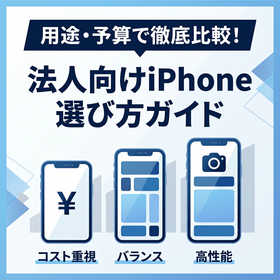
When considering an iPhone for company smartphones, many businesses struggle with questions like "Which model should we choose?" and "How can we keep the implementation costs down for the number of devices we need?" Selecting an iPhone for corporate use is important to compare not only the device price but also the business applications and the duration of use. - For calls and communication-focused use: iPhone 17e, 16e, etc. - For document review and portability: iPhone 17, iPhone Air, etc. - For high-precision field photography or high-demand tasks: iPhone 18 Pro, etc. Excessive adoption of high-priced models or early replacements due to insufficient storage can lead to increased costs. If the number of devices increases, it is also important to consider management methods such as initial setup and MDM. At P-Up Co., Ltd., we can assist you with selecting models that fit your needs and budget, reviewing communication plans, kitting, and managing devices after implementation, including measures for damage or loss. Details regarding available models, stock, delivery times, setup work, MDM features, and costs will be confirmed individually. Please let us know your "planned number of devices," "business applications," "budget," and "desired timing," and consult us through the "Contact Us via Web" section on this page.
Added to bookmarks
Bookmarks listBookmark has been removed
Bookmarks listYou can't add any more bookmarks
By registering as a member, you can increase the number of bookmarks you can save and organize them with labels.
Free membership registration
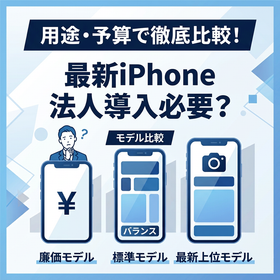
When it comes to changing or introducing new company smartphones, many businesses grapple with whether to adopt the latest iPhone 18 Pro or if a budget model or an older version would suffice. While the latest iPhones come equipped with high-performance cameras and chips, many businesses find that they cannot fully utilize this performance for general tasks such as calls, business chats, and attendance management, often resulting in over-specification. Conversely, there are cases where the necessary performance is insufficient, necessitating a replacement within a few years. Selecting iPhones for corporate use should be based not on the buzz surrounding the latest models, but rather on the specific tasks of each department and the intended duration of use. By avoiding the introduction of high-priced, over-spec models and opting for devices that strike a balance between cost and performance, companies can optimize their total costs. Depending on the nature of the business and budget, we provide comprehensive support for selecting the most suitable iPhone model—ranging from the latest models to budget options—to prevent over-specification, as well as reviewing communication plans, kitting during implementation, and managing devices post-implementation through MDM software. If you are "undecided between the latest model and an older version" or "want to compare models that suit your company," please feel free to consult with us.
Added to bookmarks
Bookmarks listBookmark has been removed
Bookmarks listYou can't add any more bookmarks
By registering as a member, you can increase the number of bookmarks you can save and organize them with labels.
Free membership registration
Indoor photos of properties, product introduction videos, and records of construction. In a job that involves showing photos and videos to customers, it's important to choose a smartphone that fits the business needs. The iPhone 18 Pro is a high-end model equipped with a 48MP main, ultra-wide, and telephoto camera, along with the A20 Pro chip. It is a suitable option for those who will utilize its camera features and processing power. ■ Real Estate: Capturing the spaciousness of interiors and details of facilities ■ Public Relations and Promotion: Creating materials for product introductions and recruitment videos ■ Architecture and Construction Management: Documenting process photos and site conditions Before distributing the same high-end model to all employees, it is essential to organize the shooting frequency, required image quality, storage capacity, and sharing methods. Departments focused on calls and chats may consider differentiating with a different model. At P-Up, you can consult us about selecting models and corporate implementation based on usage, quantity, and budget. Our catalog includes usage examples by job type and confirmation items before implementation. Please attach "shooting content," "number of units desired," and "preferred timing" and consult us through the "Contact Us via Web" section on this page.
Added to bookmarks
Bookmarks listBookmark has been removed
Bookmarks listYou can't add any more bookmarks
By registering as a member, you can increase the number of bookmarks you can save and organize them with labels.
Free membership registration
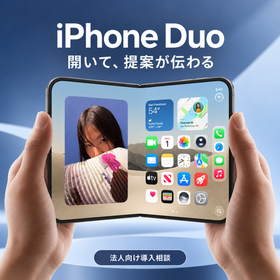
I want to show floor plans and proposals while out. I want to read documents while checking emails. For those who have challenges with confirmation tasks on small screens, we introduce the foldable iPhone Duo. When opened, it features a 7.6-inch inner display, and when closed, a 5.4-inch outer display. With Split View, you can use compatible apps side by side. ■ Real Estate: Check floor plans and property documents before viewings ■ Corporate Sales: Open product documents and explain them at client visits ■ Management: Review documents and emails during travel breaks To utilize it effectively, you need to confirm whether the business applications you use support the screen size and split display. This is not about replacing a PC, but rather organizing and considering what you want to confirm or present while out. At P-Up, we will ask about your usage scenarios, number of units, and budget to guide you in selecting models and implementation conditions. The catalog includes examples of usage by profession and pre-implementation checklists. Please include "business conducted while out," "applications used," and "desired timing" when consulting through the "Contact Us from the Web" section on this page. Handling, stock, and delivery times will be confirmed individually.
Added to bookmarks
Bookmarks listBookmark has been removed
Bookmarks listYou can't add any more bookmarks
By registering as a member, you can increase the number of bookmarks you can save and organize them with labels.
Free membership registration
Calls, business chat, attendance management, and photo reports at visit locations. While we want to equip our company smartphones for daily operations with iPhones, we propose the iPhone 17e to companies that want to avoid uniform introduction of higher models. This model features a 6.1-inch display, A19 chip, and 48MP Fusion camera. We will check the apps used in your department and the necessary storage capacity, and compare them with the introduction costs. ■ Sales: Phone calls, schedule confirmation, post-visit reporting ■ Store: Communication with headquarters, attendance input, sharing photos of sales areas ■ General Affairs: Distribution of devices at the time of hiring and user management For jobs that emphasize high-quality video production and telephoto shooting, comparisons with higher models are also necessary. Additionally, the models for Japan are eSIM-only, so simply swapping the current SIM card will not work. We will prepare the procedures for activation and reissuance. At P-Up, we accept consultations regarding the number of devices, business apps, communication plans, and settings/management for new introductions or model changes. The catalog includes usage by job type and items to confirm at the time of introduction. Please consult us through the "Contact Us via Web" section on this page, along with "number of devices," "apps used," and "current contract provider."
Added to bookmarks
Bookmarks listBookmark has been removed
Bookmarks listYou can't add any more bookmarks
By registering as a member, you can increase the number of bookmarks you can save and organize them with labels.
Free membership registration
Are you unsure whether all your on-site staff need expensive devices when distributing company smartphones? We would like to introduce the corporate adoption of the AQUOS wish6 for companies that primarily use phones, chat, map checking, and photo reporting. The corporate model features a 6.6-inch screen and a 5,000mAh battery. It meets tests for waterproof and dustproof performance, as well as shock resistance, making it a candidate for devices used on-site. However, it does not guarantee no damage from all drops or water exposure. ■ Delivery: Map checking for the destination and arrival notifications ■ Cleaning and facility management: Photo reports before and after work ■ Stores: Communication with headquarters and inputting work during shifts When reviewing costs, it’s important to compare not only the device price but also the communication plan, warranty, initial setup, and replacement support. If you are using heavy business applications or specialized peripherals, it is essential to confirm functionality before implementation. At P-UP, we will ask about the number of devices, usage environment, and necessary tasks, and you can consult with us about implementation conditions and management methods. The catalog includes usage examples and verification items by job type. Please attach "number of devices," "applications used," and "current costs," and consult us through the "Contact Us from Web" section on this page.
Added to bookmarks
Bookmarks listBookmark has been removed
Bookmarks listYou can't add any more bookmarks
By registering as a member, you can increase the number of bookmarks you can save and organize them with labels.
Free membership registration
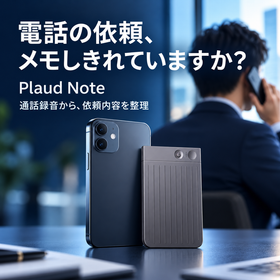
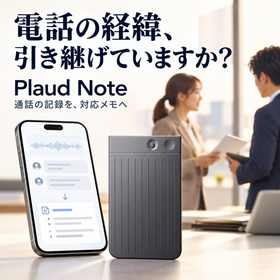
I can't fully take notes on the quantities, delivery dates, and changes I heard over the phone. Even if I want to check later, the details of the conversation become vague. Are you facing such difficulties? Plaud Note is an AI voice recorder that can be attached to your smartphone to record calls. It transcribes and summarizes the recorded content, allowing you to review requests made during the call. For example, it can be used for corporate sales estimate requests, quantity changes by order management, and delivery adjustments in construction and equipment industries. After the call, you can organize the request details and cross-reference numbers, proper nouns, and promised conditions with the original audio to reflect them in estimates and arrangements. At P-Up, we can consult with you about the introduction based on the smartphone you use, the method of calling, recording time, and number of users. *Please note that earphones or headphones cannot be used during call recording. Conditions for attachment and recording methods need to be confirmed in advance. Please establish internal rules for recording guidance and consent acquisition, and have the responsible person verify the AI output. For more details, please refer to the PDF catalog and contact us through "Web Inquiry" on Ipros.
Added to bookmarks
Bookmarks listBookmark has been removed
Bookmarks listYou can't add any more bookmarks
By registering as a member, you can increase the number of bookmarks you can save and organize them with labels.
Free membership registration
The details of the phone call with the customer can only be understood by the person in charge. If they are unavailable, another employee cannot respond. The same information is being confirmed repeatedly. Are you facing such issues? Plaud Note is an AI voice recorder that can be attached to a smartphone to record calls. The transcriptions and summaries of recorded conversations can be utilized for creating response histories and handover notes. For example, it can be used for repair requests in property management, scheduling maintenance, and ongoing consultations with sales representatives. It is designed to organize the details of the conversation, customer requests, and outstanding issues discussed over the phone, allowing the person in charge to confirm the content before transferring it to internal management tables. It is important to not only keep recordings but also to decide who will verify, where to record, and who to share it with. You can consult with P-Up according to the number of users and handover methods. *Earphones or headphones cannot be used during call recording. Please establish guidelines for recording notifications, consent acquisition, storage, and sharing rules, and ensure that the person in charge verifies the AI output. For more details, please refer to the PDF catalog and consult us through "Contact Us via Web" on Ipros.
Added to bookmarks
Bookmarks listBookmark has been removed
Bookmarks listYou can't add any more bookmarks
By registering as a member, you can increase the number of bookmarks you can save and organize them with labels.
Free membership registration
After the meeting, it takes time to create the minutes. Sharing with absentees is delayed. The decided content does not lead to the next actions. Are you facing such issues? DEEP NOTE is a corporate AI tool that visualizes records of meetings, negotiations, and training in real-time, supporting transcription and AI summarization. In sales meetings, it can be used to organize progress and issues; in branch meetings, to share reports from each branch; and in internal meetings, to draft decisions and confirmations. It is assumed that the generated content will be reviewed by the responsible person, who will then add names and deadlines for sharing. By not only deciding who will create the minutes but also who will review the content, where it will be shared, and how it will be confirmed after the meeting, it becomes easier to incorporate into daily operations. You can consult with us at P-Up according to the number of participants, frequency, and devices used for the meetings. *Recording and sharing require internal rules and guidance for participants. The accuracy of transcription and summarization may vary depending on the environment. Please use AI output after confirmation. For more details, please refer to the PDF catalog and consult us through "Contact Us from the Web" within Ipros.
Added to bookmarks
Bookmarks listBookmark has been removed
Bookmarks listYou can't add any more bookmarks
By registering as a member, you can increase the number of bookmarks you can save and organize them with labels.
Free membership registration
Even if training is conducted, it's unclear how much has been understood. Creating confirmation questions each time has become a burden. We are also repeating explanations for absentees. Are you facing such issues? DEEP NOTE is a corporate AI tool that records conversations from training sessions and supports transcription, AI summarization, and the generation of confirmation tests. It is designed to create drafts of key points and confirmation questions from recorded content for product explanations for newcomers, operational training for store staff, and proposal study sessions for sales teams. The education staff can review and modify the content before distribution, leading to supplementary explanations and re-confirmations based on responses. By not only saving recordings but also deciding "what you want them to understand" and "which questions to confirm," it becomes easier to utilize for reflecting on the training. You can consult with P-UP according to the training content and number of participants. *Please have the generated questions and answers reviewed by the education staff. They do not guarantee understanding or results. Set the scope of recording and distribution according to internal rules. For more details, please refer to the PDF catalog and consult us through "Contact Us from the Web" within Ipros.
Added to bookmarks
Bookmarks listBookmark has been removed
Bookmarks listYou can't add any more bookmarks
By registering as a member, you can increase the number of bookmarks you can save and organize them with labels.
Free membership registration
Are you leaving virus protection for business PCs up to your employees? Different software is used for each device, and you may not be aware of updates or contract expiration dates. Are you facing such issues? AhnLab V3 Security for Business is a corporate solution that supports endpoint protection and security management from the cloud. You can operate measures for the target devices without building your own management server. For example, consider sales PCs that handle estimates and customer information, office PCs that manage billing tasks, and business devices for portable use. We envision a usage scenario where you check the OS and existing software in use and align the necessary protection features and management methods. When implementing, it is important to organize the current contract expiration dates, the number of devices involved, the impact on business applications, and the transition methods. You can consult with P-Up for implementation and transition tailored to your usage environment. *The supported OS and available features may vary depending on the product configuration and version. Prior confirmation is required regarding compatibility with existing software. We do not guarantee complete prevention of infections or information leaks. For more details, please refer to the PDF catalog and consult us through "Contact Us via Web" on Ipros.
Added to bookmarks
Bookmarks listBookmark has been removed
Bookmarks listYou can't add any more bookmarks
By registering as a member, you can increase the number of bookmarks you can save and organize them with labels.
Free membership registration
With the increase in devices at headquarters, branches, and remote work, it's hard to know which ones are unprotected. We are overwhelmed with individual confirmations for employees and updating our records. Are you facing such challenges? AhnLab V3 Security for Business is a corporate solution that allows you to check the security status and license conditions of target devices from the web management environment "AhnLab Security Center." For example, it is designed to confirm the installation status of sales PCs distributed at each location, identify devices that have triggered warnings and contact the responsible personnel, and review management targets during employee onboarding/offboarding or device replacements. It's important not only to determine what items to check but also to decide who will check them regularly and who will respond when issues are found. You can consult with us at P-Up according to the number of locations, target devices, and management structure. *The items and operations that can be managed vary depending on the OS, devices, and product configuration. There are limitations on reflecting and operating offline devices. Simply implementing the management screen does not complete the countermeasures. For more details, please refer to the PDF catalog and consult us through "Contact Us via Web" within Ipros.
Added to bookmarks
Bookmarks listBookmark has been removed
Bookmarks listYou can't add any more bookmarks
By registering as a member, you can increase the number of bookmarks you can save and organize them with labels.
Free membership registration