iPROS Urban Planning
  • Search for products by classification category

    • Building Materials
      Building Materials
      36417items
    • Facilities
      Facilities
      58114items
    • Lighting and Interior
      Lighting and Interior
      17661items
    • Common materials
      Common materials
      37179items
    • Civil Engineering Materials
      Civil Engineering Materials
      10188items
    • Construction, work and methods
      Construction, work and methods
      29261items
    • Surveys, Measurements, and Services
      Surveys, Measurements, and Services
      29656items
    • IT/Software
      IT/Software
      33682items
    • others
      others
      97082items
    • Store and facility supplies
      Store and facility supplies
      4654items
    • Office and commercial supplies
      Office and commercial supplies
      11769items
    • Hospital and welfare facility supplies
      Hospital and welfare facility supplies
      1067items
    • Logistics Equipment
      Logistics Equipment
      7379items
    • Energy and Resources
      Energy and Resources
      11962items
  • Search for companies by industry

    • Information and Communications
      7297
    • others
      7238
    • Building materials, supplies and fixtures manufacturers
      6681
    • Service Industry
      4795
    • Trading company/Wholesale
      3104
    • Other construction industries
      2460
    • Electrical equipment construction business
      767
    • Construction Consultant
      660
    • General contractors and subcontractors
      604
    • Interior Design
      520
    • Facility Design Office
      487
    • Housing manufacturers and construction companies
      457
    • Architectural design office
      368
    • retail
      364
    • Warehousing and transport related industries
      333
    • Building Management
      304
    • Electricity, Gas and Water Industry
      286
    • Interior construction business
      283
    • Medical and Welfare
      277
    • Educational and Research Institutions
      256
    • Renovation and home construction industry
      226
    • Water supply and drainage construction business
      203
    • Transportation
      179
    • Real Estate Developers
      170
    • Fisheries, Agriculture and Forestry
      136
    • Structural Design Office
      65
    • Finance, securities and insurance
      41
    • Restaurants and accommodations
      33
    • self-employed
      30
    • Mining
      26
    • Public interest/special/independent administrative agency
      20
    • Police, Fire Department, Self-Defense Forces
      17
    • Property Owner
      9
    • Store and building owners
      9
    • Government
      9
    • Individual
      9
  • Special Features
  • Ranking

    • Overall Products Ranking
    • Overall Company Ranking
Search for Products
  • Search for products by classification category

  • Building Materials
  • Facilities
  • Lighting and Interior
  • Common materials
  • Civil Engineering Materials
  • Construction, work and methods
  • Surveys, Measurements, and Services
  • IT/Software
  • others
  • Store and facility supplies
  • Office and commercial supplies
  • Hospital and welfare facility supplies
  • Logistics Equipment
  • Energy and Resources
Search for Companies
  • Search for companies by industry

  • Information and Communications
  • others
  • Building materials, supplies and fixtures manufacturers
  • Service Industry
  • Trading company/Wholesale
  • Other construction industries
  • Electrical equipment construction business
  • Construction Consultant
  • General contractors and subcontractors
  • Interior Design
  • Facility Design Office
  • Housing manufacturers and construction companies
  • Architectural design office
  • retail
  • Warehousing and transport related industries
  • Building Management
  • Electricity, Gas and Water Industry
  • Interior construction business
  • Medical and Welfare
  • Educational and Research Institutions
  • Renovation and home construction industry
  • Water supply and drainage construction business
  • Transportation
  • Real Estate Developers
  • Fisheries, Agriculture and Forestry
  • Structural Design Office
  • Finance, securities and insurance
  • Restaurants and accommodations
  • self-employed
  • Mining
  • Public interest/special/independent administrative agency
  • Police, Fire Department, Self-Defense Forces
  • Property Owner
  • Store and building owners
  • Government
  • Individual
Special Features
Ranking
  • Overall Products Ranking
  • Overall Company Ranking
  • privacy policy
  • terms of service
  • About Us
  • Careers
  • Advertising
  1. Home
  2. Service Industry
  3. ピーアップ
  4. Product/Service List
Service Industry
  • Added to bookmarks

    Bookmarks list

    Bookmark has been removed

    Bookmarks list

    You can't add any more bookmarks

    By registering as a member, you can increase the number of bookmarks you can save and organize them with labels.

    Free membership registration

ピーアップ

addressTokyo/Adachi-ku/11th floor, Tokyo Arts Center, 1-4-1 Senju
phone03-3870-0099
  • Special site
last updated:Oct 30, 2026
  • Contact this company

    Contact Us Online
  • Company information
  • Products/Services(72)
  • catalog(64)
  • news(13)

ピーアップ List of Products and Services

  • category

46~72 item / All 72 items

Displayed results

Filter by category

法人携帯・スマートフォン 法人携帯・スマートフォン
生成AI研修・活用支援 生成AI研修・活用支援
AI文字起こし・要約 AI文字起こし・要約
通信回線・店舗Wi-Fi 通信回線・店舗Wi-Fi
セキュリティ相談 セキュリティ相談
クラウド・業務DX相談 クラウド・業務DX相談
課題解決ガイド 課題解決ガイド
無料相談 無料相談
class="retina-image"

Communication environment outside | Corporate Cloud WiFi

I can't open documents at the visit location, and preparing tethering is troublesome. I need to consider the communication environment based on how I use it for sales and business trips.

Are you having trouble opening proposal documents at your visit destination? Are you setting up smartphone tethering every time? Are you concerned about data usage while on a business trip? At P-Up, we can consult with you about portable corporate cloud WiFi tailored to your usage location and data volume. You can consider internet connectivity for PCs and tablets using a mobile router that utilizes cloud SIM technology. For example, corporate sales can check proposal documents at client sites, real estate sales can view property information, and you can use email and business systems while on a business trip. We will help you organize whether having a separate communication device from your smartphone fits your company's needs. It is important to check the monthly data volume, the number of simultaneous connections, charging methods, and the signal conditions at the usage location, and to consider the devices and plans accordingly. We can also consult with you regarding your mobile phone contract details. *Please note that communication speed and connectivity may vary depending on the location and congestion. Supported lines, capacity, restrictions, contract duration, and fees differ by plan, so please check individually. For more details, please refer to the PDF catalog and contact us through "Web Inquiry" on Ipros.

  • Wi-Fi router

Added to bookmarks

Bookmarks list

Bookmark has been removed

Bookmarks list

You can't add any more bookmarks

By registering as a member, you can increase the number of bookmarks you can save and organize them with labels.

Free membership registration

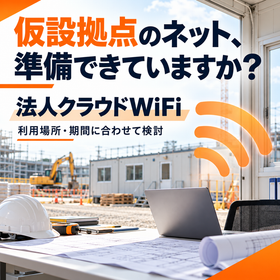
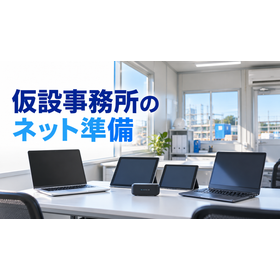
Temporary office and event communication | Cloud WiFi

The opening date of the base is approaching, but the internet is not ready. Would you like to consider communication methods based on location, duration, and number of connections?

The opening date of the temporary office is approaching, but the internet environment is not ready. Are you having trouble finding a connection for event reception and document sharing? At P-Up, we can consult with you about communication environments utilizing corporate cloud WiFi, tailored to your location, duration, and business needs. We will consider connection methods using portable routers before the installation of fixed lines or at temporary sites. For example, checking emails and blueprints at a temporary office on a construction site, sharing materials with event staff, and confirming connections for starting operations at a new site. We will help you organize the necessary data volume and number of devices, and identify suitable devices and plans for your business. Even for short-term use, it is important to confirm the total amount including contract duration and cancellation conditions. Please let us know your desired start date and location, and we can discuss based on delivery times and response conditions. *This does not guarantee short-term contracts or same-day provision. Communication quality may vary due to signal and congestion conditions. Connection conditions for payment terminals, VPNs, etc., capacity limitations, and contract conditions need to be confirmed in advance. For more details, please refer to the PDF catalog and consult us through "Contact Us from the Web" within Ipros.

  • Wi-Fi router

Added to bookmarks

Bookmarks list

Bookmark has been removed

Bookmarks list

You can't add any more bookmarks

By registering as a member, you can increase the number of bookmarks you can save and organize them with labels.

Free membership registration

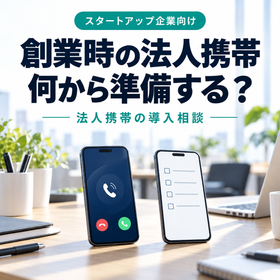
What should I prepare for a corporate mobile phone at the time of starting a business?

Work smartphones needed for company establishment. We will organize the preparation of devices and contracts based on the number of units, usage, and start date.

You need a work phone to coincide with the establishment of your company. However, you may not know which devices to prepare, how many to get, or when to sign the contract. Are you facing such difficulties? At P-Up, we offer consultations on the introduction of corporate mobile phones for startup companies, tailored to the number of users, job responsibilities, and desired start date. We will consider the usage, devices, and pricing plans based on your needs, whether it's for sales focused on calls or for outdoor work that requires frequent document checks. For example, we envision scenarios such as aligning communication methods between the representative and sales staff, adding lines in accordance with hiring, or separating customer interactions previously handled on personal smartphones to work phones. Before signing the contract, we will confirm the application name, necessary documents, payment methods, review and delivery times, and how to handle phone numbers. Deciding on user management after implementation and a contact person for lost devices will make it easier to start operations. *Please note that necessary documents, contract eligibility, fees, and delivery times may vary depending on the telecommunications company and application details. Individual confirmation is required for application eligibility and number transfers before the company is established. For more details, please refer to the PDF catalog and let us know the number of users, desired start date, and any issues you are facing through the "Contact Us via Web" option within Ipros.

  • Mobile phones and smartphones

Added to bookmarks

Bookmarks list

Bookmark has been removed

Bookmarks list

You can't add any more bookmarks

By registering as a member, you can increase the number of bookmarks you can save and organize them with labels.

Free membership registration

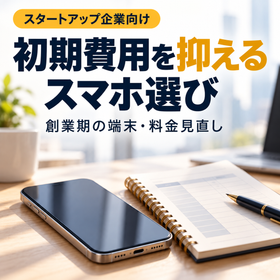
Choosing a smartphone to reduce initial costs during the startup phase.

I want to allocate funds to the startup phase of the business. I will organize the necessary performance, device costs, and communication expenses, and consider a feasible implementation.

During the startup phase, you want to allocate funds to your business. However, it can be problematic to choose a smartphone solely based on low cost, as it may make business applications difficult to use. Do you have such concerns? At P-Up, we can assist you in selecting corporate smartphone devices and pricing plans that align with the business activities and budget of startup companies. We will organize the necessary conditions based on your work needs, such as whether you focus on calls, emails, or chats, or if you frequently view drawings and documents. For example, we anticipate that internal staff will prioritize the performance necessary for daily operations, while external staff will also check for screen visibility and battery life. Before equipping everyone with the same high-end model, we will reassess the needs based on job roles. The comparison is not limited to just the device price. Let's confirm the total cost for the planned usage period, including initial costs, monthly communication fees, warranties, payment installments, contract duration, and conditions for returns or cancellations. *This does not guarantee cost reductions or specific prices. Conditions for discounts, installments, credit checks, warranties, etc., need to be confirmed at the time of quotation. For more details, please refer to the PDF catalog and let us know your number of users, desired start date, and any concerns through the "Contact Us via Web" option within Ipros.

  • Mobile phones and smartphones

Added to bookmarks

Bookmarks list

Bookmark has been removed

Bookmarks list

You can't add any more bookmarks

By registering as a member, you can increase the number of bookmarks you can save and organize them with labels.

Free membership registration

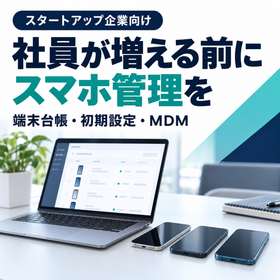
Before the increase in hiring | Management of company smartphones during the startup phase

Aren't you constantly busy arranging and setting up smartphones every time you join a company? Let's consider the ledger, initial setup, and MDM all together.

Every time the number of employees increases, we find ourselves repeating the process of arranging smartphones and setting them up from scratch. It’s also unclear who has been given which device. Are you facing such issues? At P-Up, we offer consultations on managing company smartphones for startup companies, including device ledgers, initial setup and kitting, and the introduction of MDM. We will first organize the current number of devices, users, contract information, and business applications, and then consider the necessary management methods for your company. For example, we envision a system where devices are handed over in a usable state on the date of joining, user information is updated during transfers, and devices and accounts are collected upon resignation. We aim to establish procedures and responsibilities at the early stages, so that the same process can be followed when increasing staff. With MDM, you can manage the settings and controls of the corresponding devices collectively, but the available features vary depending on the OS, product, and registration method. It is important to align this with the ledger and internal rules. *Please note that the scope of setup work, compatible models, costs, and delivery times need to be confirmed individually. This does not guarantee all operations or the recovery of lost devices. For more details, please refer to the PDF catalog and let us know your number of users, desired start date, and any issues through the "Contact Us via Web" option within Ipros.

  • Other Software

Added to bookmarks

Bookmarks list

Bookmark has been removed

Bookmarks list

You can't add any more bookmarks

By registering as a member, you can increase the number of bookmarks you can save and organize them with labels.

Free membership registration

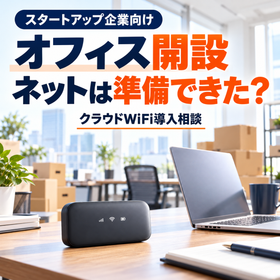
Waiting for internet connection at the startup office | Cloud WiFi

The move-in date is approaching, but the internet has not been set up yet. We will consider communication methods based on the usage location, start date, and number of connections.

The move-in date for the office is approaching, but the fixed-line connection won't be ready in time. What will the founding members do about the communication environment for using PCs? Are you facing such a problem? At P-Up, we can help you with the introduction of corporate cloud WiFi tailored to the opening of startup offices. We will consider suitable devices and plans for portable routers using cloud SIM based on the location of use, desired start date, number of connections, and business activities. For example, we envision scenarios such as sharing emails and documents before the fixed-line connection is established, connecting business PCs at small locations, or using it for administrative tasks during the preparation phase. If you frequently hold web meetings or send and receive large files, check the required data volume and capacity limits. Also, organize the radio wave conditions within the building, the number of simultaneous connections, and the connection requirements for internal systems or VPNs in advance. *Same-day provision, short-term contracts, and delivery by the opening date are not guaranteed. Speed and connectivity may vary depending on the location and congestion. Contract duration, fees, and cancellation conditions need to be confirmed individually. For more details, please refer to the PDF catalog and let us know the number of users, desired start date, and any issues through the "Contact Us via Web" section on Ipros.

  • Wi-Fi router

Added to bookmarks

Bookmarks list

Bookmark has been removed

Bookmarks list

You can't add any more bookmarks

By registering as a member, you can increase the number of bookmarks you can save and organize them with labels.

Free membership registration

PC virus protection during the startup phase | AhnLab

With a small team also handling IT responsibilities, would you consider organizing the status of measures for each PC and exploring endpoint protection and management by AhnLab?

Are you facing issues such as not having a dedicated IT person right after starting your business? You may not know which security software is installed on your employees' PCs, and updates are left to each individual. At P-Up, we offer consultations for the implementation of AhnLab V3 Security for Business for the business devices of startup companies. You can consider malware protection and checking the status of target devices through the web management environment "AhnLab Security Center." For example, we envision use cases such as standardizing security measures for the PCs of founding members, checking for any missed device installations during hiring, and organizing management targets to include devices used for remote work. First, take stock of the OS, number of devices, existing software, and contract expiration dates. It is important to confirm compatibility with business applications and the method of transition, as well as to decide who will check alerts and update statuses after implementation. *The supported features and management items may vary depending on the OS and product configuration. Prior confirmation is necessary for compatibility with existing software, pricing, and contract terms. There is no guarantee that all threats will be prevented. For more details, please refer to the PDF catalog and let us know your number of users, desired start date, and any issues through the "Contact Us via Web" option within Ipros.

  • Other Software

Added to bookmarks

Bookmarks list

Bookmark has been removed

Bookmarks list

You can't add any more bookmarks

By registering as a member, you can increase the number of bookmarks you can save and organize them with labels.

Free membership registration

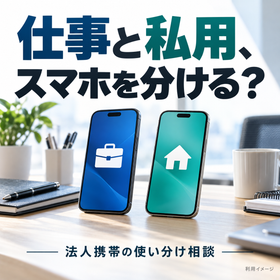
How long will you continue to work on your personal smartphone?

Are personal calls mixed with customer interactions? We will organize work devices, corporate contracts, and cost management together.

Since the start of our business, we have been handling customer inquiries using personal smartphones, resulting in a mix of personal and work calls. Each individual is responsible for managing communication costs and customer information. Are you facing similar issues? At P-Up, we offer consultations on the introduction of work smartphones for startup companies, taking into account the number of users, business activities, and current contracts. We will consider corporate contracts and the provision of work devices, organizing the necessary conditions for calls, chats, and business applications. For example, we envision scenarios where the representative continues to provide their personal number to customers, employees receive business communications on their personal devices even after hiring, and there are complications in settling communication costs. When switching, we will confirm whether to keep the existing phone number or prepare a new one, guide clients on the transition, and check how to transfer contacts and accounts. We will also consider operations that allow for the handover of business information upon employee departure. *Please note that the feasibility of name changes, number transfers, and contract reviews may vary depending on the telecommunications company and contract status. We do not guarantee cost reductions or automatic separation of personal data. For more details, please refer to our PDF catalog and let us know the number of users, desired implementation timing, and any issues you are facing through the "Contact Us via Web" option on Ipros.

  • Mobile phones and smartphones

Added to bookmarks

Bookmarks list

Bookmark has been removed

Bookmarks list

You can't add any more bookmarks

By registering as a member, you can increase the number of bookmarks you can save and organize them with labels.

Free membership registration

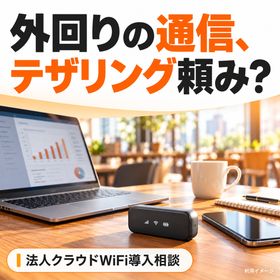
Is tethering okay for outside sales communication?

For those concerned about connection preparation at the visit location and smartphone battery consumption. Considering communication options for fieldwork based on the number of PCs and data usage.

Are you troubled by having to set up tethering every time you open your PC at a client site, while worrying about your smartphone's battery life and data capacity? At P-Up, we can assist you with the introduction of corporate cloud WiFi tailored to the field operations of startup companies. We will consider devices and plans for portable routers using cloud SIM based on your visit area, the number of devices connected such as PCs, business applications, and the required data volume. For example, we envision scenarios where you check proposal documents at a client site, send quotes while on the move, or connect PCs for a small business trip team. We will compare the costs and operations of continuing tethering versus having a dedicated router. If you frequently use web conferencing or videos, please check the capacity limits and simultaneous connection conditions. Let's also organize charging methods, the increase in portable items, and the connection conditions for internal systems and VPNs. *Please note that speed and connectivity may vary depending on the location and congestion. This does not guarantee improved communication stability, unlimited capacity, or prolonged smartphone battery life. Contract terms and fees need to be confirmed individually. For more details, please refer to the PDF catalog and let us know the number of users, desired implementation timing, and any issues you are facing through the "Contact Us via Web" option within Ipros.

  • Wi-Fi router

Added to bookmarks

Bookmarks list

Bookmark has been removed

Bookmarks list

You can't add any more bookmarks

By registering as a member, you can increase the number of bookmarks you can save and organize them with labels.

Free membership registration

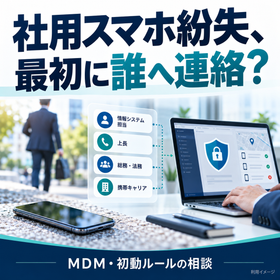
Lost company smartphone! How should a startup prepare?

When you lose a company smartphone, who do you contact? Along with considering MDM, we will organize the contact person and decision-maker.

I can't find my company smartphone. But I don't know who to contact or where to request a line suspension. Are you in such a situation? At P-UP, we can consult with startup companies about preparations for loss, including device ledgers, initial contact procedures, and the introduction of MDM. First, we will organize a system that links devices, users, lines, and administrators, allowing lost employees to contact the management personnel. For example, we envision a scenario where an outside sales representative loses their device while on the move, the general affairs person is unavailable, causing a halt in decision-making, or there is uncertainty about the management status of devices increased due to hiring. The capabilities of MDM for locking or data erasure vary depending on the OS, product, registration method, communication status, etc. Let's confirm in advance the contact point for line suspension, how to handle business accounts, and the responsible person for making deletion decisions. *MDM requires prior registration and setup. It does not guarantee the ability to track the location of all devices, remote operation, collection, or prevention of information leaks. Support for after-hours and holiday responses needs to be confirmed individually. For more details, please refer to the PDF catalog and let us know the number of users, desired implementation timing, and any issues through the "Contact Us via Web" option within Ipros.

  • Other Software

Added to bookmarks

Bookmarks list

Bookmark has been removed

Bookmarks list

You can't add any more bookmarks

By registering as a member, you can increase the number of bookmarks you can save and organize them with labels.

Free membership registration

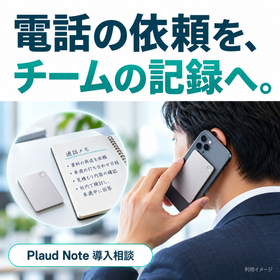
Request by phone to the team | Plaud Note during the founding period

Aren't requests for phone calls concentrated on representatives and sales? Use call recording and transcription to create records for handovers.

Are you facing the issue of requests received from customers over the phone lingering in the minds of representatives and sales staff? They are too busy to relay the information to other team members. At P-Up, we offer consultations on the introduction of Plaud Note tailored for phone handling in startup companies. We organize conversations into records that can be reviewed using call recordings made by attaching a device to the back of a smartphone, along with transcription and summarization through an app. For example, we envision scenarios where a change request received by a representative is passed on to the responsible person, or where sales confirm delivery dates and quantities internally, or when reviewing conversations for follow-up responses. Do not finalize the request details solely based on recordings and summaries; instead, have a person verify quantities, amounts, dates, and proper nouns against the original audio and confirm with the customer as needed. Let's also decide on the sharing recipients and storage duration for the records. *Please explain to the other party and obtain their consent before recording. The recording requires the device to be attached, mode switching, and starting operations. It is necessary to confirm the operating environment, transcription limits, and fees in advance. The accuracy of AI output is not guaranteed. For more details, please refer to the PDF catalog and let us know the number of users, desired implementation timing, and any issues you are facing through the "Contact Us via Web" option on Ipros.

  • Other PCs and OA equipment

Added to bookmarks

Bookmarks list

Bookmark has been removed

Bookmarks list

You can't add any more bookmarks

By registering as a member, you can increase the number of bookmarks you can save and organize them with labels.

Free membership registration

Turning conference decisions into action | DEEP NOTE in the startup phase

Although it should have been decided in the meeting, it is unclear who will do what and by when. We support the creation of records shared through transcription and AI summarization.

Even though we had a meeting with the founding members, it's still unclear who will do what next. We don't even have time to compile the minutes. Are you facing such issues? At P-Up, we offer consultations for the introduction of DEEP NOTE tailored to the meeting operations of startup companies. Utilizing real-time transcription and AI summarization, we organize records into easily shareable formats that highlight important statements, decisions made, and points that need confirmation. For example, we envision scenarios such as reviewing decisions made in weekly meetings, conveying background information to absent members, and preparing for the next proposal from internal meetings after business negotiations. After the meeting, the person in charge reviews the summary and distinguishes between decisions made and unresolved issues. We fill in "who, what, and by when," and establish a space to confirm the sharing recipients and progress. Let's design the record creation and task execution management together. *Please note that there may be errors or omissions in the transcription and summarization. We do not guarantee automatic confirmation of responsibilities and deadlines or automatic linkage to business systems. It is necessary to confirm the operating environment, storage and sharing conditions, and fees before implementation. For more details, please refer to the PDF catalog and let us know the number of users, desired implementation timing, and any issues you are facing through the "Contact Us via Web" option within Ipros.

  • Other Software

Added to bookmarks

Bookmarks list

Bookmark has been removed

Bookmarks list

You can't add any more bookmarks

By registering as a member, you can increase the number of bookmarks you can save and organize them with labels.

Free membership registration

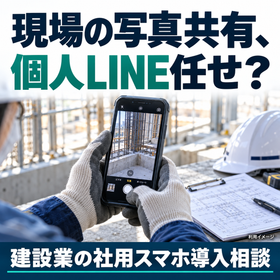
Sharing construction site photos, leaving it to personal LINE?

Are construction photos and site communications scattered across personal smartphones? Let's organize the choice of devices and the rules for taking, sharing, and storing.

Are you having trouble with taking site photos on employees' personal smartphones and sending them via personal LINE? You can't tell who has which photo and are searching for them every time there's a change in responsibility. At P-Up, we offer consultations on the introduction of company smartphones for construction and engineering companies, tailored to the needs of the site. We consider the necessary screen size, storage capacity, battery life for photography, blueprint verification, and site communication, as well as the requirements for business applications. For example, we envision scenarios where a foreman takes photos of the construction status to share with the office, site personnel check blueprints, and past records are handed over during a change of responsibility. It's important not only to equip devices but also to establish approved sharing destinations, methods for organizing site names and dates, viewing permissions, and data handling upon employee departure. *Please note that performance such as waterproofing, dustproofing, and shock resistance varies by model and usage conditions. The provision and setup of photo-sharing applications and support for migrating existing data require individual confirmation. We do not guarantee prevention of information leakage. For more details, please refer to the PDF catalog and let us know your desired number of devices, implementation timing, and any issues through the "Contact Us via Web" option within Ipros.

  • Mobile phones and smartphones

Added to bookmarks

Bookmarks list

Bookmark has been removed

Bookmarks list

You can't add any more bookmarks

By registering as a member, you can increase the number of bookmarks you can save and organize them with labels.

Free membership registration

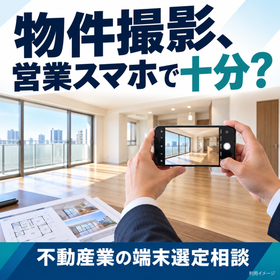
Is a smartphone sufficient for real estate property photography?

Check indoor photos, videos, and property materials. Don't choose based solely on camera specifications; compare devices based on how they are used in real estate sales.

Are you facing issues such as taking photos and videos of properties with your sales smartphone, but finding the indoor lighting is too dark, the storage capacity is insufficient for the shooting data, or it's difficult to check materials on-site? At P-Up, we offer consultations on selecting smartphones for real estate companies, covering how to use them for shooting, viewing materials, and contacting clients. We will check not only the camera's pixel count but also how it performs indoors, the screen quality, storage capacity, battery life, and compatibility with the apps you use. For example, we envision scenarios where sales representatives take photos of the property's interior, check floor plans and materials at the viewing site, and hand over the shooting data to the relevant department after returning to the office. Before equipping everyone with the same high-end model, we will organize the necessary specifications for those who will be doing a lot of shooting versus those who will focus on communication and material verification. Let's also determine the storage location for the data and the verification process before sharing and publishing. *Please note that the appearance of photos can vary depending on lighting and shooting conditions, and we do not guarantee improved image quality for specific models. Permission for shooting and publishing, as well as the presence of personal information, must be confirmed internally. Pricing and delivery times for devices will be confirmed individually. For more details, please refer to the PDF catalog and let us know your desired number of units, preferred implementation timing, and any issues you are facing through the "Contact Us via Web" option on Ipros.

  • Mobile phones and smartphones

Added to bookmarks

Bookmarks list

Bookmark has been removed

Bookmarks list

You can't add any more bookmarks

By registering as a member, you can increase the number of bookmarks you can save and organize them with labels.

Free membership registration

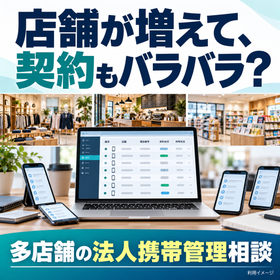
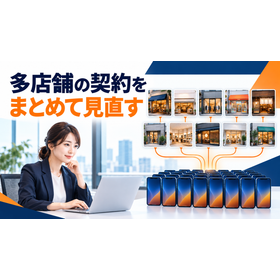
If the number of stores increases, will smartphone contracts also be varied?

Aren't the contracts, billing, and contacts different for each store? We will organize the lines, users, and renewal periods in a list.

Every time a new store opens, additional smartphones are added, and contracts and billing are separated for each store. The headquarters cannot fully grasp the number of devices in use or the timing of updates. Are you facing such difficulties? At P-Up, we offer consultations on corporate mobile management for multi-store businesses, helping to organize line, user, and billing information. We aim to correlate store names, phone numbers, devices, users, contract names, and update timings to create an overview of the entire situation. For example, we anticipate scenarios such as preparing lines for new stores, changing users with a store manager transition, and checking unnecessary lines or returned devices during store closures. It is important to separate the items managed by headquarters from those updated by stores, and to have a unified application window for additions, transfers, and cancellations. Whether you want to consolidate billing or understand costs by store, we will review and consider the conditions of contracts and billing. *Please note that lines with different contract names or telecom companies cannot always be billed or managed collectively. Changes of name, integration of billing, cancellation and return conditions, and the scope of support for management tools and operations need to be confirmed individually. For more details, please refer to the PDF catalog and let us know your number of devices, desired implementation timing, and any issues through the "Contact Us via Web" option on Ipros.

  • Mobile phones and smartphones

Added to bookmarks

Bookmarks list

Bookmark has been removed

Bookmarks list

You can't add any more bookmarks

By registering as a member, you can increase the number of bookmarks you can save and organize them with labels.

Free membership registration

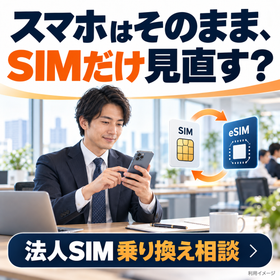
Can a corporate smartphone only switch the SIM?

Is it necessary to replace the device even though it is still usable? I will organize the feasibility of switching only the SIM, as well as the costs and preparation for the switch.

Since the company smartphone is still usable, I would like to review the communication contract without replacing the device. I'm not sure if I can use it just by changing the SIM. Are you facing such a problem? At P-Up, you can consult us about switching to a corporate SIM while continuing to use your current device. We will check the availability based on the model name, model number, place of purchase, whether it is SIM-locked, compatibility with physical SIM/eSIM, and operation confirmation information for the new provider. For example, we envision scenarios such as continuing to use a sales smartphone and reviewing the contract, planning a switch to coincide with the renewal periods of multiple devices, or comparing the costs of purchasing devices and just the SIM. When comparing, we will check not only the communication costs but also the remaining device costs, expenses at the end of the contract, and the points of contact for warranties and repairs. We will prepare for the procedures for number continuity, SIM handover, settings, desired switch date, and confirmation of calls and communications. *Please note that even if the SIM is unlocked, not all functions and communications are guaranteed to work. The eligibility for application, settings, and warranty conditions vary depending on the device and contract. Cost reduction, seamless switching, and accommodating desired dates are not guaranteed and will require individual confirmation. For more details, please refer to the PDF catalog and let us know your number of devices, desired implementation timing, and any issues through the "Contact Us via Web" option within Ipros.

  • Mobile phones and smartphones

Added to bookmarks

Bookmarks list

Bookmark has been removed

Bookmarks list

You can't add any more bookmarks

By registering as a member, you can increase the number of bookmarks you can save and organize them with labels.

Free membership registration

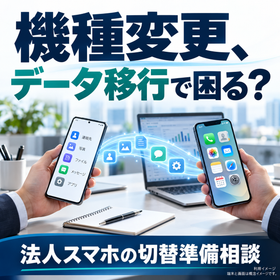
Is the data transfer for the company smartphone model change not going smoothly?

I was able to transfer my contacts, but I can't access the business app. I will organize the migration items, authentication, and SIM switch before changing my device.

Although I was able to transfer contacts and photos during the device change, I cannot log into the business application. I don't understand the authentication or SIM switching, and my work is stalled. Are you facing such troubles? At P-Up, you can consult us about the data migration preparations associated with changing corporate smartphones. We will organize the necessary tasks and responsibilities based on the OS of the old and new devices, business applications, accounts, two-factor authentication, backups, and the status of physical SIMs and eSIMs. For example, we anticipate scenarios such as transferring the sales representative's contacts, coordinating the switch dates for multiple devices, and reconfiguring MDM and business accounts. We will verify the data migration and line switching separately, checking whether calls, communications, and business applications can be used on the new device. The old device will be returned and erased according to company rules after necessary confirmations are completed. *The data that can be migrated and the methods vary depending on the device, OS, applications, and management methods. We do not guarantee automatic migration of all information and authentication or uninterrupted business operations. The scope of work delegation, setup support, costs, and delivery times need to be confirmed individually. For more details, please refer to the PDF catalog and let us know your number of devices, desired implementation timing, and any issues through "Contact Us via Web" within Ipros.

  • Mobile phones and smartphones

Added to bookmarks

Bookmarks list

Bookmark has been removed

Bookmarks list

You can't add any more bookmarks

By registering as a member, you can increase the number of bookmarks you can save and organize them with labels.

Free membership registration

Do store staff need company smartphones? 5 examples of usage.

Head office communication, inventory photos, shift confirmation. Considering the introduction of corporate smartphones based on the daily operations of the store.

Are you facing issues like relying on personal smartphones to contact the store manager, making phone calls every time you check inventory, and having inconsistent display reports from different staff members? As an example of potential use, we introduce the utilization of company smartphones by an apparel company operating five stores: 1) Business communication between the store manager and headquarters, 2) Sharing inventory photos between stores, 3) Confirming shifts and work schedules, 4) Reporting display photos of sales areas, and 5) Emergency contact during troubles. Whether to use the phones for shared store use or exclusively for the store manager will also be considered based on usage time and management systems. When implementing, it is important to organize not only the number of devices but also the frequency of photo sharing, required data capacity, call volume, and compatibility with business applications. By separating personal devices from work and standardizing contact information and return rules, it becomes easier to facilitate handovers and daily communications. P-Up offers proposals for selecting corporate smartphone devices, communication plans, and introducing new lines. You can check five usage examples and implementation models in a dedicated PDF. For consultation on implementation tailored to the number of stores and staff, please contact us through "Web Inquiry" on Ipros. *The example use cases are fictional and not based on actual implementation results.

  • Mobile phones and smartphones

Added to bookmarks

Bookmarks list

Bookmark has been removed

Bookmarks list

You can't add any more bookmarks

By registering as a member, you can increase the number of bookmarks you can save and organize them with labels.

Free membership registration

How to contract multiple smartphones at 5 or 10 stores?

Organized based on an example of 10 stores and 20 units. Reviewed and summarized fees, contract management, and the effort required for customer visits.

Each store contracts a smartphone, resulting in multiple invoices. It is unclear who the contract holder or user is, and verification is needed every time the store manager changes. Do you have such concerns with multi-store operations? Assuming a company uses 20 devices across 10 stores, we will introduce a method for consolidating contracts. First, we will create a list of line numbers, contract names, stores used, billing addresses, and renewal conditions. We will check the usage per store and compare corporate special rate plans, line contract consolidation, and bulk device procurement. A dedicated representative for corporate clients can visit the company, reducing the need for store visits and waiting times, and allowing for consolidated discussions on multiple lines. The possibility of unifying invoices and changing names varies depending on the carrier and current contract conditions. We will also check for any outstanding balances, switching costs, and impacts on operations, rather than forcing a simultaneous switch. P-Up supports everything from contract organization to reviewing devices and rate plans based on the number of stores and lines. A dedicated PDF will include management items and review procedures. For inquiries regarding communication contracts for multiple stores, please contact us through "Web Inquiry" on Ipros. *The assumed usage examples are fictional. The benefits and visit conditions will be confirmed individually.*

  • Mobile phones and smartphones

Added to bookmarks

Bookmarks list

Bookmark has been removed

Bookmarks list

You can't add any more bookmarks

By registering as a member, you can increase the number of bookmarks you can save and organize them with labels.

Free membership registration

5 Recommended Ways for Site Supervisors to Utilize Smartphones

Construction photos, drawings, and daily reports. Considering the terminal and communication capacity from the perspective of a site supervisor's day.

Construction photos are taken on personal devices, and plans are checked by returning to the office; daily reports are compiled and entered after returning to the office. Is there a hassle in sharing information among site supervisors? As an example of expected usage, let’s introduce a day in the life of a site supervisor. In the morning, they check the work schedule; in the morning, they take and share construction photos; at noon, they review plans and documents; in the afternoon, they contact subcontractors; and in the evening, they input daily reports and confirm arrangements for the next day. By preparing the necessary business applications and communication environment, it becomes easier to check information even while on the move. It is not always the case that everyone should choose the same device. For supervisors, considerations should include screen visibility, photo storage capacity, and compatibility with business applications, while for workers, the focus should be on practical usage such as communication and schedule confirmation. It is also important to check the communication capacity that matches outdoor usage conditions, protective gear, and the volume of photo transmissions. P-Up offers corporate smartphones, devices suitable for their intended use, and communication plans that include large capacities. A dedicated PDF compares selection points by job type. For consultations on devices and pricing suitable for site supervisors and workers, please use the "Contact Us via Web" option within Ipros. *The expected usage examples are fictional. It is necessary to confirm the applications used and the radio wave conditions at the site in advance.

  • Mobile phones and smartphones

Added to bookmarks

Bookmarks list

Bookmark has been removed

Bookmarks list

You can't add any more bookmarks

By registering as a member, you can increase the number of bookmarks you can save and organize them with labels.

Free membership registration

How should we prepare the internet environment for the temporary office?

Assuming 3 months, 2 PCs, and 2 tablets. Comparing fiber optic connection, cloud Wi-Fi, and tethering.

The fixed line installation will not be ready by the opening date of the temporary office. Contracts for each site are cumbersome. I want to use it for a short period. Are you having trouble preparing internet access for your construction site? We assume a case where a temporary office is used for three months, connecting two PCs and two tablets. The data usage and simultaneous access situations differ for email, checking blueprints, and online meetings. It is important to compare fiber optic lines, cloud Wi-Fi, and smartphone tethering in terms of preparation time, portability, number of connections, and total cost. Cloud Wi-Fi is a convenient option that does not require fixed line installation and is easy to adapt to site relocations. On the other hand, usability varies depending on signal conditions, capacity limits, speed restrictions, and the number of devices that can be connected simultaneously. If online meetings are included, make sure to check the required data usage and connectivity at the actual location. P-Up will ask for the site address, usage period, and number of connections to propose a communication environment that includes cloud Wi-Fi. A dedicated PDF will include a comparison table of the three methods and preparation items. For inquiries, please contact us through "Web Inquiry" on Ipros. *The assumed usage examples are fictional. The feasibility of a three-month contract, minimum usage period, and costs will be confirmed individually.

  • Wi-Fi router

Added to bookmarks

Bookmarks list

Bookmark has been removed

Bookmarks list

You can't add any more bookmarks

By registering as a member, you can increase the number of bookmarks you can save and organize them with labels.

Free membership registration

Reasons why home care staff need company smartphones.

Organize communication using personal numbers and the burden of communication costs. Consider a model with 20 staff members.

Are you having trouble with the communication system for home care, such as users contacting staff on personal phone numbers, difficulty in conveying changes to visit schedules, and unclear burdens of communication costs for personal smartphones? We will introduce key points for implementing company smartphones, assuming an organization with 20 visiting staff. By providing a business phone number and means of communication, you can use it for confirming visit schedules, notifying changes, and reporting to the office. By organizing the contact points and cost burdens, it becomes easier to separate personal and business matters. Simply distributing devices will not ensure proper information management. It is essential to determine necessary business applications, screen locks, storage locations, and sharing scopes, and to confirm device retrieval and account suspension upon resignation. We will also consider setting management through MDM and remote operation in case of loss, tailored to the device type and operation. Establishing rules for handling user information and explaining them to staff is also important. P-Up offers corporate smartphones, communication plans tailored to the number of users, and MDM as needed. A dedicated PDF includes a model for introducing 20 users and items to confirm before distribution. For inquiries about implementation costs, please contact us via "Web Inquiry" within Ipros. *The assumed usage examples are fictional. The functions of MDM vary by OS, registration methods, etc., and do not guarantee the prevention of information leaks.

  • Mobile phones and smartphones

Added to bookmarks

Bookmarks list

Bookmark has been removed

Bookmarks list

You can't add any more bookmarks

By registering as a member, you can increase the number of bookmarks you can save and organize them with labels.

Free membership registration

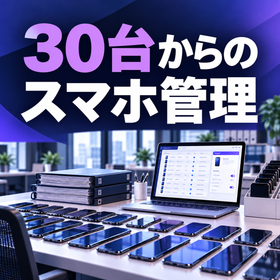
What to do if the number of company smartphones exceeds 30? Reviewing management methods.

Organize the roles of the Excel ledger and MDM. A checklist to review initial setup, employee onboarding and offboarding, and loss response.

It's unclear who is using which smartphone. Each time there is a transfer, the ledger is updated, and each additional device requires initial setup one by one. Is the management of company smartphones being left to the person in charge? Assuming a company manages 30 devices with Excel, we will introduce points for review. The ledger records "users, lines, devices, and contracts," while MDM is responsible for "device settings and control." Even with the introduction of MDM, it does not mean that all items managed in the ledger, such as contract information and device handover records, become unnecessary. First, match users with devices and standardize the processes for onboarding, transfers, and departures. Consider methods for standardizing apps and settings, as well as procedures for reporting lost devices and remote control. By combining kitting, you can consolidate pre-distribution tasks for consultation. P-Up will propose MDM, kitting, and bulk procurement of devices tailored to the number of devices and management structure. You can check the management checklist for 30 devices in a dedicated PDF. For inquiries about management methods, please use "Contact Us via Web" within Ipros. *The 30 devices are a guideline for explanation and are not a mandatory requirement for MDM implementation. The assumed usage examples are fictional. Functions may vary depending on OS, products, registration methods, etc.

  • Mobile phones and smartphones

Added to bookmarks

Bookmarks list

Bookmark has been removed

Bookmarks list

You can't add any more bookmarks

By registering as a member, you can increase the number of bookmarks you can save and organize them with labels.

Free membership registration

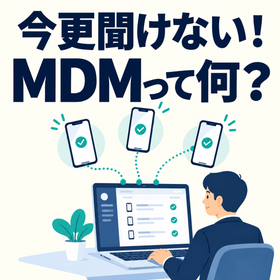
I can't ask now! What is MDM?

A system for managing company smartphones collectively. An organized diagram of what can and cannot be done.

Although company smartphones have been distributed, the apps and settings are inconsistent. It's unclear how to respond in case of loss. In such situations, MDM is worth considering. MDM stands for Mobile Device Management, a system for centrally managing company smartphones and other devices. From the management screen, you can distribute business apps, impose usage restrictions, check device information, and remotely lock devices in case of loss. However, the available features vary depending on the product, OS, and device registration method. Remote operations have conditions related to communication and settings, and they cannot always be executed immediately. If Excel serves as a "ledger" that records user and contract information, MDM is a tool that supports the actual device settings and controls. Simply implementing it does not prevent information leaks or losses; rules for usage, communication systems, and device recovery operations are also necessary. It is recommended for companies that want to standardize settings across multiple devices, have frequent employee turnover, or need to manage smartphones taken outside the office. P-Up will help organize the content you want to manage and propose the necessity and implementation methods for MDM. A dedicated PDF explains the basics with illustrations and comparison tables. For consultation on implementation costs, please contact us through "Web Inquiry" on Ipros. *The company examples in the catalog are hypothetical use cases for explanation purposes.

  • Mobile phones and smartphones

Added to bookmarks

Bookmarks list

Bookmark has been removed

Bookmarks list

You can't add any more bookmarks

By registering as a member, you can increase the number of bookmarks you can save and organize them with labels.

Free membership registration

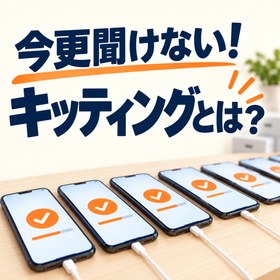
It's too late to ask now! What is kitting?

Before distributing to 20 people, make sure the smartphones are ready to use. Here are the initial setup tasks and confirmation items.

We plan to distribute company smartphones to 20 new employees, but the initial setup is not finished. We are worried about forgetting to install apps or missing account settings. In such situations, kitting is useful. Kitting refers to the process of performing necessary initial settings before starting to use a smartphone. This includes basic device settings, installation of business applications, configuration of business accounts, MDM registration as needed, linking devices to users, and functionality checks. The scope of work varies depending on the company's operations. If one person is responsible for preparing 20 devices individually, it can be time-consuming to ensure uniformity and verification of the settings. By preparing the setup details, distribution date, and user list in advance, and determining the scope of external outsourcing, the internal preparation burden can be reassessed. Parts that require authentication or user operation may be carried out after distribution. P-Up offers kitting services, corporate smartphones, and MDM consultations all in one place. A dedicated PDF includes the tasks and checklist for introducing 20 devices. If you want to delegate the initial setup of smartphones, please contact us through "Web Inquiry" on Ipros. *The 20 employees and 20 devices are hypothetical examples. The scope of services, delivery times, and costs will be confirmed individually.

  • Mobile phones and smartphones

Added to bookmarks

Bookmarks list

Bookmark has been removed

Bookmarks list

You can't add any more bookmarks

By registering as a member, you can increase the number of bookmarks you can save and organize them with labels.

Free membership registration

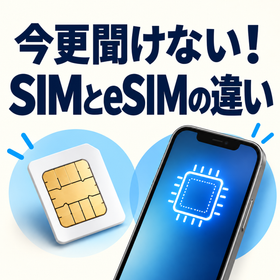
Can't ask now! The difference between SIM and eSIM.

SIM card insertion and eSIM settings on devices. A comparison for corporate use in device upgrades and large-scale deployments.

When it comes to smartphone contracts, you may have heard of "SIM" and "eSIM." If you're considering which is more convenient for company use, or if the hassle of changing devices or large-scale implementation differs, you might be unsure. A physical SIM is a card that contains the necessary contract information for communication, which is inserted into a compatible device. An eSIM, on the other hand, utilizes a system within the compatible device to set up the contract information from the telecommunications provider. While it may eliminate the need for card delivery or replacement, it does require verification of the communication environment, identity confirmation, and setup procedures at the time of activation. When changing devices, you need to check the compatible size, contract, and device combinations for physical SIMs. The procedures for migrating or reissuing eSIMs vary depending on the telecommunications provider, device, and operating system. Neither option guarantees a straightforward transfer. If a corporation is introducing a large number of devices, it’s important to prepare a compatibility chart for devices and lines, activation dates, and recovery methods in case of failure. P-Up can assist you from checking the eSIM compatibility of your current device to new contracts, switching providers, and changing devices. We provide a dedicated PDF that explains the comparison between the two methods and points to consider for large-scale implementation. For inquiries about contracts that suit your devices, please use the "Contact Us via Web" option within Ipros. *Please note that compatibility, procedures, and costs may vary depending on the device and contract conditions.*

  • Mobile phones and smartphones

Added to bookmarks

Bookmarks list

Bookmark has been removed

Bookmarks list

You can't add any more bookmarks

By registering as a member, you can increase the number of bookmarks you can save and organize them with labels.

Free membership registration

Can't ask now! The difference between corporate phones and personal phones.

Special plan proposals and visits for corporate clients. A comprehensive review of communication costs and procedural burdens.

Ten employees are using personal contract smartphones for work, and every time they change devices, they have to go to the shop. Don't you want to reconsider not just the costs, but also the burden of visiting the store, waiting times, and procedures? The corporate specialist at P-Up can propose special pricing plans for businesses. Depending on usage and contract conditions, it may be possible to reduce communication costs compared to personal contracts. It is important to compare the current billing details with the total amount including device costs and switching fees. Our representatives can visit your company, reducing the need to travel to the shop and wait in-store. We can adjust consultation schedules to fit your convenience and handle new contracts, transfers, device changes, and multiple line consultations all at once. We will also organize necessary documents and changes for each employee to help reduce the burden of procedures. In a dedicated PDF, we explain the comparison points for costs and procedures, assuming a company with ten employees. Why not review communication fees and procedural hassles together with a special plan for corporations? For inquiries, please contact us through "Web Inquiry" on Ipros. *The assumed usage examples are fictional. There is no guarantee that costs will be lower. The feasibility of name changes, visit regions and times, and procedures will be confirmed individually.

  • Mobile phones and smartphones

Added to bookmarks

Bookmarks list

Bookmark has been removed

Bookmarks list

You can't add any more bookmarks

By registering as a member, you can increase the number of bookmarks you can save and organize them with labels.

Free membership registration
Prev 12 Next
  • 目的・課題から技術・サービスを探せる鉄道技術・交通インフラ専門サイト
  • 高校生に直接出会える! 国内最大級の合同企業説明会 ジョブドラフトFes 全国19都府県で実施!
    • Contact this company

      Contact Us Online

    Products

    • Search for Products

    Company

    • Search for Companies

    Special Features

    • Special Features

    Ranking

    • Overall Products Ranking
    • Overall Company Ranking

    support

    • site map
    IPROS
    • privacy policy Regarding external transmission of information
    • terms of service
    • About Us
    • Careers
    • Advertising
    IPROS Services
    • >IPROS GMS | Search site for the manufacturing industry
    • >IPROS | Search site for the B2B industry
    COPYRIGHT © 2001-2026 IPROS CORPORATION ALL RIGHTS RESERVED.
    Please note that the English text on this page is automatically translated and may contain inaccuracies.