Support software Product List and Ranking from 165 Manufacturers, Suppliers and Companies

Last Updated: Aggregation Period:Dec 17, 2025~Jan 13, 2026
This ranking is based on the number of page views on our site.

Support software Manufacturer, Suppliers and Company Rankings

Last Updated: Aggregation Period:Dec 17, 2025~Jan 13, 2026
This ranking is based on the number of page views on our site.

  1. Too Tokyo//Information and Communications
  2. グラフィソフトジャパン Tokyo//others
  3. 大塚商会 オートデスクプロモーション(建設) Tokyo//Service Industry
  4. 4 アワハウス Osaka//Medical and Welfare
  5. 5 インフォマティクス Kanagawa//others

Support software Product ranking

Last Updated: Aggregation Period:Dec 17, 2025~Jan 13, 2026
This ranking is based on the number of page views on our site.

  1. Construction also goes to BIM: Revit add-on MFTools 大塚商会 オートデスクプロモーション(建設)
  2. BIM model checker "SOLIBRI" グラフィソフトジャパン
  3. Care service support software "River Run" アワハウス
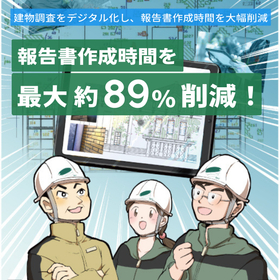
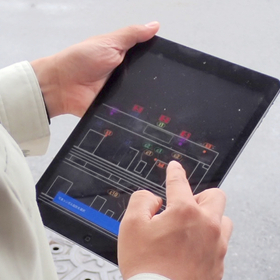
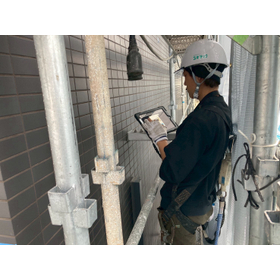
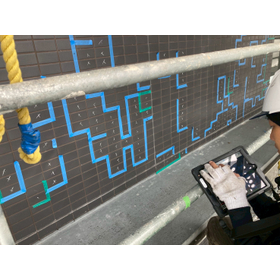
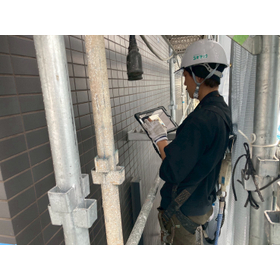
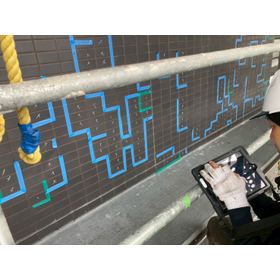
  4. Text Inspection Support Software "Fault Finder Pro" Too
  5. 5 GyroEye Insert インフォマティクス

Support software Product List

136~150 item / All 296 items

Displayed results

To everyone in the pharmaceutical industry: The skills of experienced professionals are lying dormant in the field.

Visualizing the expertise and skills of seasoned professionals to improve on-site operations and enhance productivity in the laboratory through the extraction and transmission of techniques and skills.

Our company uses eye tracking to visualize and verbalize the skills of veterans and experts, which have been difficult to capture until now. We extract unique skills specific to each task, including perspectives that even the individuals may not be consciously aware of, enabling more concrete skill transfer. By interviewing veterans and experts while reviewing recorded gaze data, we can elicit the background (knowledge) and reasons for actions and judgments of skills that have been difficult to draw out until now. By comparing and analyzing gaze data from veterans/experts and beginners, we can extract the intuition and tips of veterans/experts and apply them to education and training. 【Features】 ■ Extract skills from gaze data ■ Standardize skills through gaze data for evaluation in education ■ Skill training (OJT) utilizing gaze data ■ Improve safety using gaze data 【Results】 ■ Reduced training time by 20% ■ Reduced accidents/troubles by 30% ■ Achieved autonomous education with video manuals *For more details, please refer to the PDF document or feel free to contact us.

Added to bookmarks

Bookmarks list

Bookmark has been removed

Bookmarks list

You can't add any more bookmarks

By registering as a member, you can increase the number of bookmarks you can save and organize them with labels.

Free membership registration

BIM model checker "SOLIBRI"

BIM model automatic checking system: Achieving both improved operational efficiency and quality through automatic checks based on our own rules.

"Solibri" is a solution aimed at improving the quality of BIM models and enhancing productivity in the design and construction processes. It automates the inspection tasks that were previously performed manually by staff. Following a pre-registered rule set, it conducts interference checks, consistency checks, and ensures clearances, and even generates reports automatically. **Solibri will solve your problems related to the utilization and operation of BIM!!** ■ Complicated verification tasks according to architectural rules Integrating BIM models for design, structure, and equipment makes verification tasks according to building standards and company rules complicated. Verification is required every time the drawings are updated. ■ Human errors due to reliance on individuals Performing inspection tasks such as interference checks and consistency checks manually takes time and is prone to mistakes. It also takes time to reach consensus among stakeholders. ■ Chronic labor shortages We are struggling with chronic labor shortages. Therefore, we want to increase the number of personnel who can effectively utilize BIM to improve operational efficiency. *For more details, please download the PDF or feel free to contact us.*

  • Architectural Design Software
  • Other Software

Added to bookmarks

Bookmarks list

Bookmark has been removed

Bookmarks list

You can't add any more bookmarks

By registering as a member, you can increase the number of bookmarks you can save and organize them with labels.

Free membership registration

A Must-See for BIM Beginners! Steps Necessary to Master BIM

We will also introduce the points that pose challenges in mastering BIM and the necessary efforts to establish it within the company!

While the utilization of BIM is progressing, it is essential to acquire it in an appropriate manner to effectively use BIM and advance the digital transformation (DX) in the construction industry. This column will explain the hurdles that beginners face in mastering BIM, the steps to acquire it, the necessary support to establish BIM within the company, and the importance of a BIM manager. Many companies and designers considering the introduction of BIM first encounter the hurdle of acquisition. A particularly significant barrier is the current busyness of design work, which makes it difficult to secure learning time. *For more detailed content of the column, please refer to the related links. Feel free to contact us for more information.*

Added to bookmarks

Bookmarks list

Bookmark has been removed

Bookmarks list

You can't add any more bookmarks

By registering as a member, you can increase the number of bookmarks you can save and organize them with labels.

Free membership registration

Photo Location Map Creation Support Software "FoMap"

Reduce photo organization work time by more than half! Complete photo location maps and photo ledgers with simple tasks!

"FoMap" is a photo location diagram creation support software equipped with useful features such as automatic photo arrangement and bulk management of multiple location diagrams. Once you decide on the background map and the photos to be included, you can leave the arrangement to the software. If you use a camera with a compass, it will also reflect the shooting direction. It can reduce the time required for internal work by over 50%. 【Features】 ■ Automatic arrangement of photos taken with GPS-enabled cameras and smartphones ■ Bulk management of multiple location diagrams ■ Easy addition, deletion, and rearrangement of photos ■ Location diagrams can import various formats, including CAD and images ■ Reports can be output in Excel by simply selecting your preferred format *For more details, please refer to the PDF document or feel free to contact us.

  • Other Software

Added to bookmarks

Bookmarks list

Bookmark has been removed

Bookmarks list

You can't add any more bookmarks

By registering as a member, you can increase the number of bookmarks you can save and organize them with labels.

Free membership registration

Dr. Michiko Plant

Dr. Michiko Plant

Ms. Michiko specializes in software for aggregate plants. ● There are many tasks every day, such as issuing invoices, arranging materials, and inquiries, and there is no time. ● I want to leave tedious processes like invoice issuance and aggregation to the computer. ● We also propose new systems for aggregate plants. ● We support various operations in aggregate plants. ★ Dr. Michiko from Plant is here to help ★ 20 years with aggregate plants! (Since 1989) Our development and maintenance achievements are unmatched!

  • Dam construction
  • Earthworks
  • Other Software

Added to bookmarks

Bookmarks list

Bookmark has been removed

Bookmarks list

You can't add any more bookmarks

By registering as a member, you can increase the number of bookmarks you can save and organize them with labels.

Free membership registration

On-site photo capture and immediate sales/estimation tool 'Katarino'

Photo compositing. You can start selling immediately with stamps and cutouts.

On-site photography. You can create before-and-after photos of renovations using "Katarino" on the spot. Perfect for proposals that require speed at the initial stage!! We cater not only to exteriors but also to wall colors, wallpaper inside rooms, entrance doors, and more. *For details, please request materials or view the PDF data from the download.

  • Other CAD
  • Gates, walls and fences
  • Landscaping and planting

Added to bookmarks

Bookmarks list

Bookmark has been removed

Bookmarks list

You can't add any more bookmarks

By registering as a member, you can increase the number of bookmarks you can save and organize them with labels.

Free membership registration

Pocket Ding Zhang Man

Civil Engineering Construction Management Support Tool

Pocket Chōban Man is the PDA version of the "Chōban Man" series of scientific calculators, which have been well-received in surveying and civil engineering sites for a long time. It includes various features not found in the scientific calculator type, such as the display of cross-section diagrams and communication with light waves and PCs, providing super support for your civil engineering construction. *Note: The connecting light wave is only compatible with SOKKIA.

  • Company:コイシ
  • Price:10,000 yen-100,000 yen
  • Dam construction
  • Piles, caissons, sheet piles
  • Pile and foundation work

Added to bookmarks

Bookmarks list

Bookmark has been removed

Bookmarks list

You can't add any more bookmarks

By registering as a member, you can increase the number of bookmarks you can save and organize them with labels.

Free membership registration

Best practices for promoting DX (Digital Transformation)

What is the "in-house production" approach necessary to eliminate barriers to DX (Digital Transformation)? An explanation of best practices for promoting DX!

As the digitalization of business accelerates, digital transformation (hereinafter referred to as DX), which reconstructs operations, processes, and even business models through technology, has become a significant trend. While many companies recognize the importance of DX, there are still quite a few that are struggling to make progress. This document will examine the situation faced by Japanese companies and explain the necessary points for moving towards DX. [Contents] ■ The current state of DX promotion, essential for strengthening corporate competitiveness ■ Why DX is unavoidable ■ Challenges related to DX and their solutions ■ The need to advance an in-house approach through the review of existing system utilization and development structure ■ Data integration tools that significantly contribute to DX promotion ■ Examples of companies that have advanced DX through in-house development *For more details, please refer to the PDF document or feel free to contact us.

Added to bookmarks

Bookmarks list

Bookmark has been removed

Bookmarks list

You can't add any more bookmarks

By registering as a member, you can increase the number of bookmarks you can save and organize them with labels.

Free membership registration

On-site transformation solution "uS1GMA"

A solution that collects and utilizes location information of people and things (indoor positioning) using IoT technology to support on-site transformation!

By utilizing IoT devices, we visualize and analyze the location and work status of workers in factories and warehouses (human information) as well as the location of products and materials in stock (object information), significantly improving the efficiency of management tasks and supporting the improvement and transformation of on-site operations. Additionally, by digitizing on-site information such as "manufacturing," "production management," and "site management" in real-time and integrating it with core systems, we support data-driven and rapid management decision-making, achieving solutions to management challenges such as productivity enhancement and CO2 reduction, as well as the digital transformation (DX) and green transformation (GX) of companies.

  • IoT
  • Traceability
  • Logistics and warehouse management systems

Added to bookmarks

Bookmarks list

Bookmark has been removed

Bookmarks list

You can't add any more bookmarks

By registering as a member, you can increase the number of bookmarks you can save and organize them with labels.

Free membership registration

Chikabane Net Construction Site Proximity Signage

Introducing an electronic billboard available in 2 selectable sizes! It can display videos (MP4) and still images (JPEG).

The "Construction Site Proximity Signage" is a digital signage (electronic sign) installed on the temporary fencing of construction sites to disclose various information such as weekly construction schedules and property information. Two selectable sizes are available: 32 inches and 55 inches (portrait type). It uses high brightness, making it easily visible even outdoors. Additionally, it can display in full HD (1920×1080 dots) and full color, allowing for detailed displays such as floor plans, as well as beautiful representations of natural images and animations. 【Features】 ■ Built-in mobile router within the monitor ■ Built-in power timer allows for automatic on/off at specified times ■ Timetable for changing display content based on different times of the day ■ Front reinforced glass, waterproof/dustproof design suitable for outdoor environments ■ Standard app for rewriting work schedules included *For more details, please refer to the PDF document or feel free to contact us.

  • Digital Signage
  • Tablet PC
  • Other PCs and OA equipment

Added to bookmarks

Bookmarks list

Bookmark has been removed

Bookmarks list

You can't add any more bookmarks

By registering as a member, you can increase the number of bookmarks you can save and organize them with labels.

Free membership registration

Chikabane Net Factory Site Morning Meeting Signage

Two convenient modes that can be selected with a switch! Now you can use it in a way that was previously difficult.

The "Factory Site Morning Meeting Signage" utilizes the iPad's mirroring mode to display the entire site layout, today's construction locations, evacuation routes, safety checks, and other convenient uses that were previously difficult during morning meetings. Outside of morning meetings, it can loop videos of construction summaries, construction processes, and company promotional videos in signage mode for visitors to view. When explaining to visitors, it is possible to play each content individually in manual mode. 【Features】 ■ Standard app for event schedule rewriting ■ Internet access via power supply only ■ Automatic power on/off at specified times ■ Front reinforced glass, waterproof/dustproof for outdoor environments ■ Ability to play radio calisthenics at a set time each day (manual start also possible) *For more details, please refer to the PDF materials or feel free to contact us.

  • Digital Signage
  • Tablet PC
  • Other PCs and OA equipment

Added to bookmarks

Bookmarks list

Bookmark has been removed

Bookmarks list

You can't add any more bookmarks

By registering as a member, you can increase the number of bookmarks you can save and organize them with labels.

Free membership registration

Will‐E 3D-CAD

We fully utilize the skills in 3D model creation developed at an automobile manufacturer to quickly produce high-quality 3D models.

We will provide PART files for CATIA, PART files for Solidworks, Parasolid, IGES, and other formats as requested.

  • others

Added to bookmarks

Bookmarks list

Bookmark has been removed

Bookmarks list

You can't add any more bookmarks

By registering as a member, you can increase the number of bookmarks you can save and organize them with labels.

Free membership registration

Preventing defects with Knowledge × AI for design businesses! 'Master of Design'

Promote defect prevention and technology transfer with knowledge × AI, improving design quality.

"The Design Master" is a solution that provides concept verification (PoC), design, preparation, implementation, and operational support for utilizing AI in design work. It leverages knowledge and expertise in design operations to fundamentally enhance an organization's problem-solving capabilities. 【Features】 ■ Utilizing AI to extract check items for FTA, FMEA, and design reviews from past trouble cases By referencing past trouble cases during work, it helps prevent issues before they occur. Additionally, by using AI on past trouble cases, it is possible to extract check items for FTA, FMEA, and design reviews. ■ Sharing the know-how of experienced designers to avoid dependency on individuals By preserving the knowledge and know-how that experienced designers have, such as product knowledge and drafting skills, along with data, it allows other designers to utilize this information, thereby avoiding dependency on individuals. ■ Utilizing feedback from production sites and support to improve from the upstream process By leveraging trouble cases that occur in production sites and support, which can be considered a treasure trove of insights for product improvement, it enhances the design process in the upstream stages for product enhancement. *For more details, please refer to the catalog. Feel free to contact us with any inquiries.

Added to bookmarks

Bookmarks list

Bookmark has been removed

Bookmarks list

You can't add any more bookmarks

By registering as a member, you can increase the number of bookmarks you can save and organize them with labels.

Free membership registration

Innovative AI drug discovery

What does the fusion of medical big data and AI (artificial intelligence) bring to the field of drug discovery? A detailed explanation of the current state and challenges of innovative drug discovery technologies!

Exploring the potential of AI drug discovery through the initiatives of pharmaceutical companies, starting with large-scale projects!

  • Big Data
  • Database

Added to bookmarks

Bookmarks list

Bookmark has been removed

Bookmarks list

You can't add any more bookmarks

By registering as a member, you can increase the number of bookmarks you can save and organize them with labels.

Free membership registration

HDMI Splitter Overview

It outputs the HDMI signal to multiple outputs.

■SPL112 ・1 input → 2 outputs ・4K@60Hz 4:2:0 or 4K@30Hz 4:4:4 ■SPL114 ・1 input → 4 outputs ・4K@60Hz 4:2:0 or ・4K@30Hz 4:4:4 ■iSwitch108 ・1 input → 8 outputs ・4K@60Hz 4:4:4 ■SPL208 ・2 inputs → 8 outputs ・4K@60Hz 4:4:4

  • Other PCs and OA equipment

Added to bookmarks

Bookmarks list

Bookmark has been removed

Bookmarks list

You can't add any more bookmarks

By registering as a member, you can increase the number of bookmarks you can save and organize them with labels.

Free membership registration