Conference System Product List and Ranking from 41 Manufacturers, Suppliers and Companies | IPROS

Last Updated: Aggregation Period:Feb 11, 2026~Mar 10, 2026
This ranking is based on the number of page views on our site.

Conference System Manufacturer, Suppliers and Company Rankings

Last Updated: Aggregation Period:Feb 11, 2026~Mar 10, 2026
This ranking is based on the number of page views on our site.

  1. イッツ・コミュニケーションズ Tokyo//Information and Communications
  2. アイドマ・ホールディングス Tokyo//Information and Communications
  3. ベイテクノロジーズ Kanagawa//Electrical equipment construction business
  4. 4 JFEコムサービス 本社 Tokyo//Information and Communications
  5. 4 日本制禦機器 Osaka//others

Conference System Product ranking

Last Updated: Aggregation Period:Feb 11, 2026~Mar 10, 2026
This ranking is based on the number of page views on our site.

  1. Web conference and business negotiation system 'meet in' アイドマ・ホールディングス
  2. Next-generation wireless conference system iShareX400 ベイテクノロジーズ
  3. ThinkSmart Teams Rooms Remote Meeting JFEコムサービス 本社
  4. Product Overview: Web Conference System 'Zoom' イッツ・コミュニケーションズ
  5. 5 Wireless conference system 'ClickShare' 日本制禦機器

Conference System Product List

61~90 item / All 109 items

Displayed results

Web conferencing system LiveOn

Up to 150 screens can be displayed simultaneously! Usable on smartphones and tablets, suitable for telework, training, and business meetings with clients.

LiveOn's Commitment to Quality - Our products are 100% developed in-house. We have been developing and selling since 2001 as a pioneer in the industry. - We offer many detailed features that are unique to us, made possible by our in-house development. - With high technical skills and flexible responsiveness, we realize our customers' requests. - We pursue quality and ease of use, regularly upgrading our products. 【Features】 ■ High Quality Achieve CD-quality clear and stable audio and high-definition smooth video that captures even the finest expressions of the other party, thanks to our unique advanced control technology! ■ High Functionality Essential features for meetings, such as document sharing and whiteboards, are standard! With recording and playback functions, video distribution to all locations is also possible! ■ Easy Operation No complicated operations are required! Start meetings immediately with simple login! Moreover, the simple interface and settings make operation easy! *For more details, please refer to the PDF document or feel free to contact us.

  • Video conferencing system
  • Conference System

Added to bookmarks

Bookmarks list

Bookmark has been removed

Bookmarks list

You can't add any more bookmarks

By registering as a member, you can increase the number of bookmarks you can save and organize them with labels.

Free membership registration

Web conferencing and video conferencing system / BOSE

This single unit supports both web conferencing and video conferencing! It detects and captures user audio! With six beam-steering microphones for more natural conversations.

The "Bose Videobar VB1" is an all-in-one conference USB device that delivers high-quality audio and high-definition video in huddle rooms to medium-sized conference rooms. It detects and captures the user's voice while eliminating surrounding noise. Optimized audio is provided to all participants through automatic EQ. 【Features】 ■ More natural conversations with six beam-steering microphones ■ Clear communication with a 4K ultra HD camera ■ Supports multimedia presentations with high-quality audio ■ Connects with just one USB cable to a PC ■ A beautiful, luxurious, and sophisticated slim design *For more details, please refer to the PDF document or feel free to contact us.

  • Audio and video equipment
  • Conference System

Added to bookmarks

Bookmarks list

Bookmark has been removed

Bookmarks list

You can't add any more bookmarks

By registering as a member, you can increase the number of bookmarks you can save and organize them with labels.

Free membership registration

[Case Study] AstraZeneca K.K.

High technology and sophisticated design! Introduction of DIS conference system in the boardroom of a pharmaceutical manufacturer.

Since 2011, we have introduced the DIS conference system, which is part of Shure's product lineup for audio equipment, into the boardroom of AstraZeneca, a pharmaceutical manufacturer. DIS has been developing conference systems in Denmark for over 60 years, establishing its position in the conference system market with its advanced technology and sophisticated design. *For more details about this case, please refer to the related links. For further inquiries, feel free to contact us.

  • Video streaming services
  • Audio and video equipment
  • Video conferencing system
  • Conference System

Added to bookmarks

Bookmarks list

Bookmark has been removed

Bookmarks list

You can't add any more bookmarks

By registering as a member, you can increase the number of bookmarks you can save and organize them with labels.

Free membership registration

How to Use the Free Subtitle Feature and Extensions for Japanese Transcription on Zoom

Introducing the free automatic subtitle feature and conversational intelligence feature!

Zoom meetings can display real-time subtitles on participants' videos and allow for full transcription display, search, and saving by enabling the free automatic captioning feature. By obtaining a paid license and purchasing the "Zoom Revenue Accelerator" add-on, it is also possible to automatically summarize meetings and conduct detailed analyses based on the conversation content. Some may want to know how to use Zoom's transcription feature and what it can do. In this article, we will introduce the free automatic captioning feature and the conversational intelligence feature "Zoom Revenue Accelerator." *For more detailed information, please refer to the related links. Feel free to contact us for more details.

  • Video conferencing system
  • Conference System

Added to bookmarks

Bookmarks list

Bookmark has been removed

Bookmarks list

You can't add any more bookmarks

By registering as a member, you can increase the number of bookmarks you can save and organize them with labels.

Free membership registration

Product Overview: Web Conference System 'Zoom'

Introducing reliable and trustworthy services to corporate clients, which have been implemented across the diverse business sectors of the Tokyu Group.

"Zoom" is a web conferencing system that enables visual communication with easy operation. Quickly share messages, content, and links related to your project, and organize the communication itself. Additionally, it is sufficient for the meeting host to hold the license. You just need to share the meeting ID or URL with participants inside and outside the company. 【Features】 ■ Video meeting and chat functions ■ Participants can join the web conference even if they do not have a license ■ Simple usability, so you can feel secure even if you lack IT literacy *For more details, please download the PDF or feel free to contact us.

  • Video conferencing system
  • Conference System

Added to bookmarks

Bookmarks list

Bookmark has been removed

Bookmarks list

You can't add any more bookmarks

By registering as a member, you can increase the number of bookmarks you can save and organize them with labels.

Free membership registration

In-house conference system "ADMENIC LNX"

Achieve serverless and secure video conferencing using the internal network!

This is a video conferencing system that is used in many hospitals, regularly reviewed for its systems and functions, and reflects the voices and requests from the field—something that seems like it should exist but didn't until now. It utilizes the existing in-hospital network, requiring no major equipment additions or construction such as server installation, making it easy to get started. You can use your current PC as is, allowing secure meetings to be held in various locations such as conference rooms, medical offices, and doctor lounges, thereby saving time and resolving inefficiencies. In addition to screen sharing and chat functions, it offers convenient features such as simultaneous sharing of multiple documents, annotation (drawing) capabilities, and screen layout changes.

  • Other Software
  • Conference System

Added to bookmarks

Bookmarks list

Bookmark has been removed

Bookmarks list

You can't add any more bookmarks

By registering as a member, you can increase the number of bookmarks you can save and organize them with labels.

Free membership registration

WebRTC-based web conferencing system 'VivaMeetin'

VivaMeetin, a WebRTC-type web conference that can be used only on the internet.

"VivaMeetin" is a WebRTC-based web conferencing system that does not require cumbersome software downloads or installations. Participants do not need an account; simply generate a conference URL and send it via email. Only the conference host needs to have an ID to hold the meeting. 【Features】 ■ Paid plans allow for multiple simultaneous meetings. ■ Each meeting can be freely used by those without a contract. ■ Built with WebRTC technology, providing clear audio, good video quality, and smooth motion. ■ Operates on major browsers such as Chrome and Safari. ■ Works on both PCs (Windows, Mac) and smartphones (iOS, Android). *For more details, please download the PDF or feel free to contact us.

  • Video conferencing system
  • Conference System

Added to bookmarks

Bookmarks list

Bookmark has been removed

Bookmarks list

You can't add any more bookmarks

By registering as a member, you can increase the number of bookmarks you can save and organize them with labels.

Free membership registration

Case Study Material: "The Challenge of Technology Inheritance by Tech Nagasawa in the Metal Processing Industry"

The key to preserving the intangible asset of "technology" for the future was the use of videos that are "just recorded and kept for now."

This document introduces an interview with "Tech Nagasawa Co., Ltd.," a long-established metal processing company that is utilizing the video manual creation tool "tebiki" for technical inheritance. It outlines the initiatives taken by Tech Nagasawa, which delivers processed parts to a wide range of industries, to address long-standing challenges such as: - "Inheritance of skills unique to veterans" - "Securing the working hours of veterans for training new employees" - "Work procedures that are difficult to create yet go unseen" [Contents] - Tech Nagasawa delivers processed parts to a wide range of industries. The long-standing challenge of "technical inheritance" - It's hard to create and yet goes unseen... Trial and error in creating work procedure manuals - Making the creation of training videos much easier and more. *For more details, please refer to the PDF document or feel free to contact us.

  • others
  • Conference System

Added to bookmarks

Bookmarks list

Bookmark has been removed

Bookmarks list

You can't add any more bookmarks

By registering as a member, you can increase the number of bookmarks you can save and organize them with labels.

Free membership registration

◆Free Seminar◆ Considering Productivity Improvement and Well-Being in the Food Manufacturing Industry

Mr. Takahata, Director of the Food Industry Behavior Division of the Ministry of Agriculture, Forestry and Fisheries, takes the stage! He will explain the smartization in the food manufacturing industry, including case studies.

Free online seminar / Kazuko Takabatake, Director of the Food Company Behavior Division, Ministry of Agriculture, Forestry and Fisheries, will speak! FOOD Manufacturing Conference ~Aiming to Improve Productivity in the Food Manufacturing Industry~ ◇ A lineup of exciting and prestigious lectures ◇ "Aiming to Improve Productivity in the Food Manufacturing Industry" Kazuko Takabatake, Director of the Food Company Behavior Division, Ministry of Agriculture, Forestry and Fisheries "Accurate Technology Transfer and Efficient Human Resource Development" Yusuke Nojima, Quality Assurance Section, Quality Assurance Department, Quality Assurance Headquarters, RIKEN Vitamin Co., Ltd. "Well-being in the Food Manufacturing Industry" Akira Ooka, Director, Industrial Innovation Research Institute 【 Free participation / Archive planned for pre-registered attendees only 】 ↓ For event details and registration, click here! ↓

  • others
  • Conference System

Added to bookmarks

Bookmarks list

Bookmark has been removed

Bookmarks list

You can't add any more bookmarks

By registering as a member, you can increase the number of bookmarks you can save and organize them with labels.

Free membership registration

[Case Study on the Introduction of a Video Conferencing System] Major Automotive Parts Manufacturer Company A

Introducing examples of global companies with bases in China, Europe, and other parts of the world!

We would like to introduce a case where a video conferencing system was implemented at Company A, a manufacturer of key automotive components. At this company, meetings with overseas locations are held multiple times a day at peak times. Based on market performance and from the perspective of system stability and usability, they adopted the "Cisco TelePresence SX20." Additionally, they highly value the flexibility to conduct meetings with external parties without dedicated equipment by utilizing the "WebEx" system, which uses a browser interface. 【Case Overview】 ■ Implementing Company: Major automotive parts manufacturer Company A ■ Adopted Systems: Cisco TelePresence SX20, WebEx *For more details, please refer to the related links or feel free to contact us.

  • Video conferencing system
  • Conference System

Added to bookmarks

Bookmarks list

Bookmark has been removed

Bookmarks list

You can't add any more bookmarks

By registering as a member, you can increase the number of bookmarks you can save and organize them with labels.

Free membership registration

Online conference system "RemoSpace" with simultaneous translation feature.

Simultaneously translate the audio of online meetings, enabling communication with everyone on the spot!

"RemoSpace" is an online meeting system with simultaneous translation features that allows communication in one's native language with up to 10 people online. During the meeting, spoken audio is transcribed and displayed on the screen. The transcribed text can be downloaded later. Additionally, there is no need for the traditional method of pressing a button for translation, allowing for smoother conversations with foreigners through simultaneous translation. 【Features】 ■ Simultaneous translation ■ Audio transcription (downloadable later) ■ Supports Japanese, English, Chinese, Korean, and Vietnamese ■ Translation becomes even smoother *For more details, please feel free to contact us.

  • Online business negotiation system
  • Video conferencing system
  • Conference System

Added to bookmarks

Bookmarks list

Bookmark has been removed

Bookmarks list

You can't add any more bookmarks

By registering as a member, you can increase the number of bookmarks you can save and organize them with labels.

Free membership registration

VR conference system 'CORE'

Recreating realistic situations! Providing safe and flexible solutions tailored to your needs.

"CORE" is a unique foundation for an XR collaboration platform that enables immersive learning anytime, anywhere, with anyone, and on any device. It allows for easy and affordable customization of experiences, training, immersive learning, and business applications in AR and VR. We provide safe and flexible solutions tailored to the complex needs of a wide range of customers. 【Features】 ■ Accelerates learning ■ Employee engagement ■ Increases productivity ■ Enhances insights ■ Strong security *For more details, please refer to the PDF document or feel free to contact us.

  • Video Editing
  • Conference System

Added to bookmarks

Bookmarks list

Bookmark has been removed

Bookmarks list

You can't add any more bookmarks

By registering as a member, you can increase the number of bookmarks you can save and organize them with labels.

Free membership registration

[Free demo available] Video conferencing system

We will provide a comprehensive proposal tailored to the conference room and existing audio-visual equipment.

Our company handles everything from creating plans for the introduction of video conferencing systems to installation and operational support. To propose the best options that fit our customers' objectives and budgets, we handle products and services from multiple companies and select the most appropriate ones. We will thoroughly explain the merits and demerits of each option and the reasons for our selections. We will provide total coordination tailored to your conference room and existing audio-visual equipment, so please feel free to contact us first. 【Features】 ■ Multi-vendor ■ Total coordination for conference rooms is possible ■ Visits for installation, setup, and connection adjustments are available *For more details, please download the PDF or contact us.

  • Video conferencing system
  • Conference System

Added to bookmarks

Bookmarks list

Bookmark has been removed

Bookmarks list

You can't add any more bookmarks

By registering as a member, you can increase the number of bookmarks you can save and organize them with labels.

Free membership registration

Jabra PanaCast 50 Room System

A set of advanced technologies that provides a simple and smart meeting experience.

The "Jabra PanaCast 50 Room System" is a product that allows you to start a web conference in just one second, even if you gather in the room hands-free. By simply tapping the touch panel, you can connect to Microsoft Teams or Zoom, and the camera and microphone activate instantly. It enables real communication that feels face-to-face with stunningly high-quality video and audio. 【Features】 ■ Top-class quality in video, audio, and usability ■ A new meeting experience powered by AI ■ Powerful performance and intuitive operation with a high-performance PC ■ Certified product confirmed to work on various platforms ■ Easy implementation, use, and management because it's a complete set *For more details, please download the PDF or feel free to contact us.

  • Video conferencing system
  • Conference System

Added to bookmarks

Bookmarks list

Bookmark has been removed

Bookmarks list

You can't add any more bookmarks

By registering as a member, you can increase the number of bookmarks you can save and organize them with labels.

Free membership registration

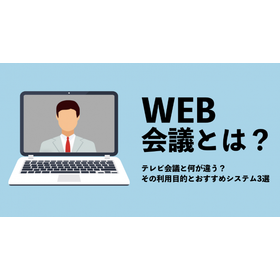
What is a web conference? Everything you can do and the differences from video conferencing, and how to implement it.

The system that I definitely want to understand in detail now! A clear explanation of video conferencing.

A web conference is one of the remote meeting systems suitable for communication with employees who are located far away. Unlike video conferencing, it does not require expensive dedicated equipment, and as long as there is an internet connection, anyone can participate. It can also be applied to seminars and online business meetings. It is essential for responding to work style reforms and digital transformation (DX), so it is definitely a system that you want to understand in detail right now. In this article, I will explain video conferencing in an easy-to-understand manner, so that you can explain it to others after reading this article. *For detailed content of the column, you can view it through the related links. For more information, please feel free to contact us.

  • Video conferencing system
  • Conference System

Added to bookmarks

Bookmarks list

Bookmark has been removed

Bookmarks list

You can't add any more bookmarks

By registering as a member, you can increase the number of bookmarks you can save and organize them with labels.

Free membership registration

Let's use the web conferencing system for free! Here are the steps for quick and easy implementation.

Introducing a free-to-use web conferencing system and how to implement it in a column format!

Due to the impact of the new coronavirus, the introduction of telework as a working style is being expedited. Many companies are likely rushing to implement web conferencing systems for meetings with members working remotely. However, the cost is a concern when introducing a paid system from the start. This is where free services come in handy. In this article, we will introduce web conferencing systems that can be used for free and how to implement them. *For detailed content of the column, please refer to the related links. For more information, please check the PDF materials or feel free to contact us.*

  • others
  • Conference System

Added to bookmarks

Bookmarks list

Bookmark has been removed

Bookmarks list

You can't add any more bookmarks

By registering as a member, you can increase the number of bookmarks you can save and organize them with labels.

Free membership registration

A must-see for SIers and agencies! On-premises video conferencing customer case study.

Connected 29 locations with an on-premises system. Widely used for information sharing and decision-making in business communications, training, and various meetings!

The on-premises LoopGate is a video conferencing and web conferencing solution that minimizes the risk of information leakage. A dedicated server is installed within a closed network to create a customized video conferencing environment for the customer. It is recommended for those with high security policies. On this page, we will provide some case studies of customers who have implemented the on-premises LoopGate. Please check the related links for more information.

  • Video conferencing system
  • Conference System

Added to bookmarks

Bookmarks list

Bookmark has been removed

Bookmarks list

You can't add any more bookmarks

By registering as a member, you can increase the number of bookmarks you can save and organize them with labels.

Free membership registration

All about the participant limit! A thorough comparison of the free version and the paid version.

Explaining the differences in participant limits between Zoom meetings and webinars, as well as how to handle situations when the participant limit is reached!

As online events and meetings using Zoom increase, many may have questions such as, "What is the maximum number of participants?" and "What happens when the participant limit is reached?" Zoom offers two plans: meetings and webinars, each with different participant limits. In this article, we will provide a detailed explanation of the participant restrictions for each plan, how to handle situations when the limits are reached, and effective ways to utilize breakout rooms for managing large events. If you are considering hosting an event on Zoom, please use this as a reference. *For more details on the column, you can view it through the related links. Feel free to contact us for more information.*

  • Video conferencing system
  • Conference System

Added to bookmarks

Bookmarks list

Bookmark has been removed

Bookmarks list

You can't add any more bookmarks

By registering as a member, you can increase the number of bookmarks you can save and organize them with labels.

Free membership registration

Is the appeal of Zoom's business license more than just the price? How to choose a paid plan.

The charm of Zoom Workplace can be fully utilized with a paid plan that is more than just professional!

Zoom Workplace continues to add new features, including an AI assistant, enhancing its convenience as a collaboration platform that improves operational efficiency and productivity. When considering full implementation, you may wonder, "Is the business license worth the price?" By organizing concerns about the free plan and the advantages of the business plan over the pro plan, it becomes easier to think about which plan to choose and how many licenses are needed. Let's check the functionality in this article to determine what the deciding factors are for obtaining a business license. *For more details on the column, please refer to the related links. Feel free to contact us for more information.*

  • Video conferencing system
  • Conference System

Added to bookmarks

Bookmarks list

Bookmark has been removed

Bookmarks list

You can't add any more bookmarks

By registering as a member, you can increase the number of bookmarks you can save and organize them with labels.

Free membership registration

A comprehensive guide on how to use Zoom meetings, from booking and inviting to joining.

We will also introduce the differences between the free and paid versions of Zoom, as well as preparations to get started!

Some of you may want to know the basic usage and convenient features of Zoom meetings. Zoom meetings are the web conferencing feature of "Zoom Workplace." Both hosts and participants can use it intuitively, and related features such as team chat and whiteboards are useful for business purposes. If you plan to use it for business, it's important to understand how both hosts and participants can utilize it. In this article, we will introduce how to prepare for Zoom meetings, schedule them, hold them, invite participants, and join, as well as some convenient features. *For detailed content of the column, you can view it through the related links. Please feel free to contact us for more information.*

  • Video conferencing system
  • Conference System

Added to bookmarks

Bookmarks list

Bookmark has been removed

Bookmarks list

You can't add any more bookmarks

By registering as a member, you can increase the number of bookmarks you can save and organize them with labels.

Free membership registration

Can you pay Zoom by invoice? Benefits and points to note about agency contracts, along with Q&A.

Introducing the benefits of agency contracts that allow payment by invoice for Zoom, and how to choose an agency!

A common concern when considering a corporate contract with Zoom is whether "invoice payment is possible." There are two main types of contract channels: the official Zoom channel and domestic agents, each differing in payment methods, support content, and various other aspects. For those considering using the paid version of Zoom and wanting to know if invoice payment is an option, as well as the key points and precautions regarding the contract, this article will introduce the benefits of agency contracts that allow for invoice payment and how to choose an agent. *For detailed content of the column, please refer to the related links. For more information, feel free to contact us.*

  • Video conferencing system
  • Conference System

Added to bookmarks

Bookmarks list

Bookmark has been removed

Bookmarks list

You can't add any more bookmarks

By registering as a member, you can increase the number of bookmarks you can save and organize them with labels.

Free membership registration

What are startup costs? Depreciation, accounting entries, differences between sole proprietors and corporations, and tips for business preparation.

Introducing the rules for deferred assets related to startup costs and journal entry dates, along with key points for accurate reporting!

The costs incurred for business preparation can be recorded as startup expenses and can be amortized for any amount at any point in time. In the case of corporations, expenses incurred for startup preparation are recorded as incorporation costs, which is somewhat different from how sole proprietors handle startup expenses. There may be those who want to deepen their understanding of startup expenses and preparations when opening an office or store. Therefore, this article will introduce the scope of application for startup expenses, as well as considerations for amortization, accounting, and reporting, along with key points for startup preparation. *For detailed content of the column, you can view it through the related links. For more information, please feel free to contact us.*

Added to bookmarks

Bookmarks list

Bookmark has been removed

Bookmarks list

You can't add any more bookmarks

By registering as a member, you can increase the number of bookmarks you can save and organize them with labels.

Free membership registration

Which is more suitable for web meetings, Google Meet or Zoom?

We also provide an explanation in column format comparing the free version and the paid version!

In recent times, as remote work has become more widespread, an increasing number of companies are implementing web conferencing systems to conduct internal meetings, business negotiations, interviews, and more. Web conferencing offers various advantages, such as reducing costs like transportation and venue fees, and enabling easy communication with employees and clients located in different places. Given that it aligns with modern work styles, many company representatives are likely considering the introduction of web conferencing systems. In this article, we will focus on two well-known web conferencing systems, "Google Meet" and "Zoom," and explain their service offerings and usability. *For more detailed information, please refer to the related links. You can download the PDF for more details or feel free to contact us.*

  • Video conferencing system
  • Conference System

Added to bookmarks

Bookmarks list

Bookmark has been removed

Bookmarks list

You can't add any more bookmarks

By registering as a member, you can increase the number of bookmarks you can save and organize them with labels.

Free membership registration

A thorough explanation of how to use the Zoom recording feature from the perspectives of hosts and participants.

A column introducing how hosts and participants can use Zoom's recording feature!

Zoom's recording feature has two types: local recording and cloud recording. If you are a paid license user, you can utilize the convenient cloud recording. Even as a participant, if you are appointed as a "co-host" by a paid license user host, you can operate the cloud recording. There may be some who use the Zoom recording feature but do not fully understand how to utilize it effectively. In this article, we will introduce how to use local recording and cloud recording from the perspectives of both hosts and participants. *For detailed content of the column, you can view it through the related links. For more information, please feel free to download the PDF or contact us.

  • Video conferencing system
  • Conference System

Added to bookmarks

Bookmarks list

Bookmark has been removed

Bookmarks list

You can't add any more bookmarks

By registering as a member, you can increase the number of bookmarks you can save and organize them with labels.

Free membership registration

How to use the Zoom survey feature explained for both meetings and webinars.

I will introduce the features and usage of Zoom's survey function!

When you obtain a paid Zoom license, you will be able to use two types of survey features: "polls" and "post-meeting surveys." These features are useful for collecting opinions and measuring effectiveness in Zoom meetings and webinars. There may be those who want to deepen their understanding of Zoom's survey features and master their use. Therefore, this article introduces the characteristics and usage of Zoom's survey features. *For detailed content of the column, you can view it through the related links. For more information, please download the PDF or feel free to contact us.*

  • Video conferencing system
  • Conference System

Added to bookmarks

Bookmarks list

Bookmark has been removed

Bookmarks list

You can't add any more bookmarks

By registering as a member, you can increase the number of bookmarks you can save and organize them with labels.

Free membership registration

What are the differences between the paid and free versions of Zoom? Strengths of the Pro plan and how to choose.

I will introduce the differences between the paid and free versions of Zoom, as well as key points for choosing a plan!

Zoom offers three paid plans: Pro, Business, and Enterprise. The Basic Plan (free version) has many functional limitations, so if you feel that it lacks features, we recommend upgrading to a higher plan. There may be those who actually feel the limitations of the Zoom free version and want to know about the features of the paid version and how to choose a plan. In this article, we will introduce the differences between the paid and free versions of Zoom, as well as points to consider when selecting a plan. Let's also check the important points when choosing a contract window. *For detailed content of the column, you can view it through the related links. For more information, please download the PDF or feel free to contact us.*

  • Video conferencing system
  • Conference System

Added to bookmarks

Bookmarks list

Bookmark has been removed

Bookmarks list

You can't add any more bookmarks

By registering as a member, you can increase the number of bookmarks you can save and organize them with labels.

Free membership registration

A comprehensive explanation of how to change the name of a Zoom meeting, as well as how to prohibit changes and hide it.

We will clearly introduce how participants and hosts can change their names!

Zoom meetings are convenient, but there can be questions or issues regarding name changes. Some may want to "freely change their name in a Zoom meeting" or "properly manage participants' names." In this article, we will introduce how participants and hosts can change their names in a Zoom meeting. It's also good to know how to hide names in bulk or prohibit name changes, so you won't feel rushed during the meeting. *For more detailed information, you can view the related links. For more details, please download the PDF or feel free to contact us.*

  • Video conferencing system
  • Conference System

Added to bookmarks

Bookmarks list

Bookmark has been removed

Bookmarks list

You can't add any more bookmarks

By registering as a member, you can increase the number of bookmarks you can save and organize them with labels.

Free membership registration

Secrets to Successful Web Interviews: A Summary of Preparation and Etiquette for Companies and Applicants

Improving user-friendly web conferencing systems and internet environments is essential!

As the use of web conferencing systems becomes more common among companies, the importance of web interviews in recruitment and job-seeking activities is increasing. There may be HR personnel and applicants who want to know the tips for successfully conducting web interviews. By understanding the necessary knowledge such as preparation and etiquette for web interviews, you can specifically consider what needs to be done in preparation for the actual interview. It is also important to focus on improving the user-friendly web conferencing system and internet environment to ensure the success of web interviews. In this article, we will introduce the key points for successful web interviews, as well as the preparation and etiquette from both the company and applicant perspectives. *For more detailed information, please refer to the related links. For further details, feel free to download the PDF or contact us.

  • Video conferencing system
  • Conference System

Added to bookmarks

Bookmarks list

Bookmark has been removed

Bookmarks list

You can't add any more bookmarks

By registering as a member, you can increase the number of bookmarks you can save and organize them with labels.

Free membership registration