
A construction image simulation that meets various site needs, from exterior wall repainting and renovations to paving and streetscape design!
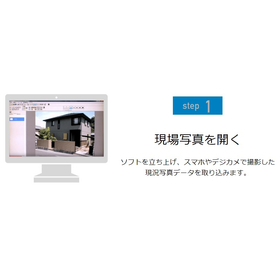
**6 Steps to Quickly Create Future Photos** **STEP 1: Open Site Photos** Launch the software and import the current condition photo data taken with a smartphone or digital camera. **STEP 2: Masking Process** Use the masking function to specify areas that do not require color or material coordination, such as windows, gutters, and landscaping. **STEP 3: Mesh Operation** Specify the areas of the exterior walls that will be coordinated in color and material using the mesh function. **STEP 4: Material Selection and Dimension Specification** Select the material (color) to fit the area specified by the mesh. Input the vertical and horizontal dimensions. **STEP 5: Completion** Choose and execute the function that utilizes the shadows in the original photo. The image of the exterior wall after construction is created in an instant. **STEP 6: Coordinate with Dedicated Viewer** Save the completed data. The linked coordination software will launch, allowing for multiple simulations of the exterior wall section of the created data with just one click.
Inquire About This Product
basic information
For more details, please contact us.
Price range
Delivery Time
Applications/Examples of results
For more details, please contact us.
catalog(3)
Download All Catalogs


Company information

Realim Japan Co., Ltd. is a company that primarily develops, sells, and supports landscape simulation software, known as the "Realim series," as well as color simulation software in Japan. We provide essential CG perspective creation software necessary for proposals related to public works, building and apartment renovations, and home remodeling projects. 【Realim Series】 ■ Color simulation software 'Realim Light' ■ Exterior renovation simulation software 'Realim Standard' ■ Landscape simulation software 'Realim Pro' Please feel free to consult us regarding landscape simulation software.