

Case study at Shop Channel. Transitioning from a large amount of "paper flips" in live broadcast settings to achieving real-time progress and going paperless!
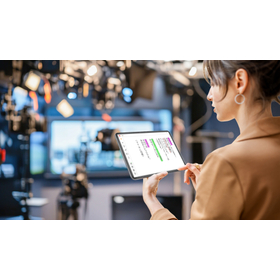
We would like to introduce a case where our digital cue card "DigiCan" was implemented by Shop Channel. Previously, a large number of paper flip cards were used on-site during live broadcasts, which posed challenges such as last-minute content changes, replacements, and the costs and effort associated with paper usage. After implementation, smooth instructions and transitions on-screen became possible, leading to rapid progress in live broadcasts and significant paper reduction. The effects were also shared by the production planning staff during actual programs. [Case Overview] ■ Background of Implementation - The effort involved in creating and replacing a large number of paper flip cards on-site during live broadcasts - The need for quick responses to last-minute content changes and the necessity for paperless operations on-site ■ Results After Implementation - Improved operational efficiency and smoother progress on-site due to the digitization of cue cards - Reduction of paper resources (paperless) and realization of cost savings *For more details, please refer to the related links or feel free to contact us.
Inquire About This Product
basic information
The traditional method of creating cue cards involved either handwriting directly in a sketchbook or printing out documents created on a computer and pasting them, requiring all copies to be made by hand, which consumed time and effort in what is called the preparation work. By using DigiCan, you simply upload the cue card data created on your computer to a management server. Modifications and rearranging the display order can be done in no time, dramatically reducing the workload. Additionally, cue cards that were prepared separately for each program can now be centrally managed on the server, allowing for reuse and management across different programs. - Upload data to the server for management - Instructions (operating devices) can simply select cue cards from tablets, with a handwritten mode also available - Countdown timer display for remaining time is possible - The viewing side (display devices) can show on a large monitor or on a handheld tablet Both the operation and display devices are compatible with iPads, Android tablets, and Windows PCs, so you can use devices you are already familiar with. *For more details, please refer to the catalog or feel free to contact us.
Price information
For more details, please feel free to contact us.
Delivery Time
Applications/Examples of results
- Instructions for performers and hosts - Script for the host - Giving instructions - Reading quiz questions With DigiCan Cloud, you can give instructions to the remote location from the studio, and it also allows for smooth communication with remote participants. It is useful in various settings beyond broadcasting, such as conferences, ceremonies for weddings and funerals, and event venues.
catalog(1)
Download All Catalogs
Company information

Our company is a solution provider that creates and delivers solutions centered around people, systems, and information to meet our customers' needs. We will continuously create new solutions utilizing advanced technologies and provide solutions that satisfy our customers by bringing their ideas to life. Additionally, we will focus on developing new technologies and nurturing talent capable of developing these new technologies. We value the spirit of manufacturing, creating experiences, and fostering people, and we aim to contribute to Japan's ICT industry.



![Cloud-based estimation and quotation for the construction industry [Raku Oh! Workspace]](https://image.www.ipros.com/public/product/image/295023/IPROS12501853311511251803.png?w=280&h=280)