iPROS Urban Planning
  • Search for products by classification category

    • Building Materials
      Building Materials
      36676items
    • Facilities
      Facilities
      57727items
    • Lighting and Interior
      Lighting and Interior
      17586items
    • Common materials
      Common materials
      37231items
    • Civil Engineering Materials
      Civil Engineering Materials
      10203items
    • Construction, work and methods
      Construction, work and methods
      29182items
    • Surveys, Measurements, and Services
      Surveys, Measurements, and Services
      29725items
    • IT/Software
      IT/Software
      33553items
    • others
      others
      89297items
    • Store and facility supplies
      Store and facility supplies
      4599items
    • Office and commercial supplies
      Office and commercial supplies
      11728items
    • Hospital and welfare facility supplies
      Hospital and welfare facility supplies
      1057items
    • Logistics Equipment
      Logistics Equipment
      7333items
    • Energy and Resources
      Energy and Resources
      11968items
  • Search for companies by industry

    • Information and Communications
      7295
    • others
      7210
    • Building materials, supplies and fixtures manufacturers
      6631
    • Service Industry
      4754
    • Trading company/Wholesale
      3072
    • Other construction industries
      2445
    • Electrical equipment construction business
      719
    • Construction Consultant
      607
    • Interior Design
      519
    • General contractors and subcontractors
      490
    • Facility Design Office
      489
    • Architectural design office
      363
    • retail
      362
    • Housing manufacturers and construction companies
      349
    • Warehousing and transport related industries
      329
    • Building Management
      292
    • Electricity, Gas and Water Industry
      285
    • Interior construction business
      278
    • Medical and Welfare
      275
    • Educational and Research Institutions
      253
    • Renovation and home construction industry
      222
    • Water supply and drainage construction business
      205
    • Transportation
      174
    • Real Estate Developers
      165
    • Fisheries, Agriculture and Forestry
      132
    • Structural Design Office
      65
    • Finance, securities and insurance
      41
    • Restaurants and accommodations
      32
    • self-employed
      31
    • Mining
      26
    • Public interest/special/independent administrative agency
      20
    • Police, Fire Department, Self-Defense Forces
      17
    • Property Owner
      9
    • Store and building owners
      9
    • Government
      9
    • Individual
      9
  • Special Features
  • Ranking

    • Overall Products Ranking
    • Overall Company Ranking
Search for Products
  • Search for products by classification category

  • Building Materials
  • Facilities
  • Lighting and Interior
  • Common materials
  • Civil Engineering Materials
  • Construction, work and methods
  • Surveys, Measurements, and Services
  • IT/Software
  • others
  • Store and facility supplies
  • Office and commercial supplies
  • Hospital and welfare facility supplies
  • Logistics Equipment
  • Energy and Resources
Search for Companies
  • Search for companies by industry

  • Information and Communications
  • others
  • Building materials, supplies and fixtures manufacturers
  • Service Industry
  • Trading company/Wholesale
  • Other construction industries
  • Electrical equipment construction business
  • Construction Consultant
  • Interior Design
  • General contractors and subcontractors
  • Facility Design Office
  • Architectural design office
  • retail
  • Housing manufacturers and construction companies
  • Warehousing and transport related industries
  • Building Management
  • Electricity, Gas and Water Industry
  • Interior construction business
  • Medical and Welfare
  • Educational and Research Institutions
  • Renovation and home construction industry
  • Water supply and drainage construction business
  • Transportation
  • Real Estate Developers
  • Fisheries, Agriculture and Forestry
  • Structural Design Office
  • Finance, securities and insurance
  • Restaurants and accommodations
  • self-employed
  • Mining
  • Public interest/special/independent administrative agency
  • Police, Fire Department, Self-Defense Forces
  • Property Owner
  • Store and building owners
  • Government
  • Individual
Special Features
Ranking
  • Overall Products Ranking
  • Overall Company Ranking
  • privacy policy
  • terms of service
  • About Us
  • Careers
  • Advertising
  1. Home
  2. Electrical equipment construction business
  3. 通信機工事
  4. Product/Service List
Electrical equipment construction business
  • Added to bookmarks

    Bookmarks list

    Bookmark has been removed

    Bookmarks list

    You can't add any more bookmarks

    By registering as a member, you can increase the number of bookmarks you can save and organize them with labels.

    Free membership registration

通信機工事

capital2000Ten thousand
addressTokyo/Shinagawa/4th Floor, Dai 2 Hayashi Building, 1-8-20 Kitashinagawa
phone03-5461-8421
  • Special site
  • Official site
last updated:May 12, 2026
通信機工事logo
  • Contact this company

    Contact Us Online
  • Before making an inquiry

    Download PDF
  • Company information
  • Products/Services(53)
  • catalog(7)
  • news(0)

通信機工事 List of Products and Services

  • category

1~37 item / All 37 items

Displayed results

Filter by category

映像音響システム 映像音響システム
インターホン・LED照明等のリニューアル インターホン・LED照明等のリニューアル
防犯カメラ 防犯カメラ
映像音響システム

映像音響システム

大学を中心とした文教市場、百貨店を中心とした流通市場、その他、ホールや大手企業様へ、映像・音響・照明システムおよびセキュリティーシステムを納入しています。
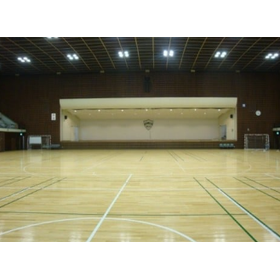
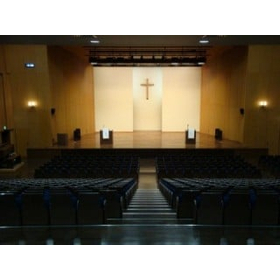
[Case Study] Aoyama Gakuin University - Upgrading the audio and visual equipment in the memorial hall.

We have introduced HD cameras for recording and verification, achieving significantly better image quality than before!

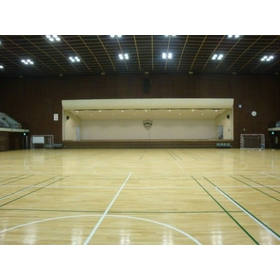
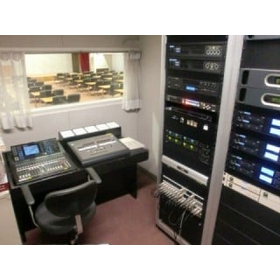
We would like to introduce a case where we updated the audio and visual equipment at Aoyama Gakuin's memorial hall. We updated the ceiling speakers for the audience, arena, and lobby, as well as the proscenium and side speakers, creating a better environment with uniform sound throughout. When using the stage as the main focus, we set it to ceremony mode, and when using the entire space, we switched to arena mode, allowing for different audio settings depending on the situation. [Case Overview] - In arena mode, sound is evenly distributed across the entire area, while in ceremony mode, we applied delay to the output based on the speaker positions to create a more natural acoustic experience. - We introduced HD cameras for recording and monitoring, significantly improving the image quality. - Areas that were previously checked through a small window in the broadcasting room can now be easily monitored on a screen by operating two cameras. *For more details, please download the PDF or feel free to contact us.

Added to bookmarks

Bookmarks list

Bookmark has been removed

Bookmarks list

You can't add any more bookmarks

By registering as a member, you can increase the number of bookmarks you can save and organize them with labels.

Free membership registration

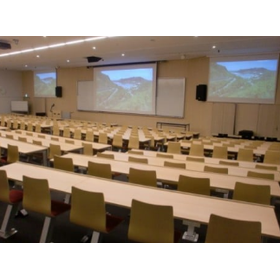
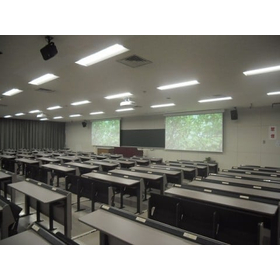
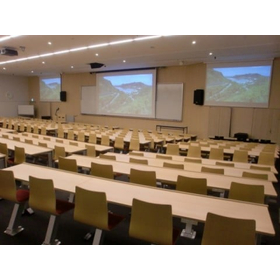
[Case Study] Musashi University - AV equipment installed in 16 classrooms of Building 1.

We focus on the visibility of images, clarity of sound, and ease of operation to design each classroom!

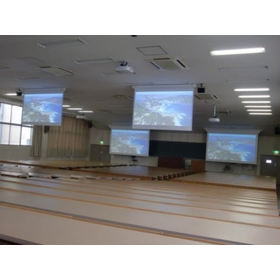
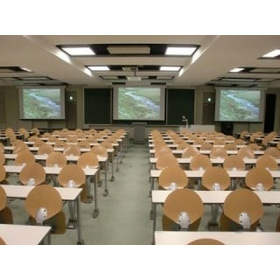
We would like to introduce a case where AV equipment was installed in Classroom 16 of Building 1 at Musashi University. To ensure that the projection screen is easily visible from any position, a 250-inch screen is installed in the center, with 150-inch screens on either side. We also focused on sound quality, supporting 7.1 channel surround sound. All operations are conducted via a touch panel installed on the AV console, creating a system that is easy and intuitive to use. 【Features】 - Designed with a focus on visibility of images, clarity of sound, and ease of operation. - Designed and proposed to ensure satisfaction with the highest quality audio and visual experience. - All three screens are aspect-free, accommodating images of any resolution. - The projector for the center is a high-brightness full HD model. - Reproduces three-dimensional and powerful sound similar to that of a movie theater. *For more details, please download the PDF or feel free to contact us.

Added to bookmarks

Bookmarks list

Bookmark has been removed

Bookmarks list

You can't add any more bookmarks

By registering as a member, you can increase the number of bookmarks you can save and organize them with labels.

Free membership registration

[Audio and Visual Equipment Update Case] Aoyama Gakuin University <Memorial Hall>

We have introduced HD cameras for recording and verification, resulting in significantly improved image quality compared to before!

This is a case of updating the audio and visual equipment at Aoyama Gakuin's memorial hall. We updated the ceiling speakers for the audience, arena, and lobby, as well as the proscenium speakers and side speakers, creating a better environment with no inconsistencies. Parts that were previously checked through a small window in the broadcasting room can now be easily monitored on a screen by operating two cameras. [Case Overview] - Audio specifications that vary depending on the usage scenario - Introduction of HD cameras for recording and monitoring - Significantly improved image quality compared to before - Easy monitoring on the screen by operating two cameras *For more details, please download the PDF or feel free to contact us.

Added to bookmarks

Bookmarks list

Bookmark has been removed

Bookmarks list

You can't add any more bookmarks

By registering as a member, you can increase the number of bookmarks you can save and organize them with labels.

Free membership registration

[Audio Equipment Update Case] Aoyama Gakuin University <Main Chapel>

In addition to the two microphones on the podium, three digital wireless microphones are now available for use!

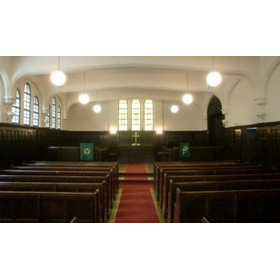
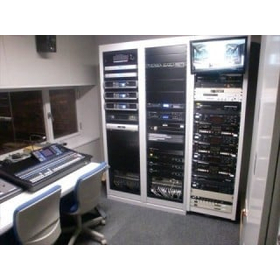
This is a case of updating the audio equipment in the main chapel of Aoyama Gakuin University. In addition to the two microphones on the podium, three digital wireless microphones are now available for use. With the digitization of the mixer, a scene recall function allows you to set it to a pre-configured state. [Case Overview] ■ Update of the audio equipment in the main chapel ■ In addition to the two microphones on the podium, three digital wireless microphones are available ■ Can return to the standard volume level with the push of a button ■ Equipped with a memory recorder in the rack ■ Recording to SD cards and USB drives is also possible *For more details, please download the PDF or feel free to contact us.

Added to bookmarks

Bookmarks list

Bookmark has been removed

Bookmarks list

You can't add any more bookmarks

By registering as a member, you can increase the number of bookmarks you can save and organize them with labels.

Free membership registration

[Audio and Visual Equipment Update Case] Aoyama Gakuin University

In addition to audio, it is now possible to record the stage using a pickup microphone and camera!

This is a case of updating the audio and visual equipment at the Goucher Memorial Chapel of Aoyama Gakuin University. Since settings for each scene are registered in the mixer, it allows for easy selection tailored to the purpose during use, and further fine adjustments are also possible. In addition to audio, recording of the stage is now possible with pickup microphones and cameras. Furthermore, the monitors in the wings have been updated, allowing for clear visuals of the chapel even while waiting. [Case Overview] ■ Established an environment that provides clear audio throughout the entire seating area, including the second floor ■ Easy selection tailored to the purpose during use ■ Recording of the stage is possible with pickup microphones and cameras in addition to audio ■ Clear visuals of the chapel can be seen even while waiting *For more details, please download the PDF or feel free to contact us.

Added to bookmarks

Bookmarks list

Bookmark has been removed

Bookmarks list

You can't add any more bookmarks

By registering as a member, you can increase the number of bookmarks you can save and organize them with labels.

Free membership registration

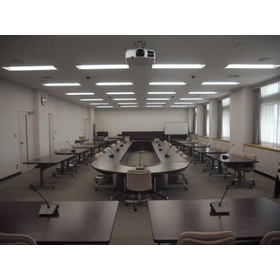
Case Study of Infrared Conference System Implementation: Aoyama Gakuin University

We have received feedback that by introducing the infrared system, it can be used comfortably without any noise!

We would like to introduce a case where an infrared conference system and AV equipment were installed in Room 13 of Aoyama Gakuin University. By introducing the infrared system, we have received feedback that it can be used comfortably without any noise. Additionally, since it is used permanently, the time required for installation has also been reduced. It is designed to allow the simultaneous use of three conference microphones and two handheld microphones. 【Case Overview】 - Installed an infrared conference system and AV equipment in Room 13 - Introduced the infrared conference system due to significant interference and noise - Reduced the time required for installation - Capable of using three conference microphones and two handheld microphones simultaneously *For more details, please download the PDF or feel free to contact us.

Added to bookmarks

Bookmarks list

Bookmark has been removed

Bookmarks list

You can't add any more bookmarks

By registering as a member, you can increase the number of bookmarks you can save and organize them with labels.

Free membership registration

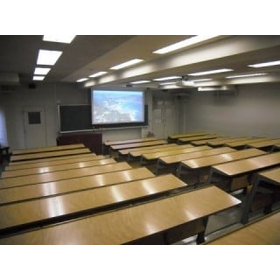
[AV Equipment Update Case] Aoyama Gakuin University

The AV equipment in large classrooms, starting with Room 910, has been updated towards digitalization!

This is an updated case of the AV equipment in Classroom 3 of Building 9 at Aoyama Gakuin University being upgraded to digital compatibility. The AV equipment in large classrooms, starting with Classroom 910, has been updated towards digitalization. Each classroom is now digitally compatible, allowing for clearer images to be displayed. In Classroom 931, the previously installed three screens and displays have been removed, resulting in a simpler and more user-friendly configuration. 【Case Overview】 - The AV equipment in large classrooms, starting with Classroom 910, has been updated towards digitalization. - Each classroom is now digitally compatible, allowing for clearer images to be displayed. - In Classroom 931, the previously installed three screens and displays have been removed, resulting in a simpler and more user-friendly configuration. *For more details, please download the PDF or feel free to contact us.*

Added to bookmarks

Bookmarks list

Bookmark has been removed

Bookmarks list

You can't add any more bookmarks

By registering as a member, you can increase the number of bookmarks you can save and organize them with labels.

Free membership registration

[AV Equipment Update Case] Aoyama Gakuin Women's Junior College

Classroom 2 has completely updated its AV equipment, while Classroom 1 has achieved digital compatibility by making the most of the existing equipment.

We would like to introduce a case study of the AV equipment updates in classrooms S101, N102, and N103 at Aoyama Gakuin Women's Junior College, aimed at digitalization. The AV equipment in classrooms S101 and N102 has been completely renewed, while in classroom N103, existing equipment has been reused as much as possible to achieve digital compatibility. The two newly updated classrooms are now equipped with a 120-inch aspect-free screen and a projector that supports WUXGA (1920×1200) resolution with 4500 lumens or higher, allowing for clear presentations of materials using a computer during lectures. [Case Overview] ■ Updated AV equipment in classrooms S101, N102, and N103 for digitalization. *For more details, please download the PDF or feel free to contact us.

Added to bookmarks

Bookmarks list

Bookmark has been removed

Bookmarks list

You can't add any more bookmarks

By registering as a member, you can increase the number of bookmarks you can save and organize them with labels.

Free membership registration

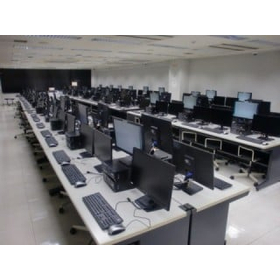
[Monitor Update Case] Tokyo University of Science

With the update of the computer, the intermediate monitor has also been updated!

This is an example of the update of the intermediate monitor in the terminal room of Building 1 and the Museum at Tokyo University of Science. With the update of the computer, the intermediate monitor was also updated. The aspect ratio changed from 4:3 to 16:9, and the size increased to 21.5 inches, with a resolution of 1920×1080, significantly improving visibility. Please feel free to contact us when you need assistance. 【Case Overview】 ■ The intermediate monitor was updated along with the computer. ■ The size increased to 21.5 inches. ■ The resolution improved to 1920×1080, greatly enhancing visibility. *For more details, please download the PDF or feel free to contact us.

Added to bookmarks

Bookmarks list

Bookmark has been removed

Bookmarks list

You can't add any more bookmarks

By registering as a member, you can increase the number of bookmarks you can save and organize them with labels.

Free membership registration

[AV Equipment Update Case] Aoyama Gakuin University <Room 420, Room 621>

I have become able to start the lecture without stopping by the instructor's lounge!

We would like to introduce the case of updating the AV equipment in classrooms 420 and 621 at Aoyama Gakuin University. In classroom 420, two 150-inch screens were installed at the front and two 100-inch screens at the back. In classroom 621, two 170-inch screens were installed at the front. Similar to other classrooms, the AV control desk can be unlocked with a faculty card, allowing for the storage of a wireless microphone within the desk, enabling instructors to start lectures without having to visit the instructor's lounge. [Case Overview] - Updated AV equipment in classrooms 420 and 621 - AV control desk can be unlocked with a faculty card - Wireless microphone stored within the desk *For more details, please download the PDF or feel free to contact us.

Added to bookmarks

Bookmarks list

Bookmark has been removed

Bookmarks list

You can't add any more bookmarks

By registering as a member, you can increase the number of bookmarks you can save and organize them with labels.

Free membership registration

[AV Equipment Update Case] Aoyama Gakuin University <Research Institute Building Large Conference Room>

It has become very convenient as the power can be turned ON/OFF and the video can be switched from the stage wings and adjustment room!

We would like to introduce a case where the AV equipment in the large conference room of Aoyama Gakuin University’s Research Building was updated. In the audio system, the main speakers were installed on the wall of the stage wing, and low-frequency speakers were placed on both sides at the front of the conference room. The main speakers can adjust their directional characteristics electrically, allowing for uniform sound volume throughout the entire conference room. Additionally, to make it easier for speakers to talk, stage monitor speakers were newly installed. A digital wireless microphone system was adopted for the wireless microphones, achieving stable audio that is resistant to interference. 【Case Overview】 - In the audio system, the main speakers were installed on the wall of the stage wing, and low-frequency speakers were placed on both sides at the front of the conference room. - The main speakers can adjust their directional characteristics electrically, allowing for uniform sound volume throughout the entire conference room. - Stage monitor speakers were newly installed to make it easier for speakers to talk. *For more details, please download the PDF or feel free to contact us.

Added to bookmarks

Bookmarks list

Bookmark has been removed

Bookmarks list

You can't add any more bookmarks

By registering as a member, you can increase the number of bookmarks you can save and organize them with labels.

Free membership registration

[AV System Implementation Case] Musashi University

Anyone can easily control the equipment with this specification!

We would like to introduce a case study of the installation of an AV system in a large lecture hall at Musashi University. We provided high-performance line array speakers and subwoofers for the audio equipment. The system is operated via a touch panel installed at the control desk, allowing anyone to easily control the equipment. [Case Overview] - Installation of an AV system in a large lecture hall - Audio equipment includes high-performance line array speakers and subwoofers - Designed for easy control of the equipment by anyone *For more details, please download the PDF or feel free to contact us.

Added to bookmarks

Bookmarks list

Bookmark has been removed

Bookmarks list

You can't add any more bookmarks

By registering as a member, you can increase the number of bookmarks you can save and organize them with labels.

Free membership registration

[Digital Signage Implementation Case] Aoyama Gakuin University

It is now possible to easily and in real-time reduce the hassle of changing the menu in the showcase and distribute the latest information on sold-out items!

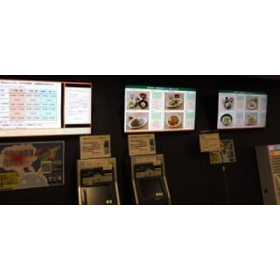
We would like to introduce a case study of the digital signage for menu display that was implemented in the cafeteria of Building 17 at Aoyama Gakuin University. From one computer, information such as menus, business hours, and health management is individually distributed to three displays. By setting the display content and distribution schedule in advance, the display's power automatically turns on at the scheduled time, and the program starts. The program ends and the display's power is turned off at the end of business hours. 【Case Overview】 ■ Individual distribution of information such as menus, business hours, and health management ■ Enables the distribution of highly engaging information ■ Allows for easy real-time distribution of the latest information *For more details, please download the PDF or feel free to contact us.

Added to bookmarks

Bookmarks list

Bookmark has been removed

Bookmarks list

You can't add any more bookmarks

By registering as a member, you can increase the number of bookmarks you can save and organize them with labels.

Free membership registration

[New Equipment Installation Case] Yomiuri Land

Newly established equipment for dual-use of business and emergency broadcasting, as well as a centralized remote control for emergency broadcasting!

We would like to introduce a case where a combined emergency broadcasting and business broadcasting system, along with a centralized remote control device for emergency broadcasting, was newly established at Yomiuriland Goojoba!! The emergency broadcasting systems for four buildings (factories) are centrally managed at the security center in the Sky Gate building. This system allows for efficient evacuation guidance for customers during emergencies such as fires and earthquakes. Additionally, the emergency broadcasting systems in each factory are connected to the existing amusement park broadcasting system, which is also utilized for announcements regarding park opening and closing times, as well as events. [Case Overview] - Centralized management of emergency broadcasting systems for four buildings (factories) at the security center in the Sky Gate building. - Equipment that enables efficient evacuation guidance for customers during emergencies such as fires and earthquakes. - The existing amusement park broadcasting system is also connected and utilized for announcements regarding park opening and closing times, as well as events. *For more details, please download the PDF or feel free to contact us.

Added to bookmarks

Bookmarks list

Bookmark has been removed

Bookmarks list

You can't add any more bookmarks

By registering as a member, you can increase the number of bookmarks you can save and organize them with labels.

Free membership registration

[Case Study of AV Equipment Implementation] Musashi University

We are particular about sound quality, supporting 7.1CH surround! It reproduces three-dimensional and powerful sound just like a movie theater.

We would like to introduce the case of installing AV equipment in Classroom 16 of Building 1 at Musashi University. The new Building 1 features classrooms of various sizes—large, medium, and small—designed with a focus on visibility of images, clarity of sound, and ease of operation. Among them, the underground theater classroom was designed and proposed to ensure satisfaction with the best possible visuals and acoustics. [Case Overview] - A 250-inch screen installed at the center, with 150-inch screens on the left and right - Specifications that can accommodate images of any resolution - Capable of projecting high-quality visuals - A system that allows for easy and intuitive operation *For more details, please download the PDF or feel free to contact us.

Added to bookmarks

Bookmarks list

Bookmark has been removed

Bookmarks list

You can't add any more bookmarks

By registering as a member, you can increase the number of bookmarks you can save and organize them with labels.

Free membership registration

[AV System Implementation Case] Aoyama Gakuin Senior High School

The operation can be intuitively performed using the touch panels installed on stage and in the control room!

We would like to introduce a case study of the AV system with a 300-inch screen installed in the PS Hall of Aoyama Gakuin High School. Premium speakers were installed on both sides above the stage as the main audio system, and a high-performance array speaker was adopted in the center, creating an environment where clear sound can be experienced from any seat. As for the visual equipment, high-quality images can be projected onto the 300-inch large screen from a high-brightness projector exceeding 10,000 lumens. [Case Overview] - Digital modulation allows real-time distribution of the hall's video to each classroom. - Each classroom can view the content similarly to terrestrial digital broadcasting. - An audio digital mixer is used at the control desk, enabling more precise adjustments. *For more details, please download the PDF or feel free to contact us.

Added to bookmarks

Bookmarks list

Bookmark has been removed

Bookmarks list

You can't add any more bookmarks

By registering as a member, you can increase the number of bookmarks you can save and organize them with labels.

Free membership registration

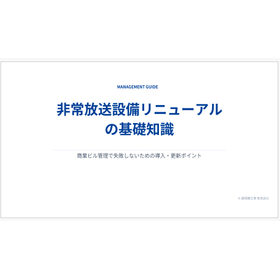
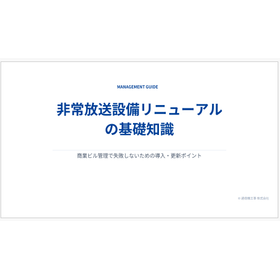
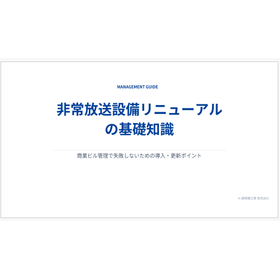
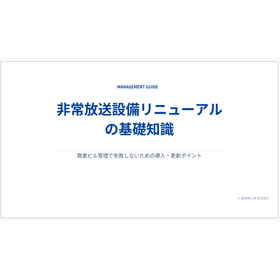
[Information] Basic Knowledge of Emergency Broadcasting Equipment Renewal

Introducing key points for successful implementation and updates in commercial building management!

This document is a management guide that summarizes the basic knowledge of emergency broadcasting equipment renewal. It explains why a review is necessary now, the four common points where management companies often fail, and the five items to confirm when selecting emergency broadcasting equipment. Regularly reviewing "whether the current equipment is truly sufficient" will ultimately lead to a reduction in the burden on management companies and an increase in trust. [Contents] ■ Why a review is necessary now ■ Four common points where management companies often fail ■ Five items to confirm when selecting emergency broadcasting equipment ■ Risks of continuing to use old equipment and renewal guidelines ■ Management checklist & summary ■ Company introduction & overview *For more details, please download the PDF or feel free to contact us.

Added to bookmarks

Bookmarks list

Bookmark has been removed

Bookmarks list

You can't add any more bookmarks

By registering as a member, you can increase the number of bookmarks you can save and organize them with labels.

Free membership registration

Why is it necessary to review the emergency broadcasting equipment now?

Emergency broadcasting equipment is not just compliant with fire safety laws; it is a core facility for BCP and disaster prevention measures!

This document explains "why it is necessary to review emergency broadcasting equipment now." From the perspective of improving management quality and ensuring tenant safety, the reasons are outlined. In commercial buildings with a large number of people coming and going, the ability to "quickly guide safe evacuation during an emergency" is directly linked to the trust in the management company. 【Contents】 ■ Why is a review necessary now? ■ Four common points where management companies often fail ■ Five items to check when selecting emergency broadcasting equipment ■ Risks of continuing to use old equipment and guidelines for updates ■ Management checklist & summary ■ Company introduction and overview *For more details, please download the PDF or feel free to contact us.

Added to bookmarks

Bookmarks list

Bookmark has been removed

Bookmarks list

You can't add any more bookmarks

By registering as a member, you can increase the number of bookmarks you can save and organize them with labels.

Free membership registration

Four Points Where Building Management Companies Fail in Maintaining Emergency Broadcasting Equipment

"Still usable" is a big risk! If it doesn't work when it matters, it won't be helpful.

In this document, we introduce "Four Points Where Building Management Companies Often Fail in the Maintenance of Emergency Broadcasting Equipment." We address four points: neglecting aging equipment, discontinued parts supply, poor sound quality, and relying solely on inspections, providing explanations for each. Regularly reviewing "whether the current equipment is truly sufficient" ultimately leads to a reduction in the burden on management companies and an increase in trust. [Contents] ■ Why a review is necessary now ■ Four points where management companies often fail ■ Five items to check when selecting emergency broadcasting equipment ■ Risks of continuing to use old equipment and guidelines for updates ■ Management checklist & summary ■ Company introduction and overview *For more details, please download the PDF or feel free to contact us.

Added to bookmarks

Bookmarks list

Bookmark has been removed

Bookmarks list

You can't add any more bookmarks

By registering as a member, you can increase the number of bookmarks you can save and organize them with labels.

Free membership registration

What are the 5 items to check when selecting broadcasting equipment?

Explanation of important points in equipment selection, such as the end of supply for repair parts and listening performance under noise conditions!

In this document, we introduce "5 items to check when selecting emergency broadcasting equipment." We explain each of the five items: recommended renewal years, sound clarity, emergency power and battery performance, coordination with fire alarms and disaster prevention equipment, and maintenance system. Our company specializes in the renewal of systems such as sound, video, and surveillance cameras. Please feel free to consult us for diagnostics and estimates for emergency broadcasting equipment. 【Contents】 ■ Why is a review necessary now? ■ Four common points where management companies often fail ■ 5 items to check when selecting emergency broadcasting equipment ■ Risks of continuing to use old equipment and renewal guidelines ■ Management checklist & summary ■ Company introduction and overview *For more details, please download the PDF or feel free to contact us.

Added to bookmarks

Bookmarks list

Bookmark has been removed

Bookmarks list

You can't add any more bookmarks

By registering as a member, you can increase the number of bookmarks you can save and organize them with labels.

Free membership registration

The risks of continuing to use old emergency broadcasting equipment and guidelines for updating it.

Due to the end of parts supply, there are cases where repairs cannot be made even if there is a malfunction, leaving only the option for a complete replacement!

This document explains the "risks of continuing to use old emergency broadcasting equipment and guidelines for updating it." It includes major trouble cases of emergency broadcasting equipment, such as broadcasting failures due to amplifier malfunctions and inadequate backups during power outages. It is important to renew the emergency broadcasting equipment to prevent troubles in advance and ensure it functions reliably in emergencies. 【Contents】 ■ Why is a review necessary now? ■ Four common points where management companies often fail ■ Five items to check when selecting emergency broadcasting equipment ■ Risks of continuing to use old equipment and guidelines for updating ■ Management checklist & summary ■ Company introduction and overview *For more details, please download the PDF or feel free to contact us.

Added to bookmarks

Bookmarks list

Bookmark has been removed

Bookmarks list

You can't add any more bookmarks

By registering as a member, you can increase the number of bookmarks you can save and organize them with labels.

Free membership registration

Management checklist for maintenance of emergency broadcasting equipment to prevent failures.

Emergency broadcasting equipment is not just "amplification"; it is an essential system that ensures quality management and protects human lives!

This document includes a "Management Checklist for Maintenance of Emergency Broadcasting Equipment to Avoid Failures." We introduce self-check items such as the number of years since installation, whether power outage operation checks have been conducted, and whether broadcasts can be heard throughout the facility. Regularly reviewing "Is the current equipment truly sufficient?" will ultimately lead to a reduction in the burden on management companies and an increase in trust. 【Contents】 ■ Why is a review necessary now? ■ Four common points where management companies often fail ■ Five items to check when selecting emergency broadcasting equipment ■ Risks of continuing to use old equipment and guidelines for updates ■ Management checklist & summary ■ Company introduction & overview *For more details, please download the PDF or feel free to contact us.

Added to bookmarks

Bookmarks list

Bookmark has been removed

Bookmarks list

You can't add any more bookmarks

By registering as a member, you can increase the number of bookmarks you can save and organize them with labels.

Free membership registration

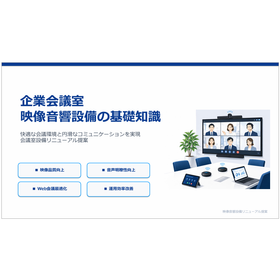
Basic Knowledge of Audio-Visual Equipment in Corporate Conference Rooms

Understand the importance of web conference cameras and the benefits of introducing them through renewal! Free presentation materials for conference room equipment renewal proposals.

"Basic Knowledge of Audio-Visual Equipment in Corporate Conference Rooms" is a document for proposing the renewal of conference room equipment to achieve a comfortable meeting environment and smooth communication. It clearly explains why it is necessary to review conference room equipment, the basic components of audio-visual equipment, and the role of displays for conference rooms. If you are interested, please feel free to download it. [Contents (excerpt)] ■ Why it is necessary to review conference room equipment ■ Basic components of audio-visual equipment ■ Role of displays for conference rooms ■ Importance of web conference cameras ■ Points for improving audio clarity

Added to bookmarks

Bookmarks list

Bookmark has been removed

Bookmarks list

You can't add any more bookmarks

By registering as a member, you can increase the number of bookmarks you can save and organize them with labels.

Free membership registration

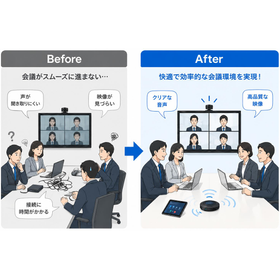
Why is it necessary to review the conference room equipment?

Introducing the challenges and benefits of implementing a comfortable and effective meeting environment!

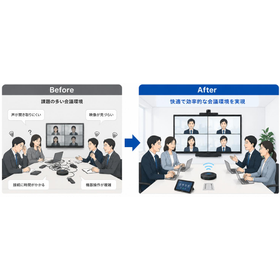
We are introducing why it is necessary to review conference room equipment. Common issues such as difficulty hearing audio, unclear visuals, and long connection times are also included. We explain the benefits of implementation, such as reducing meeting start times and improving information sharing efficiency. If you are interested, please feel free to download. 【Common Issues】 ■ Difficulty hearing audio (requiring repetition) ■ Unclear visuals (unable to read fine text in materials) ■ Long connection times (delays in starting meetings) ■ Unstable web conferencing (video and audio interruptions) ■ Complex equipment operation (only specific personnel can operate it)

Added to bookmarks

Bookmarks list

Bookmark has been removed

Bookmarks list

You can't add any more bookmarks

By registering as a member, you can increase the number of bookmarks you can save and organize them with labels.

Free membership registration

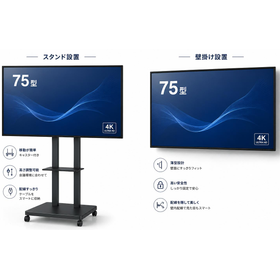
Benefits of Introducing Displays for Conference Rooms

It also explains the benefits of implementation and provides guidelines for recommended display sizes!

Introducing the benefits of implementing display screens for conference rooms. The advantages of implementation include clear visibility of materials from the back of the room due to high brightness and wide viewing angles. Additionally, a large screen with rich expressive capabilities enhances persuasiveness and improves presentation quality. If you are interested, please feel free to download. 【Implementation Benefits】 ■ Easy to view materials: Clear visibility from the back of the room due to high brightness and wide viewing angles ■ Improved presentation quality: Enhanced persuasiveness with a large screen that has rich expressive capabilities ■ Increased efficiency in information sharing: Clear sharing of graphs and detailed data ■ Web conference video display: Ability to see the remote participant's expressions in real size

Added to bookmarks

Bookmarks list

Bookmark has been removed

Bookmarks list

You can't add any more bookmarks

By registering as a member, you can increase the number of bookmarks you can save and organize them with labels.

Free membership registration

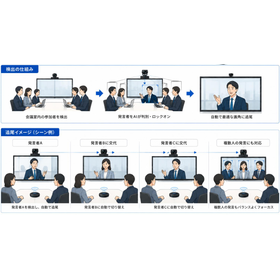
What is the importance of a web conference camera?

It also explains the smart main features and the effects of implementation!

I would like to introduce the importance of web conference cameras. As a result of their implementation, they enhance the quality of communication with remote participants and create a sense of unity as if everyone is in the same space. They also feature functions such as "AI auto-tracking," which allows the camera to naturally pan and tilt in accordance with the presenter's movements, and "speaker tracking," which detects voices and automatically zooms in on the person currently speaking. Feel free to download if you are interested. 【Smart Main Features】 ■ AI Auto-Tracking: The camera naturally pans and tilts in accordance with the presenter's movements. ■ Speaker Tracking: Detects voices and automatically zooms in on the person currently speaking. ■ Auto Framing: Automatically adjusts the angle to suit the number of participants. ■ Face Recognition: Optimizes the brightness of people's expressions even in backlit or dark conference rooms. ■ 4K High-Quality Support: Captures subtle changes in expressions and even the text on a whiteboard.

Added to bookmarks

Bookmarks list

Bookmark has been removed

Bookmarks list

You can't add any more bookmarks

By registering as a member, you can increase the number of bookmarks you can save and organize them with labels.

Free membership registration

What are the key points for improving audio clarity in web conferences?

Introducing common acoustic problems and their solutions and approaches!

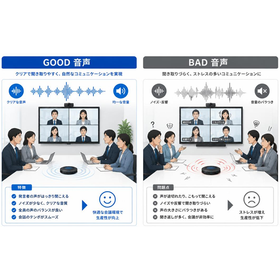
Introducing points for improving audio clarity in web conferences. Solutions include DSP acoustic adjustment, directional microphones, echo cancellation, and noise removal. This can create a comfortable hybrid meeting with minimal need for repetition. Feel free to download if you are interested. 【Solutions/Approach】 ■ DSP Acoustic Adjustment: Digital correction of acoustic balance according to room characteristics ■ Directional Microphones: Capturing only the speaker's voice clearly without picking up surrounding noise ■ Echo Cancellation: Preventing sound from the speakers from being re-input into the microphone ■ Noise Removal: Automatic filtering of constant noise by the processor

Added to bookmarks

Bookmarks list

Bookmark has been removed

Bookmarks list

You can't add any more bookmarks

By registering as a member, you can increase the number of bookmarks you can save and organize them with labels.

Free membership registration

Benefits of Updating Online Meeting Room Equipment

I will explain the issues before the renewal and the benefits after the renewal!

Introducing the benefits of updating online conference room equipment. By updating, it enables one-touch connections, conversations with high-quality audio, and smooth meeting facilitation. Benefits such as increased productivity, reduced meeting time, and improved user satisfaction can be expected. If you are interested, please feel free to download. 【Final Effects】 ■ Increased productivity ■ Reduced meeting time ■ Improved user satisfaction

Added to bookmarks

Bookmarks list

Bookmark has been removed

Bookmarks list

You can't add any more bookmarks

By registering as a member, you can increase the number of bookmarks you can save and organize them with labels.

Free membership registration

What is the estimated timing for updating online conference room equipment?

It is important to carry out planned equipment replacements (updates) with an eye on aging!

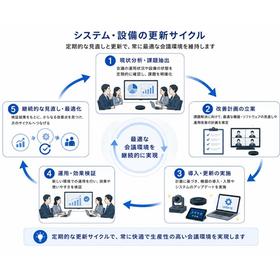
Guidelines for the Timing of Updates to Online Conference Room Equipment Large displays have a standard update cycle of 7 to 10 years, while web conference cameras have a cycle of 5 to 7 years. Using the standard update cycle as a guideline, it is important to carry out planned equipment replacements (updates) that take aging into account before significant failures or disruptions to operations occur. If you are interested, please feel free to download. 【Standard Update Cycles for Each Equipment】 ■ Large Display: 7 to 10 years (aging deterioration of panels and backlights) ■ Web Conference Camera: 5 to 7 years (speed of technological refresh for resolution and AI tracking features) ■ Microphones and Audio Equipment: 7 to 10 years (wear of moving parts, terminals, and sound pickup elements) ■ DSP Processor Equipment: 7 to 10 years (limits of firmware and OS support) ■ Control System Equipment: 7 to 10 years (generational changes in connection interfaces)

Added to bookmarks

Bookmarks list

Bookmark has been removed

Bookmarks list

You can't add any more bookmarks

By registering as a member, you can increase the number of bookmarks you can save and organize them with labels.

Free membership registration

[Information] Basic Knowledge of Digital Signage

An important infrastructure facility that realizes the enhancement of facility value and the efficiency of information dissemination!

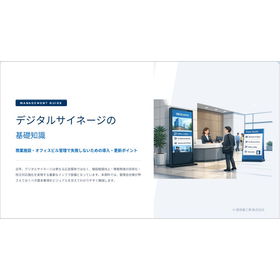
This document summarizes the basic knowledge of digital signage aimed at the management of commercial facilities and office buildings. It explains the digitalization of information dissemination and the efficiency of management, various utilization scenarios, and the four points where management companies often fail. We also introduce items to check when selecting signage, so please take a moment to read it. 【Contents (partial)】 ■ Digitalization of information dissemination and efficiency of management ■ Various utilization scenarios in commercial facilities and office buildings ■ Common selection and operational failure cases ■ Selection criteria and benefits of implementation ■ Maintenance management and criteria for selecting partners

Added to bookmarks

Bookmarks list

Bookmark has been removed

Bookmarks list

You can't add any more bookmarks

By registering as a member, you can increase the number of bookmarks you can save and organize them with labels.

Free membership registration

Comparison of Paper Bulletin Boards and Digital Signage

As the digitalization of information dissemination accelerates, a transformation of traditional management processes is required!

We would like to introduce the digitalization of information dissemination and the efficiency of management that our company provides. Traditional paper bulletin boards place a significant human burden on posting tasks and lead to time lags in information updates. With digital signage, the entire screen can be instantly refreshed with PC operations, allowing for bulk distribution to multiple locations and the ability to interrupt with urgent information. 【Challenges of Traditional Paper Bulletin Boards】 ■ Significant human burden on posting tasks (replacing) ■ Time lags in information updates ■ Physical space for postings is insufficient

Added to bookmarks

Bookmarks list

Bookmark has been removed

Bookmarks list

You can't add any more bookmarks

By registering as a member, you can increase the number of bookmarks you can save and organize them with labels.

Free membership registration

Examples of digital signage applications

We will map and implement suitable solutions according to the installation location and operational purpose!

Introducing various utilization scenes in commercial facilities and office buildings. Clear display of floor guides for visitors at the entrance and news for the entire facility. As a tenant guide, it allows for remote updates during relocations or changes, eliminating unnecessary costs associated with paper replacements. 【Various Utilization Scenes】 ■ Entrance Guidance ■ Tenant Guide ■ Event Announcements ■ Disaster Prevention and Emergency Information

Added to bookmarks

Bookmarks list

Bookmark has been removed

Bookmarks list

You can't add any more bookmarks

By registering as a member, you can increase the number of bookmarks you can save and organize them with labels.

Free membership registration

Four Common Mistakes in Implementing Digital Signage

Due to a lack of prior simulations, cases of unexpected costs and troubles continue to arise!

We will introduce common failure cases when introducing and operating digital signage. There are cases where inexpensive home monitors are repurposed with a focus on cost, which cannot withstand 24-hour operation and suffer from overheating early on, leading to increased replacement costs. There are also many failures where monitors with low brightness are installed in locations with direct sunlight, causing the screen to reflect and become unreadable. 【Four Key Points Where Management Companies Fail】 ■ Selection focused on price ■ Insufficient consideration of installation location ■ Lack of established operational rules ■ Neglect of aging equipment

Added to bookmarks

Bookmarks list

Bookmark has been removed

Bookmarks list

You can't add any more bookmarks

By registering as a member, you can increase the number of bookmarks you can save and organize them with labels.

Free membership registration

Five items to check when introducing digital signage.

By ensuring thorough checks during the introduction phase, we will achieve both a reduction in the burden of management tasks and an enhancement of the facility's brand!

Here are five items to check when selecting signage. It is important to choose a screen size suitable for the installation location and viewing distance, and to confirm that the brightness is easy to see even in bright environments. Whether the system allows for easy creation, management, and distribution of content is also a crucial point. 【Five items to check during selection】 ■ Screen size ■ Brightness performance ■ CMS (Content Management System) ■ Remote update function ■ Maintenance support

Added to bookmarks

Bookmarks list

Bookmark has been removed

Bookmarks list

You can't add any more bookmarks

By registering as a member, you can increase the number of bookmarks you can save and organize them with labels.

Free membership registration

Benefits of Implementing Digital Signage

Maximize the effectiveness of digital signage with proper selection and operation!

Introducing the effects of implementing digital signage. It reduces the effort required for content updates and alleviates the burden on staff, while effectively conveying necessary information in a visually understandable manner. By providing timely information, it enhances tenant satisfaction and ensures visitor safety through rapid information dissemination in emergencies. [Implementation Effects] - Improved operational efficiency - Enhanced information communication - Increased tenant satisfaction - Increased facility value - Strengthened disaster response

Added to bookmarks

Bookmarks list

Bookmark has been removed

Bookmarks list

You can't add any more bookmarks

By registering as a member, you can increase the number of bookmarks you can save and organize them with labels.

Free membership registration

Guidelines for Updating Digital Signage and Common Issues

Maintenance and regular inspections after installation of signage are important. We respond with years of expertise.

We will introduce the guidelines for updating digital signage and the main issues to be aware of. Due to aging degradation, performance and reliability decline, so we recommend a planned update every 5 to 7 years. It is important to be cautious of display issues such as LCD burn-in caused by displaying the same image for long periods, as well as screen flickering and color unevenness. 【Main Issues】 ■ LCD Burn-in ■ Display Issues ■ Player Malfunction ■ End of Parts Supply

Added to bookmarks

Bookmarks list

Bookmark has been removed

Bookmarks list

You can't add any more bookmarks

By registering as a member, you can increase the number of bookmarks you can save and organize them with labels.

Free membership registration

Checklist for Maintaining Digital Signage Operations

Let's achieve stable operations and enhance facility value through regular inspections and proper management!

Introducing the management checklist for operational maintenance. We will check whether people and text can be clearly seen even at night or in the evening sun, and whether remote updates can be performed collectively from the administrator's PC. It is also important to verify if the system automatically switches to evacuation guidance display during a disaster and if there is a maintenance contact that responds immediately in case of sudden screen freezes. 【Management Checklist】 ■ The display is not dimming ■ Remote updates are possible ■ Emergency information can be distributed ■ The installation age is known ■ There is a maintenance contract

Added to bookmarks

Bookmarks list

Bookmark has been removed

Bookmarks list

You can't add any more bookmarks

By registering as a member, you can increase the number of bookmarks you can save and organize them with labels.

Free membership registration
Prev 1 Next
  • 目的・課題から技術・サービスを探せるメディカルケア専門サイト
    • Contact this company

      Contact Us Online
    • Before making an inquiry

      Download PDF

    Products

    • Search for Products

    Company

    • Search for Companies

    Special Features

    • Special Features

    Ranking

    • Overall Products Ranking
    • Overall Company Ranking

    support

    • site map
    IPROS
    • privacy policy Regarding external transmission of information
    • terms of service
    • About Us
    • Careers
    • Advertising
    IPROS Services
    • >IPROS GMS | Search site for the manufacturing industry
    • >IPROS | Search site for the B2B industry
    COPYRIGHT © 2001-2026 IPROS CORPORATION ALL RIGHTS RESERVED.
    Please note that the English text on this page is automatically translated and may contain inaccuracies.