1~30 item / All 30 items
Displayed results
Filter by category

Added to bookmarks
Bookmarks listBookmark has been removed
Bookmarks listYou can't add any more bookmarks
By registering as a member, you can increase the number of bookmarks you can save and organize them with labels.
Free membership registrationContact this company
Contact Us OnlineBefore making an inquiry
Download PDF1~30 item / All 30 items
Filter by category
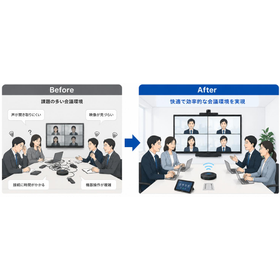
This document includes a "Management Checklist for Maintenance of Emergency Broadcasting Equipment to Avoid Failures." We introduce self-check items such as the number of years since installation, whether power outage operation checks have been conducted, and whether broadcasts can be heard throughout the facility. Regularly reviewing "Is the current equipment truly sufficient?" will ultimately lead to a reduction in the burden on management companies and an increase in trust. 【Contents】 ■ Why is a review necessary now? ■ Four common points where management companies often fail ■ Five items to check when selecting emergency broadcasting equipment ■ Risks of continuing to use old equipment and guidelines for updates ■ Management checklist & summary ■ Company introduction & overview *For more details, please download the PDF or feel free to contact us.
Added to bookmarks
Bookmarks listBookmark has been removed
Bookmarks listYou can't add any more bookmarks
By registering as a member, you can increase the number of bookmarks you can save and organize them with labels.
Free membership registration
This document explains the "risks of continuing to use old emergency broadcasting equipment and guidelines for updating it." It includes major trouble cases of emergency broadcasting equipment, such as broadcasting failures due to amplifier malfunctions and inadequate backups during power outages. It is important to renew the emergency broadcasting equipment to prevent troubles in advance and ensure it functions reliably in emergencies. 【Contents】 ■ Why is a review necessary now? ■ Four common points where management companies often fail ■ Five items to check when selecting emergency broadcasting equipment ■ Risks of continuing to use old equipment and guidelines for updating ■ Management checklist & summary ■ Company introduction and overview *For more details, please download the PDF or feel free to contact us.
Added to bookmarks
Bookmarks listBookmark has been removed
Bookmarks listYou can't add any more bookmarks
By registering as a member, you can increase the number of bookmarks you can save and organize them with labels.
Free membership registration
In this document, we introduce "5 items to check when selecting emergency broadcasting equipment." We explain each of the five items: recommended renewal years, sound clarity, emergency power and battery performance, coordination with fire alarms and disaster prevention equipment, and maintenance system. Our company specializes in the renewal of systems such as sound, video, and surveillance cameras. Please feel free to consult us for diagnostics and estimates for emergency broadcasting equipment. 【Contents】 ■ Why is a review necessary now? ■ Four common points where management companies often fail ■ 5 items to check when selecting emergency broadcasting equipment ■ Risks of continuing to use old equipment and renewal guidelines ■ Management checklist & summary ■ Company introduction and overview *For more details, please download the PDF or feel free to contact us.
Added to bookmarks
Bookmarks listBookmark has been removed
Bookmarks listYou can't add any more bookmarks
By registering as a member, you can increase the number of bookmarks you can save and organize them with labels.
Free membership registration
In this document, we introduce "Four Points Where Building Management Companies Often Fail in the Maintenance of Emergency Broadcasting Equipment." We address four points: neglecting aging equipment, discontinued parts supply, poor sound quality, and relying solely on inspections, providing explanations for each. Regularly reviewing "whether the current equipment is truly sufficient" ultimately leads to a reduction in the burden on management companies and an increase in trust. [Contents] ■ Why a review is necessary now ■ Four points where management companies often fail ■ Five items to check when selecting emergency broadcasting equipment ■ Risks of continuing to use old equipment and guidelines for updates ■ Management checklist & summary ■ Company introduction and overview *For more details, please download the PDF or feel free to contact us.
Added to bookmarks
Bookmarks listBookmark has been removed
Bookmarks listYou can't add any more bookmarks
By registering as a member, you can increase the number of bookmarks you can save and organize them with labels.
Free membership registration
This document explains "why it is necessary to review emergency broadcasting equipment now." From the perspective of improving management quality and ensuring tenant safety, the reasons are outlined. In commercial buildings with a large number of people coming and going, the ability to "quickly guide safe evacuation during an emergency" is directly linked to the trust in the management company. 【Contents】 ■ Why is a review necessary now? ■ Four common points where management companies often fail ■ Five items to check when selecting emergency broadcasting equipment ■ Risks of continuing to use old equipment and guidelines for updates ■ Management checklist & summary ■ Company introduction and overview *For more details, please download the PDF or feel free to contact us.
Added to bookmarks
Bookmarks listBookmark has been removed
Bookmarks listYou can't add any more bookmarks
By registering as a member, you can increase the number of bookmarks you can save and organize them with labels.
Free membership registration
This document is a management guide that summarizes the basic knowledge of emergency broadcasting equipment renewal. It explains why a review is necessary now, the four common points where management companies often fail, and the five items to confirm when selecting emergency broadcasting equipment. Regularly reviewing "whether the current equipment is truly sufficient" will ultimately lead to a reduction in the burden on management companies and an increase in trust. [Contents] ■ Why a review is necessary now ■ Four common points where management companies often fail ■ Five items to confirm when selecting emergency broadcasting equipment ■ Risks of continuing to use old equipment and renewal guidelines ■ Management checklist & summary ■ Company introduction & overview *For more details, please download the PDF or feel free to contact us.
Added to bookmarks
Bookmarks listBookmark has been removed
Bookmarks listYou can't add any more bookmarks
By registering as a member, you can increase the number of bookmarks you can save and organize them with labels.
Free membership registration
The 'Management Checklist for Introducing Security Cameras to Avoid Failures' is a document that summarizes the basic knowledge of security cameras. It provides clear explanations on self-check items such as whether recordings are retained for a certain period and if there are any blind spots in areas like entrances and elevators. Feel free to download it if you are interested. [Contents (excerpt)] ■ Can individuals be identified at night? ■ Are recordings retained for a certain period (more than 2 weeks)? ■ Are there any blind spots in areas like entrances and elevators?
Added to bookmarks
Bookmarks listBookmark has been removed
Bookmarks listYou can't add any more bookmarks
By registering as a member, you can increase the number of bookmarks you can save and organize them with labels.
Free membership registration
"The Risks of Continuing to Use Old Equipment and Guidelines for Updates" is a document summarizing the basic knowledge of security cameras. It provides clear explanations of major trouble cases, such as when images do not appear or issues with network devices. If you are interested, please feel free to download it. [Contents (excerpt)] ■Main troubles with security camera equipment ■Major trouble cases ■Guidelines for updates
Added to bookmarks
Bookmarks listBookmark has been removed
Bookmarks listYou can't add any more bookmarks
By registering as a member, you can increase the number of bookmarks you can save and organize them with labels.
Free membership registration
The '5 Items to Check When Selecting Security Cameras' is a document that summarizes the basic knowledge of security cameras. It clearly explains whether it is possible to identify individuals in dark places and whether it can be quickly checked from a smartphone or PC. If you are interested, please feel free to download it. [Contents (excerpt)] ■ Night performance ■ Recording retention period ■ Blind spot measures ■ Remote monitoring function ■ Maintenance system
Added to bookmarks
Bookmarks listBookmark has been removed
Bookmarks listYou can't add any more bookmarks
By registering as a member, you can increase the number of bookmarks you can save and organize them with labels.
Free membership registration
The 'Four Points Where Management Companies Often Fail' is a document summarizing the basic knowledge of security cameras. It clearly explains issues such as prioritizing low cost leading to unclear night footage and insufficient design of storage periods. If you are interested, please feel free to download it. [Excerpt of Contents] ■ Selection Focused on Price ■ Improper Placement (Creation of Blind Spots) ■ Insufficient Design of Storage Periods ■ Neglect of Aging
Added to bookmarks
Bookmarks listBookmark has been removed
Bookmarks listYou can't add any more bookmarks
By registering as a member, you can increase the number of bookmarks you can save and organize them with labels.
Free membership registration
"Why is a review necessary now? Basic knowledge of security cameras" is a document that offers proposals for the installation of security cameras. It clearly explains how to confirm troubles in common areas, measures against unauthorized entry at night, and how to respond quickly to video confirmation requests from tenants. If you are interested, please feel free to download it. [Contents (excerpt)] ■ Streamlining management operations and improving quality ■ Proposals for the installation of security cameras ■ Benefits of installation
Added to bookmarks
Bookmarks listBookmark has been removed
Bookmarks listYou can't add any more bookmarks
By registering as a member, you can increase the number of bookmarks you can save and organize them with labels.
Free membership registration
"The Basics of Security Cameras: Key Points for Implementation and Upgrading to Avoid Failures in Commercial Building Management" is a document that condenses and explains the essential information that management companies should be aware of. It clearly explains the main troubles associated with security camera systems, the risks of continuing to use outdated equipment, and guidelines for upgrading. If you are interested, please feel free to download it. [Contents (excerpt)] ■ Why is a review necessary now? ■ 5 items to check when selecting security cameras ■ Risks of continuing to use old equipment and guidelines for upgrading
Added to bookmarks
Bookmarks listBookmark has been removed
Bookmarks listYou can't add any more bookmarks
By registering as a member, you can increase the number of bookmarks you can save and organize them with labels.
Free membership registration
We would like to introduce a case study of the AV system with a 300-inch screen installed in the PS Hall of Aoyama Gakuin High School. Premium speakers were installed on both sides above the stage as the main audio system, and a high-performance array speaker was adopted in the center, creating an environment where clear sound can be experienced from any seat. As for the visual equipment, high-quality images can be projected onto the 300-inch large screen from a high-brightness projector exceeding 10,000 lumens. [Case Overview] - Digital modulation allows real-time distribution of the hall's video to each classroom. - Each classroom can view the content similarly to terrestrial digital broadcasting. - An audio digital mixer is used at the control desk, enabling more precise adjustments. *For more details, please download the PDF or feel free to contact us.
Added to bookmarks
Bookmarks listBookmark has been removed
Bookmarks listYou can't add any more bookmarks
By registering as a member, you can increase the number of bookmarks you can save and organize them with labels.
Free membership registration
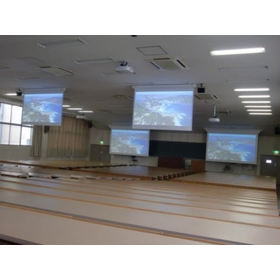
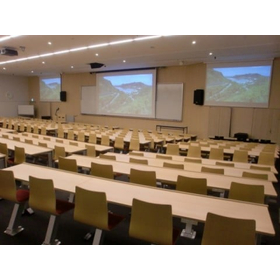
We would like to introduce the case of installing AV equipment in Classroom 16 of Building 1 at Musashi University. The new Building 1 features classrooms of various sizes—large, medium, and small—designed with a focus on visibility of images, clarity of sound, and ease of operation. Among them, the underground theater classroom was designed and proposed to ensure satisfaction with the best possible visuals and acoustics. [Case Overview] - A 250-inch screen installed at the center, with 150-inch screens on the left and right - Specifications that can accommodate images of any resolution - Capable of projecting high-quality visuals - A system that allows for easy and intuitive operation *For more details, please download the PDF or feel free to contact us.
Added to bookmarks
Bookmarks listBookmark has been removed
Bookmarks listYou can't add any more bookmarks
By registering as a member, you can increase the number of bookmarks you can save and organize them with labels.
Free membership registration
The lifespan of intercom equipment is set at 15 years as recommended by the Intercom Industry Association. Intercoms that have exceeded their lifespan not only become unable to facilitate calls or unlock automatic doors, but there is also a risk that various fire safety devices may not function correctly, potentially threatening the safety of customers' lives. Additionally, the availability of replacement parts from each intercom manufacturer is limited to 7 years after production has ceased. Once the parts stocked by the manufacturer are depleted, it will no longer be possible to address issues through part replacements. We encourage you to consider renewing your intercom before its lifespan is exceeded and to reach out to us. *For more details, please refer to the related links. You can download the PDF for more information or feel free to contact us.
Added to bookmarks
Bookmarks listBookmark has been removed
Bookmarks listYou can't add any more bookmarks
By registering as a member, you can increase the number of bookmarks you can save and organize them with labels.
Free membership registration
We would like to introduce a case where a combined emergency broadcasting and business broadcasting system, along with a centralized remote control device for emergency broadcasting, was newly established at Yomiuriland Goojoba!! The emergency broadcasting systems for four buildings (factories) are centrally managed at the security center in the Sky Gate building. This system allows for efficient evacuation guidance for customers during emergencies such as fires and earthquakes. Additionally, the emergency broadcasting systems in each factory are connected to the existing amusement park broadcasting system, which is also utilized for announcements regarding park opening and closing times, as well as events. [Case Overview] - Centralized management of emergency broadcasting systems for four buildings (factories) at the security center in the Sky Gate building. - Equipment that enables efficient evacuation guidance for customers during emergencies such as fires and earthquakes. - The existing amusement park broadcasting system is also connected and utilized for announcements regarding park opening and closing times, as well as events. *For more details, please download the PDF or feel free to contact us.
Added to bookmarks
Bookmarks listBookmark has been removed
Bookmarks listYou can't add any more bookmarks
By registering as a member, you can increase the number of bookmarks you can save and organize them with labels.
Free membership registration
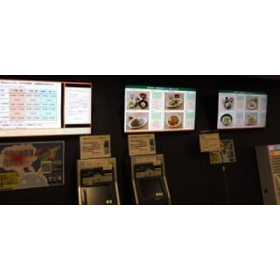
We would like to introduce a case study of the digital signage for menu display that was implemented in the cafeteria of Building 17 at Aoyama Gakuin University. From one computer, information such as menus, business hours, and health management is individually distributed to three displays. By setting the display content and distribution schedule in advance, the display's power automatically turns on at the scheduled time, and the program starts. The program ends and the display's power is turned off at the end of business hours. 【Case Overview】 ■ Individual distribution of information such as menus, business hours, and health management ■ Enables the distribution of highly engaging information ■ Allows for easy real-time distribution of the latest information *For more details, please download the PDF or feel free to contact us.
Added to bookmarks
Bookmarks listBookmark has been removed
Bookmarks listYou can't add any more bookmarks
By registering as a member, you can increase the number of bookmarks you can save and organize them with labels.
Free membership registration
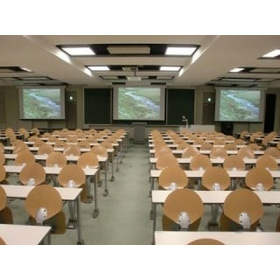
We would like to introduce a case study of the installation of an AV system in a large lecture hall at Musashi University. We provided high-performance line array speakers and subwoofers for the audio equipment. The system is operated via a touch panel installed at the control desk, allowing anyone to easily control the equipment. [Case Overview] - Installation of an AV system in a large lecture hall - Audio equipment includes high-performance line array speakers and subwoofers - Designed for easy control of the equipment by anyone *For more details, please download the PDF or feel free to contact us.
Added to bookmarks
Bookmarks listBookmark has been removed
Bookmarks listYou can't add any more bookmarks
By registering as a member, you can increase the number of bookmarks you can save and organize them with labels.
Free membership registration
We would like to introduce a case where the AV equipment in the large conference room of Aoyama Gakuin University’s Research Building was updated. In the audio system, the main speakers were installed on the wall of the stage wing, and low-frequency speakers were placed on both sides at the front of the conference room. The main speakers can adjust their directional characteristics electrically, allowing for uniform sound volume throughout the entire conference room. Additionally, to make it easier for speakers to talk, stage monitor speakers were newly installed. A digital wireless microphone system was adopted for the wireless microphones, achieving stable audio that is resistant to interference. 【Case Overview】 - In the audio system, the main speakers were installed on the wall of the stage wing, and low-frequency speakers were placed on both sides at the front of the conference room. - The main speakers can adjust their directional characteristics electrically, allowing for uniform sound volume throughout the entire conference room. - Stage monitor speakers were newly installed to make it easier for speakers to talk. *For more details, please download the PDF or feel free to contact us.
Added to bookmarks
Bookmarks listBookmark has been removed
Bookmarks listYou can't add any more bookmarks
By registering as a member, you can increase the number of bookmarks you can save and organize them with labels.
Free membership registration
We would like to introduce the case of updating the AV equipment in classrooms 420 and 621 at Aoyama Gakuin University. In classroom 420, two 150-inch screens were installed at the front and two 100-inch screens at the back. In classroom 621, two 170-inch screens were installed at the front. Similar to other classrooms, the AV control desk can be unlocked with a faculty card, allowing for the storage of a wireless microphone within the desk, enabling instructors to start lectures without having to visit the instructor's lounge. [Case Overview] - Updated AV equipment in classrooms 420 and 621 - AV control desk can be unlocked with a faculty card - Wireless microphone stored within the desk *For more details, please download the PDF or feel free to contact us.
Added to bookmarks
Bookmarks listBookmark has been removed
Bookmarks listYou can't add any more bookmarks
By registering as a member, you can increase the number of bookmarks you can save and organize them with labels.
Free membership registration
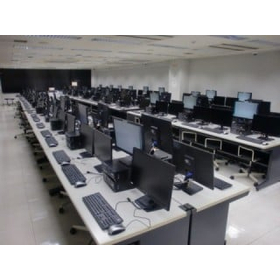
This is an example of the update of the intermediate monitor in the terminal room of Building 1 and the Museum at Tokyo University of Science. With the update of the computer, the intermediate monitor was also updated. The aspect ratio changed from 4:3 to 16:9, and the size increased to 21.5 inches, with a resolution of 1920×1080, significantly improving visibility. Please feel free to contact us when you need assistance. 【Case Overview】 ■ The intermediate monitor was updated along with the computer. ■ The size increased to 21.5 inches. ■ The resolution improved to 1920×1080, greatly enhancing visibility. *For more details, please download the PDF or feel free to contact us.
Added to bookmarks
Bookmarks listBookmark has been removed
Bookmarks listYou can't add any more bookmarks
By registering as a member, you can increase the number of bookmarks you can save and organize them with labels.
Free membership registration
We would like to introduce a case study of the AV equipment updates in classrooms S101, N102, and N103 at Aoyama Gakuin Women's Junior College, aimed at digitalization. The AV equipment in classrooms S101 and N102 has been completely renewed, while in classroom N103, existing equipment has been reused as much as possible to achieve digital compatibility. The two newly updated classrooms are now equipped with a 120-inch aspect-free screen and a projector that supports WUXGA (1920×1200) resolution with 4500 lumens or higher, allowing for clear presentations of materials using a computer during lectures. [Case Overview] ■ Updated AV equipment in classrooms S101, N102, and N103 for digitalization. *For more details, please download the PDF or feel free to contact us.
Added to bookmarks
Bookmarks listBookmark has been removed
Bookmarks listYou can't add any more bookmarks
By registering as a member, you can increase the number of bookmarks you can save and organize them with labels.
Free membership registration
This is an updated case of the AV equipment in Classroom 3 of Building 9 at Aoyama Gakuin University being upgraded to digital compatibility. The AV equipment in large classrooms, starting with Classroom 910, has been updated towards digitalization. Each classroom is now digitally compatible, allowing for clearer images to be displayed. In Classroom 931, the previously installed three screens and displays have been removed, resulting in a simpler and more user-friendly configuration. 【Case Overview】 - The AV equipment in large classrooms, starting with Classroom 910, has been updated towards digitalization. - Each classroom is now digitally compatible, allowing for clearer images to be displayed. - In Classroom 931, the previously installed three screens and displays have been removed, resulting in a simpler and more user-friendly configuration. *For more details, please download the PDF or feel free to contact us.*
Added to bookmarks
Bookmarks listBookmark has been removed
Bookmarks listYou can't add any more bookmarks
By registering as a member, you can increase the number of bookmarks you can save and organize them with labels.
Free membership registration
We would like to introduce a case where an infrared conference system and AV equipment were installed in Room 13 of Aoyama Gakuin University. By introducing the infrared system, we have received feedback that it can be used comfortably without any noise. Additionally, since it is used permanently, the time required for installation has also been reduced. It is designed to allow the simultaneous use of three conference microphones and two handheld microphones. 【Case Overview】 - Installed an infrared conference system and AV equipment in Room 13 - Introduced the infrared conference system due to significant interference and noise - Reduced the time required for installation - Capable of using three conference microphones and two handheld microphones simultaneously *For more details, please download the PDF or feel free to contact us.
Added to bookmarks
Bookmarks listBookmark has been removed
Bookmarks listYou can't add any more bookmarks
By registering as a member, you can increase the number of bookmarks you can save and organize them with labels.
Free membership registration
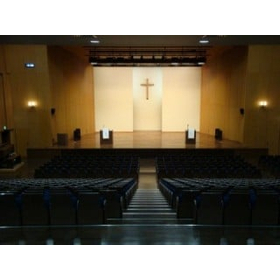
This is a case of updating the audio and visual equipment at the Goucher Memorial Chapel of Aoyama Gakuin University. Since settings for each scene are registered in the mixer, it allows for easy selection tailored to the purpose during use, and further fine adjustments are also possible. In addition to audio, recording of the stage is now possible with pickup microphones and cameras. Furthermore, the monitors in the wings have been updated, allowing for clear visuals of the chapel even while waiting. [Case Overview] ■ Established an environment that provides clear audio throughout the entire seating area, including the second floor ■ Easy selection tailored to the purpose during use ■ Recording of the stage is possible with pickup microphones and cameras in addition to audio ■ Clear visuals of the chapel can be seen even while waiting *For more details, please download the PDF or feel free to contact us.
Added to bookmarks
Bookmarks listBookmark has been removed
Bookmarks listYou can't add any more bookmarks
By registering as a member, you can increase the number of bookmarks you can save and organize them with labels.
Free membership registration
This is a case of updating the audio equipment in the main chapel of Aoyama Gakuin University. In addition to the two microphones on the podium, three digital wireless microphones are now available for use. With the digitization of the mixer, a scene recall function allows you to set it to a pre-configured state. [Case Overview] ■ Update of the audio equipment in the main chapel ■ In addition to the two microphones on the podium, three digital wireless microphones are available ■ Can return to the standard volume level with the push of a button ■ Equipped with a memory recorder in the rack ■ Recording to SD cards and USB drives is also possible *For more details, please download the PDF or feel free to contact us.
Added to bookmarks
Bookmarks listBookmark has been removed
Bookmarks listYou can't add any more bookmarks

By registering as a member, you can increase the number of bookmarks you can save and organize them with labels.
Free membership registration
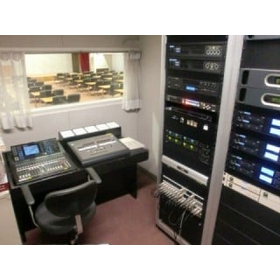
This is a case of updating the audio and visual equipment at Aoyama Gakuin's memorial hall. We updated the ceiling speakers for the audience, arena, and lobby, as well as the proscenium speakers and side speakers, creating a better environment with no inconsistencies. Parts that were previously checked through a small window in the broadcasting room can now be easily monitored on a screen by operating two cameras. [Case Overview] - Audio specifications that vary depending on the usage scenario - Introduction of HD cameras for recording and monitoring - Significantly improved image quality compared to before - Easy monitoring on the screen by operating two cameras *For more details, please download the PDF or feel free to contact us.
Added to bookmarks
Bookmarks listBookmark has been removed
Bookmarks listYou can't add any more bookmarks
By registering as a member, you can increase the number of bookmarks you can save and organize them with labels.
Free membership registration
We would like to introduce a case where AV equipment was installed in Classroom 16 of Building 1 at Musashi University. To ensure that the projection screen is easily visible from any position, a 250-inch screen is installed in the center, with 150-inch screens on either side. We also focused on sound quality, supporting 7.1 channel surround sound. All operations are conducted via a touch panel installed on the AV console, creating a system that is easy and intuitive to use. 【Features】 - Designed with a focus on visibility of images, clarity of sound, and ease of operation. - Designed and proposed to ensure satisfaction with the highest quality audio and visual experience. - All three screens are aspect-free, accommodating images of any resolution. - The projector for the center is a high-brightness full HD model. - Reproduces three-dimensional and powerful sound similar to that of a movie theater. *For more details, please download the PDF or feel free to contact us.
Added to bookmarks
Bookmarks listBookmark has been removed
Bookmarks listYou can't add any more bookmarks
By registering as a member, you can increase the number of bookmarks you can save and organize them with labels.
Free membership registration
We would like to introduce a case where we updated the audio and visual equipment at Aoyama Gakuin's memorial hall. We updated the ceiling speakers for the audience, arena, and lobby, as well as the proscenium and side speakers, creating a better environment with uniform sound throughout. When using the stage as the main focus, we set it to ceremony mode, and when using the entire space, we switched to arena mode, allowing for different audio settings depending on the situation. [Case Overview] - In arena mode, sound is evenly distributed across the entire area, while in ceremony mode, we applied delay to the output based on the speaker positions to create a more natural acoustic experience. - We introduced HD cameras for recording and monitoring, significantly improving the image quality. - Areas that were previously checked through a small window in the broadcasting room can now be easily monitored on a screen by operating two cameras. *For more details, please download the PDF or feel free to contact us.
Added to bookmarks
Bookmarks listBookmark has been removed
Bookmarks listYou can't add any more bookmarks
By registering as a member, you can increase the number of bookmarks you can save and organize them with labels.
Free membership registrationThe telecommunications construction started in 1964 as a business phone construction company of Panasonic, and we have been engaged in sales and installation with our strength in system integration to meet customer needs. 【Main Products Handled】 ■ Video, audio, and security systems for universities, department stores, and halls ■ Intercom systems and LED lighting for condominiums *For more details, please download the PDF or feel free to contact us.
Added to bookmarks
Bookmarks listBookmark has been removed
Bookmarks listYou can't add any more bookmarks
By registering as a member, you can increase the number of bookmarks you can save and organize them with labels.
Free membership registration