soft(work) - List of Manufacturers, Suppliers, Companies and Products | IPROS

Last Updated: Aggregation Period:Aug 05, 2026~Sep 01, 2026
This ranking is based on the number of page views on our site.

soft Product List

1~30 item / All 246 items

Displayed results

Energy Concierge (formerly Eco Net Work)

It is a consulting and visualization solution for the energy of business establishments such as commercial buildings and factories.

Would you like to visualize your energy data? Energy Concierge aims to visualize the energy used by your business and centrally manage data that helps improve energy efficiency! We assist you in your energy-saving PDCA (Plan-Do-Check-Act) cycle!

  • Headquarters/Store System
  • soft

Added to bookmarks

Bookmarks list

Bookmark has been removed

Bookmarks list

You can't add any more bookmarks

By registering as a member, you can increase the number of bookmarks you can save and organize them with labels.

Free membership registration

Employee Total Engagement Service "Humap"

Solve everything from internal communication to operational efficiency with six selectable services!

"Humap" is an employee engagement service that supports everything from organizational health assessments to attendance management and communication improvement. We provide services tailored to your challenges, including attendance management tools, thank-you cards, employee satisfaction surveys, harassment prevention, and business efficiency enhancement. This is a comprehensive service that is beneficial not only for HR personnel but for all employees. 【Features】 ■ Six selectable services ■ Services for all employees ■ Analytical capabilities unique to a marketing research company *For more details, please download the PDF or feel free to contact us.

  • Personnel Information System
  • Labor Management System
  • soft

Added to bookmarks

Bookmarks list

Bookmark has been removed

Bookmarks list

You can't add any more bookmarks

By registering as a member, you can increase the number of bookmarks you can save and organize them with labels.

Free membership registration

Eye“247” AntiMalware USAV IV

Multi-layered defense measures against information leaks suitable for small and medium-sized enterprises! Protecting corporate information assets from external and internal threats.

"Eye '247' AntiMalware USAV IV" realizes a multi-layered defense security that was impossible with conventional security, protecting corporate information assets from external and internal threats. It combines the high-level security of "CheckPoint" UTM with the endpoint security "Eye '247' AntiMalware" provided by Fuva Brain, along with the business visualization software "Eye '247' Work Smart Agent." With centralized PC management in the cloud, it is possible to share a new level of security even when outside the office. 【Features】 ■ Automatically executed regularly ■ Data protection in a secure area ■ Easy recovery ■ Common backup settings for all devices managed by the Manager ■ Individual backup settings can also be configured on the client *For more details, please refer to the PDF document or feel free to contact us.

  • Security Assessment
  • soft

Added to bookmarks

Bookmarks list

Bookmark has been removed

Bookmarks list

You can't add any more bookmarks

By registering as a member, you can increase the number of bookmarks you can save and organize them with labels.

Free membership registration

Building a dedicated system at low cost for business efficiency, use monday.com.

Centralized management of operations ensures deadline compliance, allowing for manuals, internal documents, and process management. Implemented in over 190 countries.

Our company offers the information management platform "monday.com," which contributes to the efficiency of business management for teams and projects. In particular, "monday work management" allows for seamless management and visualization of goals, projects, processes, tasks, and daily operations, enabling efficient business progress. You can build a custom business management system tailored to your internal workflows. 【Features of "monday.com"】 ■ Extensive implementation track record (over 115,000 accounts in 190 countries) ■ Automation of various routine tasks is possible ■ A wide range of workflows can be constructed by combining diverse block-based functions ■ All stakeholders can share the same data (Eliminates the need for managing multiple files, reducing labor and errors) *Please refer to the accompanying materials. Feel free to contact us with any inquiries.

  • Project management tools
  • soft

Added to bookmarks

Bookmarks list

Bookmark has been removed

Bookmarks list

You can't add any more bookmarks

By registering as a member, you can increase the number of bookmarks you can save and organize them with labels.

Free membership registration

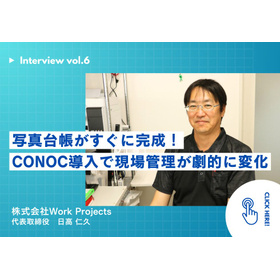
CONOC Implementation Case | WorkProjects

The photo ledger will be completed soon. A construction company with a four-member team managing both the site and office dramatically improves operational efficiency.

Work Projects Co., Ltd. (Shizuoka City, Shizuoka Prefecture, 4 employees) specializes in interior and exterior painting, waterproofing work, and renovations. The representative, Mr. Hidaka, manages both the field and office work alone while handling a wide range of tasks, and improving operational efficiency has been a significant management challenge. He learned about CONOC at a construction industry event at Tokyo Big Sight and decided to implement it, thinking, "Field management might become much easier." After the implementation, he particularly felt the benefits in creating photo logs. Since the photos taken on-site are directly reflected in the logs, the time-consuming tasks of organizing photos and preparing documents have been completed swiftly. Confident that it would become a powerful tool to dramatically improve operational efficiency, Mr. Hidaka plans to further expand the use of the CONOC construction industry cloud with an eye on new business expansion. *For more details, please download the PDF or feel free to contact CONOC.

  • others
  • soft

Added to bookmarks

Bookmarks list

Bookmark has been removed

Bookmarks list

You can't add any more bookmarks

By registering as a member, you can increase the number of bookmarks you can save and organize them with labels.

Free membership registration

Embedded System Development Case Study - Fukushima Computer Systems Co., Ltd.

We will introduce examples of "embedded software and middleware development," such as MRI device software and new vehicle control system middleware!

Fukushima Computer Systems Co., Ltd. would like to introduce some examples of embedded system development that we have developed in collaboration with our customers. 【Embedded Development Examples】 1. MRI Device Software Development (Engineer Dispatch) Software for medical devices developed by manufacturers 2. Software Development for Wheelchairs for the Elderly (Engineer Dispatch) Software for a system that supports the excretion of the elderly through an autonomous wheelchair 3. Middleware Development for New Vehicle Control Systems (Contract Development) Data communication middleware between various control-related devices and various train operation devices inside trains 4. Software Development for Remote Management and Monitoring Devices for Building Equipment (Contract Development) Software for IoT devices that notifies information from building equipment to a remote server and performs settings of equipment based on instructions from the remote server 5. Embedded Software Development for VoIP Gateway Devices (Contract Development) Embedded software development for VoIP gateway devices for telecommunications carriers Development of software for a simple SIP server and software phones for PDAs *For more details, please contact us.

  • Other Software
  • soft

Added to bookmarks

Bookmarks list

Bookmark has been removed

Bookmarks list

You can't add any more bookmarks

By registering as a member, you can increase the number of bookmarks you can save and organize them with labels.

Free membership registration

Vectorworks Fundamentals

Basic products of the Vectorworks series

Vectorworks Fundamentals is the basic product of the Vectorworks series, equipped with essential CAD features such as versatile 2D/3D drawing capabilities, presentation board creation functions, and spreadsheet functions that can be linked to drawings, as well as high-quality rendering visualization capabilities.

  • Architectural Design Software
  • Architectural design office
  • Store design
  • soft

Added to bookmarks

Bookmarks list

Bookmark has been removed

Bookmarks list

You can't add any more bookmarks

By registering as a member, you can increase the number of bookmarks you can save and organize them with labels.

Free membership registration

3D design for architectural design, landscape architecture, and urban planning using 'Vectorworks'

2D/3D CAD software used in architectural design, interior design, landscaping, stage lighting, etc.!

Vectorworks is a CAD software equipped with 2D drawing, 3D modeling, and high-quality rendering capabilities. It can be used for creating drawings, 3D models, rendering perspectives, and presentation boards. There are packages based on a general-purpose package with basic functions, equipped with features for architecture/interior design, landscaping and civil engineering, and stage lighting. There are two types of licenses: a standalone version for use on a single computer and a network version that can be shared among computers connected to a server. [Notice] The perpetual license version of the Vectorworks series will cease manufacturer shipments in December 2024. Starting in January 2025, it will be changed to a subscription license.

  • Architectural CAD
  • Civil Engineering CAD
  • Architectural Design Software
  • soft

Added to bookmarks

Bookmarks list

Bookmark has been removed

Bookmarks list

You can't add any more bookmarks

By registering as a member, you can increase the number of bookmarks you can save and organize them with labels.

Free membership registration

[Information] Strengthening Customer Touchpoints with LINE WORKS and KDDI

Efficiency of non-face-to-face sales required in the new normal era! We will also introduce key points for utilization.

In this document, we introduce "Strengthening Customer Touchpoints with LINE WORKS." We present the benefits of implementation, such as "reduction in overtime hours" and "50% reduction in meeting time," as well as useful basic features that enhance internal information sharing and communication activation. Additionally, we include consumer perspective opinions, challenges faced by corporate branches, and case studies on external talk integration. We encourage you to read it. 【Contents】 ■ What is LINE WORKS ■ Useful Basic Features of LINE WORKS ■ Case Study 1 of LINE WORKS ■ Strengthening Customer Touchpoints with LINE WORKS ■ Case Study 2 of LINE WORKS *For more details, please download the PDF or feel free to contact us.

  • Other Software
  • soft

Added to bookmarks

Bookmarks list

Bookmark has been removed

Bookmarks list

You can't add any more bookmarks

By registering as a member, you can increase the number of bookmarks you can save and organize them with labels.

Free membership registration

SOLIDWORKS Concept Design Tool Move Command

2D CAD-style movement command

SOLIDWORKS Equipment Design Concept Design Mechanical Equipment Design "Move Command" that allows equipment design in SOLIDWORKS is a new feature developed by the SOLIDWORKS primary distributor, Argo Japan ES.

  • Drawing, tracing, CAD
  • soft

Added to bookmarks

Bookmarks list

Bookmark has been removed

Bookmarks list

You can't add any more bookmarks

By registering as a member, you can increase the number of bookmarks you can save and organize them with labels.

Free membership registration

Is SOLIDWORKS reducing costs!? Introduction of API utilization examples

Proposal for "Work Style Reform" using SOLIDWORKS: Introduction of API Utilization Examples

Did you know that you can develop features using the SOLIDWORKS API and macros? It would be a waste to only do modeling in SOLIDWORKS. Let's customize, automate, and integrate to improve productivity. With the SOLIDWORKS API and macros, you can achieve things like this: <Automation> - Automatic creation of models, assemblies, drawings, and reports - Automatic creation and modification of models and drawings based on rules <Integration> - Data integration with other systems such as ERP and MES - Linking with various masters to automatically create BOMs and reports Please refer to the materials for simple examples of using the SOLIDWORKS API. There are many other possibilities beyond the examples introduced. Feel free to reach out to us.

Added to bookmarks

Bookmarks list

Bookmark has been removed

Bookmarks list

You can't add any more bookmarks

By registering as a member, you can increase the number of bookmarks you can save and organize them with labels.

Free membership registration

SOLIDWORKS - Experience Seminar held in Fukuoka

We hold a SOLIDWORKS experience seminar every month in Fukuoka City.

You can experience various SOLIDWORKS products. ■ Design: SOLIDWORKS ■ Communication: SOLIDWORKS Composer ■ Analysis: SOLIDWORKS Simulation http://allex-e.com/sw/sw_seminar.html

  • Power Equipment
  • Welfare and medical equipment
  • Other elevators and transport systems
  • soft

Added to bookmarks

Bookmarks list

Bookmark has been removed

Bookmarks list

You can't add any more bookmarks

By registering as a member, you can increase the number of bookmarks you can save and organize them with labels.

Free membership registration

Case Study Collection 1 of Structural Optimization Design Software 'HiramekiWorks'

Collection of case studies on initial layout design and structural optimization aimed at weight reduction and rigidity improvement.

This case study collection presents problem-solving examples using the SOLIDWORKS add-in structural optimization design software, HiramekiWorks. It provides detailed explanations from the analysis model to optimization conditions, results, and discussions. 【Contents】 ■ Shape optimization of table legs considering wall thickness A case study on lightweight skeletal design, focusing on weight reduction while considering generated stress and member thickness. ■ From initial layout design to detailed design of the lower arm A case study on lightweight reinforcement layout. HiramekiWorks covers everything from layout consideration to detailed design, achieving weight reduction through combined techniques. ■ Topology optimization of a monitor arm designed for bilateral symmetry Deriving the optimal skeleton while considering numerous load patterns. 【Features of HiramekiWorks】 ■ Easy optimization in a familiar environment ■ Responds to practical needs such as weight reduction and stress reduction under various conditions ■ Automatic generation of solid models for optimization results ■ Easy generation of STL data for 3D printing using the geometry editor *For more details, please refer to the PDF materials or feel free to contact us. *Materials can also be downloaded from the related links below (within our company site).

  • Scientific Calculation and Simulation Software
  • soft

Added to bookmarks

Bookmarks list

Bookmark has been removed

Bookmarks list

You can't add any more bookmarks

By registering as a member, you can increase the number of bookmarks you can save and organize them with labels.

Free membership registration

Automatic notification of weather information to LINE WORKS.

Automatic notification of weather information at construction sites on LINE WORKS, instantly informing about sudden changes in weather conditions at the site.

The disaster prevention system ZEROSAI has become compatible with LINE WORKS, with NETIS registration number QS-150021-VE. In construction sites such as civil engineering and building construction, when dangerous conditions like heavy rain or strong winds approach, automatic notifications can be sent via LINE WORKS. Since weather information can be shared with all relevant parties on LINE WORKS, it enables the prevention of oversights and smooth information sharing and instructions. *For more details, please refer to the PDF document or feel free to contact us.

Added to bookmarks

Bookmarks list

Bookmark has been removed

Bookmarks list

You can't add any more bookmarks

By registering as a member, you can increase the number of bookmarks you can save and organize them with labels.

Free membership registration

Vectorworks Fundamentals 2025

Stunning quality in all design phases Vectorworks 2025

The basic product of the Vectorworks series, equipped with versatile 2D/3D drawing functions, presentation board creation features, spreadsheet functions that can be linked with drawings, as well as high-quality rendering and 3D visualization capabilities. Available as perpetual license, Vectorworks Service Select bundle, subscription, and various products.

  • Architectural Design Software
  • soft

Added to bookmarks

Bookmarks list

Bookmark has been removed

Bookmarks list

You can't add any more bookmarks

By registering as a member, you can increase the number of bookmarks you can save and organize them with labels.

Free membership registration

[Document] Money Forward AI Cowork Service Document

A reliable AI colleague in the back office! An AI product that can complete tasks with just natural language instructions.

This document is a service material that provides a detailed explanation of "Money Forward AI Cowork." It includes a wealth of information on the architecture that balances flexibility and reliability, as well as examples of agents that support AI Cowork. If you are considering streamlining your back-office operations with the power of AI, please take a moment to read it. 【Contents】 ■ Background and Challenges ■ Strengths of Money Forward AI ■ Money Forward AI Cowork ■ Examples of Agents Supporting Money Forward AI Cowork ■ Security and Governance Structure ■ Document Introduction *For more details, please download the PDF or feel free to contact us.

  • Accounting Agency
  • soft

Added to bookmarks

Bookmarks list

Bookmark has been removed

Bookmarks list

You can't add any more bookmarks

By registering as a member, you can increase the number of bookmarks you can save and organize them with labels.

Free membership registration

VectorWorks Architect (Architecture and Interior Design CAD)

A 2D/3D CAD package that supports architectural BIM design, interior design, and display design!

VectorWorks Architect is a CAD software for the architecture and interior design industry, equipped with 3D design features, 2D design features, support functions for architectural and interior design, and a rich data library.

  • Architectural CAD
  • Civil Engineering CAD
  • Architectural Design Software
  • soft

Added to bookmarks

Bookmarks list

Bookmark has been removed

Bookmarks list

You can't add any more bookmarks

By registering as a member, you can increase the number of bookmarks you can save and organize them with labels.

Free membership registration

013 InfraWorks 360 (3D Terrain Generation)

Easy to understand and easy to purchase with a simple product configuration! Streamlining the construction planning process!

Until now, there have been challenges such as the need for product descriptions for InfraWorks and InfraWorks 360, the unclear licensing structure, and the complex upgrade paths for Suites users. Autodesk's new product "InfraWorks 360" simplifies this by offering "InfraWorks 360 LT" as a standalone product to Suites subscription holders, making it easier to understand and purchase. 【Features】 ■ Execute road designs tailored to current conditions. ■ Improve the bridge design process. ■ Speed up drainage design and analysis. *For more details, please contact us or download the catalog to view.

  • Other construction services
  • soft

Added to bookmarks

Bookmarks list

Bookmark has been removed

Bookmarks list

You can't add any more bookmarks

By registering as a member, you can increase the number of bookmarks you can save and organize them with labels.

Free membership registration

Vectorworks Landmark (Landscape Architecture CAD)

A 2D/3D CAD package that supports urban planning, civil engineering, and landscape design!

Vectorworks Landmark is a product for the urban planning and landscape design industry that features landscape design support functions for terrain modeling, diverse planting, and irrigation system planning. In addition to specialized tools, it also includes extension features and a data library for landscaping.

  • Civil Engineering Design Office
  • Landscape Design
  • soft

Added to bookmarks

Bookmarks list

Bookmark has been removed

Bookmarks list

You can't add any more bookmarks

By registering as a member, you can increase the number of bookmarks you can save and organize them with labels.

Free membership registration

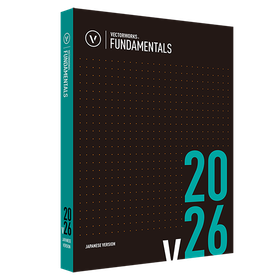
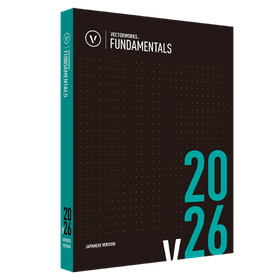
Vectorworks Fundamentals 2026

Standalone version lease monthly fee: 5,600 yen (excluding tax)

Introduction to Vectorworks 2026 Standalone Version Usage Type Can be differentiated by environment One license can be installed on two machines. Designers can differentiate usage based on the environment, such as using a desktop in the office and a portable machine for outings. *Only one machine can operate simultaneously. No license authentication or procedures required Startup uses internet authentication. After the initial authentication, it can be used for 90 days even when not connected to the network. *After the initial authentication, if started in an environment connected to the network, authentication will be performed automatically.

  • Drawing, tracing, CAD
  • soft

Added to bookmarks

Bookmarks list

Bookmark has been removed

Bookmarks list

You can't add any more bookmarks

By registering as a member, you can increase the number of bookmarks you can save and organize them with labels.

Free membership registration

『Simerics MP for SOLIDWORKS』

Advanced analysis can be easily performed on SOLIDWORKS! For shortening development time and reducing costs.

"Simerics MP for SOLIDWORKS" is a CAD-integrated thermal fluid analysis software that can be operated within SOLIDWORKS. Integrated into the SOLIDWORKS GUI, designers can perform everything from design to analysis themselves. The calculation settings are also simple, allowing for quick mastery of the operation. By enabling designers to conduct various analyses that were traditionally outsourced, such as optimal shape exploration, problem identification, and performance verification, it leads to reduced development time, improved quality, and cost savings. 【Features】 ■ Supports a wide range of simulations including flow, turbulence, heat conduction, and convection ■ Automatically generates calculation meshes directly from CAD surfaces ■ Extremely fast, accurate, and robust solver ■ Stable iterative calculations for very challenging problems such as micro-scale geometries ■ Accurate calculation results that show excellent correlation with physical tests *For more details, please refer to the materials. Feel free to contact us with any inquiries.

  • Scientific Calculation and Simulation Software
  • Other Software
  • Other CAD
  • soft

Added to bookmarks

Bookmarks list

Bookmark has been removed

Bookmarks list

You can't add any more bookmarks

By registering as a member, you can increase the number of bookmarks you can save and organize them with labels.

Free membership registration

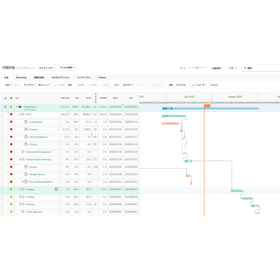
Introduction of PPM + AI features that realize the visualization and efficiency of investment and consumption.

Realizing the visualization, automation, and efficiency of investment and consumption! A document that provides an overview of project management.

This document is an introduction summarizing the overview and AI features of Planview's project management solution "AdaptiveWork." In addition to details on key functions such as portfolio management, WBS, resource planning, and financial management, it also includes information on security certifications and case studies. It contains information that expands the scope of use, such as advanced guidance and insights provided by the AI feature "Anvi." [Contents (partial)] ■ Company introduction ■ Importance of driven project operations ■ Internal management structure of AdaptiveWork ■ Overview of AdaptiveWork ■ Convenient features of AdaptiveWork ■ Summary of AdaptiveWork functions For more details, please check the following link on the iPros manufacturing site: https://mono.ipros.com/company/detail/2108898/

  • Project management tools
  • Other Software
  • soft

Added to bookmarks

Bookmarks list

Bookmark has been removed

Bookmarks list

You can't add any more bookmarks

By registering as a member, you can increase the number of bookmarks you can save and organize them with labels.

Free membership registration

SOILWORKS for FLIP

TEST

■Overview SoilWorks for FLIP is a dedicated pre-post processor for the FLIP "Structural Damage Prediction Program Due to Liquefaction during Earthquakes." It inherits the usability of SoilWorks, allowing users to create data with an AutoCAD-like feel. After creating the data, users can launch FLIP to execute calculations, providing an integrated working environment for FLIP analysis.

  • Scientific Calculation and Simulation Software
  • soft

Added to bookmarks

Bookmarks list

Bookmark has been removed

Bookmarks list

You can't add any more bookmarks

By registering as a member, you can increase the number of bookmarks you can save and organize them with labels.

Free membership registration

SOLIDWORKS Add-in Structural Optimization Software

Achieve increased product strength and weight reduction! Equipped with two types of optimization technologies.

Our company handles the SOLIDWORKS add-in structural optimization software 'HiramekiWorks'. This product allows for structural optimization calculations to be performed on CAD models created in SOLIDWORKS. After the optimization is completed, it automatically generates a solid model from the optimization results and outputs it in SOLIDWORKS. It is equipped with two types of optimization techniques for shape optimization, allowing users to gain ideas for improving shapes in various design scenarios while leveraging the unique features of each technique. 【Features】 ■ Perform structural optimization calculations on CAD models created in SOLIDWORKS ■ Automatically create solid models after optimization execution ■ Seamlessly edit design data and perform analysis after optimization execution ■ Equipped with two types of optimization techniques: topology optimization and shape optimization ■ Enables improvements in product strength and weight reduction *For more details, please refer to the PDF document or feel free to contact us.

  • Other Software
  • soft

Added to bookmarks

Bookmarks list

Bookmark has been removed

Bookmarks list

You can't add any more bookmarks

By registering as a member, you can increase the number of bookmarks you can save and organize them with labels.

Free membership registration

Prevent mold rework! 'SOLIDWORKS Plastics'

Ultimate seamless design ⇔ analysis! Add-in resin flow analysis software equipped with a rich material database.

"SOLIDWORKS Plastics" is an analysis software that allows designers to perform resin flow analysis during the design stage, enabling improvements in product quality and reductions in the number of prototype experiments. It allows for smooth execution of design and analysis within SOLIDWORKS. Additionally, by simulating various molding patterns in advance, it helps avoid various troubles and determine optimal injection molding conditions. 【Features】 ■ Analysis can be executed directly with models created in SOLIDWORKS ■ Equipped with two types of solid mesh and shell mesh that can accommodate diverse shapes ■ Includes features that advise on filling possibilities and appropriate ranges of injection pressure, making it user-friendly even for beginners in resin flow analysis ■ Contains a database of over 4,000 materials commonly used both domestically and internationally ■ Capable of avoiding various troubles and determining optimal injection molding conditions *For more details, please refer to the PDF document or feel free to contact us.

  • Scientific Calculation and Simulation Software
  • Other Software
  • soft

Added to bookmarks

Bookmarks list

Bookmark has been removed

Bookmarks list

You can't add any more bookmarks

By registering as a member, you can increase the number of bookmarks you can save and organize them with labels.

Free membership registration

Announcement of the partnership between OpenAI and Workato. How to leverage AI.

An update centered around collaboration with AI! Introducing the Workato annual event report.

Workato's global annual event "Automate 2023" was held over two days on August 30-31 at the Computer History Museum in Mountain View, California. Here’s a look at the event. The theme of this event, "Discover the new way to think about AI + Automation + Integration," focuses on updates related to AI collaboration. Now, how will Workato collaborate with AI, and how will this be leveraged in business? *For more details, you can view the blog through the related links. Please feel free to contact us for more information.*

Added to bookmarks

Bookmarks list

Bookmark has been removed

Bookmarks list

You can't add any more bookmarks

By registering as a member, you can increase the number of bookmarks you can save and organize them with labels.

Free membership registration

Software MachiningStar25

A plugin that provides a 2.5D CAD/CAM system controlled by a computer for VectorWorks users.

MachiningStar25 is a VectorWorks plugin software that allows direct control of cutting machines from VectorWorks, enabling 2.5D machining on a layer-by-layer basis. By simply using basic drawing functions in VectorWorks, such as straight lines, arcs, and Bézier curves, it enables CAM operations via a PC.

  • Drawing, tracing, CAD
  • soft

Added to bookmarks

Bookmarks list

Bookmark has been removed

Bookmarks list

You can't add any more bookmarks

By registering as a member, you can increase the number of bookmarks you can save and organize them with labels.

Free membership registration

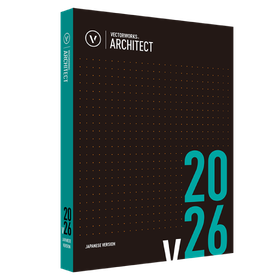
Vectorworks Architect 2026

Standalone version lease monthly fee: 7,400 yen (excluding tax)

Basic package + Specialized features for architecture A product for the architecture, interior design, and interior industries equipped with design support functions for the architectural field. Introduction to Vectorworks 2026 Standalone Version Usage Type Can be differentiated by environment One license can be installed on two machines. Designers can differentiate usage based on the environment, such as using a desktop in the office and a portable machine for outings. *Only one machine can operate simultaneously. No license authentication or procedures required Startup uses internet authentication. After the initial authentication, it can be used for 90 days without being connected to the network. *After the initial authentication, if started in an environment connected to the network, authentication will be performed automatically.

  • Architectural CAD
  • soft

Added to bookmarks

Bookmarks list

Bookmark has been removed

Bookmarks list

You can't add any more bookmarks

By registering as a member, you can increase the number of bookmarks you can save and organize them with labels.

Free membership registration

SwPrint - SOLIDWORKS Continuous Printing & Export

It can perform continuous printing and batch export, which are not features of SOLIDWORKS. This significantly improves work efficiency. A free trial version is available.

You can perform "continuous printing of drawings" and "batch export of files" for SOLIDWORKS data. 【Printing Function】: You can print multiple drawings at once or print an index on a single sheet of paper. 【File Export (Conversion)】: You can batch export SOLIDWORKS data (parts, assemblies, drawings) to PDF (also supports 3DPDF) or intermediate files.

  • Other elevators and transport systems
  • Home elevators and stairlifts
  • Power Equipment
  • soft

Added to bookmarks

Bookmarks list

Bookmark has been removed

Bookmarks list

You can't add any more bookmarks

By registering as a member, you can increase the number of bookmarks you can save and organize them with labels.

Free membership registration

SOILWORKS for LIQCA

All data that can be used with LIQCA can be created, and various data can be automatically configured.

■Overview SoilWorks for LIQCA is a pre-post tool specifically for LIQCA. It inherits the usability of SoilWorks, allowing users to create data with an AutoCAD-like experience. After creating the data, users can launch LIQCA to perform calculations, providing an integrated working environment for LIQCA analysis. LIQCA is a software for liquefaction analysis based on effective stress, developed in 1987 by a development group led by Professor Kazumi Oka at Kyoto University.

  • Scientific Calculation and Simulation Software
  • soft

Added to bookmarks

Bookmarks list

Bookmark has been removed

Bookmarks list

You can't add any more bookmarks

By registering as a member, you can increase the number of bookmarks you can save and organize them with labels.

Free membership registration