Apps Product List and Ranking from 347 Manufacturers, Suppliers and Companies | IPROS

Last Updated: Aggregation Period:Mar 25, 2026~Apr 21, 2026
This ranking is based on the number of page views on our site.

Apps Manufacturer, Suppliers and Company Rankings

Last Updated: Aggregation Period:Mar 25, 2026~Apr 21, 2026
This ranking is based on the number of page views on our site.

  1. 東計電算 建設システム営業部 Kanagawa//Information and Communications
  2. コムテックス 本社/東京本部/大阪営業所/福岡営業所 Toyama//Information and Communications
  3. ALES Tokyo//Information and Communications
  4. 4 コネクティラボ Tokyo//Service Industry
  5. 5 キングジム Tokyo//others

Apps Product ranking

Last Updated: Aggregation Period:Mar 25, 2026~Apr 21, 2026
This ranking is based on the number of page views on our site.

  1. Communication app with partner companies/customers 東計電算 建設システム営業部
  2. [Director/Artisan's Concerns] Can't log in! Forgot password! コムテックス 本社/東京本部/大阪営業所/福岡営業所
  3. Smartphone app for "centimeter-level positioning service" ALES
  4. 4 Hygiene management app "Kizuna TIME" コネクティラボ
  5. 5 TEPRA PRO app "TEPRA LINK 2" キングジム

Apps Product List

271~300 item / All 609 items

Displayed results

Health Stress Check App 'cocomiru'

Easy implementation with health consulting! Introduction to the health stress check app.

"Cocomiru" is an easy-to-use health stress check app. By implementing the app, individuals can easily conduct stress checks on their smartphones. Based on the analysis results, experts provide counseling and support for workplace improvements. We offer plans suitable for your company, including the "Consultation Plan" that fully utilizes the test results, the "Analysis Plan" that analyzes data based on the test results, and the simple "Check Plan" that includes testing and results. 【Features】 ■ Easy implementation with health consulting ■ Stress checks completed on smartphone screens ■ Paper-based testing is also available ■ Supervision and consulting by professionals ■ We propose plans suitable for your company *For more details, please refer to the PDF document or feel free to contact us.

Added to bookmarks

Bookmarks list

Bookmark has been removed

Bookmarks list

You can't add any more bookmarks

By registering as a member, you can increase the number of bookmarks you can save and organize them with labels.

Free membership registration

App: Air-InCom.Lite

The smartphone quickly transforms into an intercom transceiver!

We propose a solution! It will lead to improved operational efficiency! Air-InCom.Lite is an app that can be installed on smartphones, allowing for multiple simultaneous calls. It can be individually contracted and is a unique type of app radio that enables conversations with anyone, similar to amateur radio. ■ Integration with Digital Simple Radio (Registered Stations) By introducing the Digital Simple Radio (Registered Station) DR-DPM62W, you can achieve communication between the simple radio (registered station) and the app radio (Air-InCom.Lite). Areas where radio waves reach can use the conventional simple radio, while areas without coverage can be covered by using a smartphone paired via Bluetooth with the DR-DPM62W for app radio communication. ■ Abundant Channel Settings - Secret Channel: A channel that can be set up with a separate contract. - Open Channel: A channel that allows conversations with anyone. (500 channels) - Memory Channel: By saving your favorite channels, it becomes easier to switch to your desired channel. - Call Channel: A common standby channel.

  • Information and communication equipment and infrastructure
  • Apps

Added to bookmarks

Bookmarks list

Bookmark has been removed

Bookmarks list

You can't add any more bookmarks

By registering as a member, you can increase the number of bookmarks you can save and organize them with labels.

Free membership registration

"National Simultaneous Call" Simultaneous Call IP Wireless App BONX WORK

A group call service that can be easily used with a dedicated app registration, utilizing the smartphone's internet connection to communicate anywhere in Japan.

"BONX WORK" (formerly BONX for BUSINESS) is a group call service that requires app registration, developed by BONX. It is an IP radio app for simultaneous calls aimed at businesses. *Smartphones are not included. You can easily use it by downloading the dedicated app, registering, and connecting your earphones to your smartphone. There is no need for license applications or personal qualifications; you can use it simply by registering the app on your smartphone. Since there is no need to purchase additional equipment, initial setup costs can be kept low, allowing for very quick implementation. As long as you are connected to the internet, you can communicate from anywhere in Japan. Up to 30 people can participate in one conversation group, enabling simultaneous calls like a phone call with a maximum of 30 participants. It offers clear sound quality with minimal noise, allowing for smooth communication without stress. It enables hands-free and smooth communication during group work in manufacturing factories, construction sites, and other environments. [Features] ■ No license application or registration required ■ Available for calls throughout Japan ■ Usable with just smartphone app registration ■ Advanced privacy features

  • trn_604182387.jpg
  • others
  • Apps

Added to bookmarks

Bookmarks list

Bookmark has been removed

Bookmarks list

You can't add any more bookmarks

By registering as a member, you can increase the number of bookmarks you can save and organize them with labels.

Free membership registration

Transceiver app 'Air InCom. (ACP-100)'

By simply installing it on your iPhone, you can achieve "simultaneous nationwide calls" for up to 200 people! The app is available for free download.

The ACP-100 is a transceiver application called "Air-InCom" made by Alinco. *The iPhone is not included. This wireless app allows for hands-free simultaneous calls with up to 200 people by installing it on your iPhone. No license, procedures, or qualifications are required to use it. In addition to making calls while holding the smartphone, you can also use two types of separately sold Bluetooth wireless waterproof speaker microphones (EMS-87W) and Bluetooth wireless earphone microphones (EME-80WMA) for hands-free simultaneous calls. Since it uses mobile phone lines, you can make unlimited calls without noise as long as you are in an area where the line is connected. You can have up to 100 groups, with a maximum of 200 accounts (200 people) for simultaneous or alternating calls in each group. Additionally, you can specify certain individuals for calling or summon members within a group to a "conference room" for simultaneous or alternating calls among those members. This allows for smooth communication in groups during work at manufacturing plants or construction sites, enabling hands-free collaboration.

  • others
  • Apps

Added to bookmarks

Bookmarks list

Bookmark has been removed

Bookmarks list

You can't add any more bookmarks

By registering as a member, you can increase the number of bookmarks you can save and organize them with labels.

Free membership registration

Wireless app for Android: P.APP (for P.Talk 3.0)

The app can be obtained for free and can be installed on your Android, allowing you to make calls not only within the country but also abroad if you have a WiFi connection!

FMPL007-00 is a P.APP (for P.Talk 3.0) made by J-mobile. It is pronounced as "P.APP." *Android devices are not included.* This is a wireless app for Android smartphones. It cannot be used on iPhones. You can make calls not only within Japan but also overseas if you have a WiFi connection. You can communicate with IP radios A906 P.Talk 3.0 and Z06R. The IP radio network uses Japanese servers. The app is free to obtain. There is a registration fee only for the first time. After signing the application form and usage instructions, we will send you a QR code to install the app. You can make voice calls, chat, share videos, use video PTT, and send and receive still images and videos. GIS (GPS) cannot be used. In manufacturing plants and construction sites, you can have smooth hands-free communication while working in groups. *The app can only be installed on Android devices. However, since it has not been confirmed whether it works on all Android devices, please be sure to conduct tests before implementation.*

  • others
  • Apps

Added to bookmarks

Bookmarks list

Bookmark has been removed

Bookmarks list

You can't add any more bookmarks

By registering as a member, you can increase the number of bookmarks you can save and organize them with labels.

Free membership registration

WAVE PTT mobile app "WAVE PTX"

Just by installing it on your Android OS 5.0 or higher, or iOS 11 or higher smartphone, you can achieve nationwide simultaneous calls!

●WAVE PTX (WAVE-PTX) is a WAVE PTT mobile application (app radio) manufactured by Motorola. ●It allows for easy business radio communication. ●This product is available for corporate and government customers. It cannot be used by individual customers or for leisure purposes. ●Please install the WAVE PTX - Japan app for free on your Android OS 5.0 or higher, or iOS 11 or higher smartphone or tablet. Next, complete the subscription contract to use it. A monthly usage fee of 750 yen (excluding tax) will apply for the subscription. *Please contact us to apply for the subscription contract. ●The main features are as follows: - PTT function (voice calls) You can communicate with app radios and IP radios such as TLK100, TLK110, TLK150, EVOLVE, and MOTOTRBO ION (limited to WAVE PTX specifications). - You can send and receive text, photos, videos, and attachments. - You can check GPS location information. You can view your team members on a map, share locations, verify addresses, and set meeting points.

  • acc_861462203.jpg
  • others
  • Apps

Added to bookmarks

Bookmarks list

Bookmark has been removed

Bookmarks list

You can't add any more bookmarks

By registering as a member, you can increase the number of bookmarks you can save and organize them with labels.

Free membership registration

AI Interpretation and Transcription: Income App ICOM CONNECT

Your smartphone becomes a high-function intercom! A next-generation AI radio app that handles calls, transcription, and simultaneous interpretation.

●ICOM CONNECT is an AI intercom app developed by ICOM. ●It is a multifunctional intercom app for smartphones that implements features such as transcription and can also connect with radios. It can be used by downloading it to your iPhone/Android device. *Initial setup requires login configuration upon first launch. *ICOM CONNECT can be downloaded from the App Store/Google Play. Once the app is installed on your iPhone/Android device and the login setup at the retailer is complete, you can use it. ●By downloading ICOM CONNECT to your smartphone, you can make calls between the app users and also send group messages to multiple people like a transceiver. ●Communication is possible between up to 3 devices within the app (no transmission from the 4th device onward), and there is no limit on the number of IP radios that can communicate. ●It is possible to record communication content in real-time and transcribe (convert to text) it. *For more details, please refer to the PDF document or feel free to contact us.

Added to bookmarks

Bookmarks list

Bookmark has been removed

Bookmarks list

You can't add any more bookmarks

By registering as a member, you can increase the number of bookmarks you can save and organize them with labels.

Free membership registration

Instantly identify the number of sheets by color on the palette: "Palette Finder"

Take a photo of the palette with your smartphone camera and easily check the number of sheets by color!

"Automate pallet count management to reduce truck waiting times and minimize human errors." The Pallet Finder is a smartphone app that allows you to instantly count the number of pallets by color simply by taking a photo of the pallets with your smartphone camera. **Usage Scenarios for the Pallet Finder** You can use it in various situations where counting pallets is necessary: - During product shipping and receiving - When storing and retrieving pallets - While storing in a warehouse **Features and Characteristics of the Pallet Finder** - Completes tasks using only a smartphone - Sends data to a cloud server - Easy verification upon arrival - Utilizes AI technology **Benefits of the Pallet Finder** - Reduction in pallet management labor - Decrease in errors from visual checks and manual counting - Reduction in truck waiting times - No need for paper slips

  • Logistics and warehouse management systems
  • Apps

Added to bookmarks

Bookmarks list

Bookmark has been removed

Bookmarks list

You can't add any more bookmarks

By registering as a member, you can increase the number of bookmarks you can save and organize them with labels.

Free membership registration

Barcode inspection with a smartphone camera "U Smartphone KENPIN"

Barcode inspection with a smartphone camera, linking logistics equipment and package information to improve inspection efficiency!

U Smartphone KENPIN is an app that allows barcode inspection using a smartphone camera. It eliminates the need for visual inspection work, reducing mistakes such as counting errors and shortening inspection time. 【Features of U Smartphone KENPIN】 ■ No need for dedicated inspection devices ■ Fast reading speed ■ Matching with inbound and outbound shipping lists ■ Data transmission to cloud servers 【Effects of U Smartphone KENPIN】 ■ Reduction of inspection errors It mitigates the risks of counting errors and missing product confirmations that occurred during visual and handwritten inspections. By utilizing the inbound and outbound shipping list registration feature, alerts can be displayed on the screen when incorrect packages are scanned. ■ Cost reduction for equipment purchases It can be easily implemented by simply downloading the app on a smartphone. ■ Realization of inspection-free upon arrival By using it in conjunction with our provided "Smart Pallet," you can automatically grasp incoming information. ★ For more details on Smart Pallet, click here ★ https://www.upr-net.co.jp/pallet/smartpallet_index

  • Warehouse Management System (WMS)
  • Apps

Added to bookmarks

Bookmarks list

Bookmark has been removed

Bookmarks list

You can't add any more bookmarks

By registering as a member, you can increase the number of bookmarks you can save and organize them with labels.

Free membership registration

2D Drawing Viewer App "DRA Viewer"

The "DRA Viewer" is a free application for viewing 2D drawings from DRA-CAD. *Compatible with iOS and Android versions.

The DRA Viewer is an easy-to-use DRA-CAD 2D drawing viewer app that anyone can utilize. With your iPhone or iPad, you can access DRA-CAD drawings anytime and anywhere. By using this app, you can take the drawing assets and ideas created with DRA-CAD to various locations and communicate them to many stakeholders.

  • Architectural CAD
  • Other CAD
  • Other Software
  • Apps

Added to bookmarks

Bookmarks list

Bookmark has been removed

Bookmarks list

You can't add any more bookmarks

By registering as a member, you can increase the number of bookmarks you can save and organize them with labels.

Free membership registration

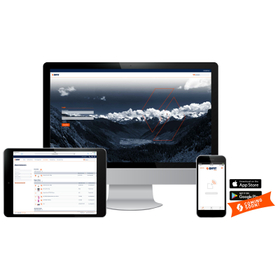
Rudd's management app "AYE-D.net"

The forefront of utilizing RFID to innovate management, inspection, and traceability.

RUD's RFID application works in conjunction with RFID chips embedded in individual products, enabling centralized asset management, safety inspections, and maintenance history for any site. By collaborating with the uniquely developed Blue-ID system, it significantly improves work efficiency, reduces human errors, lowers costs, and enhances safety. It is compatible not only with RUD products but also with other equipment and parts equipped with RFID tags. Web-based software: ● No installation required ● Accessible from any location or device with an internet connection ● Multiple operators can work simultaneously on the same application ● Permanently free software updates ● No need to have a new dedicated server, saving initial costs ● Capable of storing multiple times more information than engraving (e.g., load capacity, start date, inspection date, drawings, etc.)

Added to bookmarks

Bookmarks list

Bookmark has been removed

Bookmarks list

You can't add any more bookmarks

By registering as a member, you can increase the number of bookmarks you can save and organize them with labels.

Free membership registration

RFID reading app "Quick RF for Android"

Read RFID tags in bulk! Easy data integration with PC applications and more.

"Quick RF for Android" is an app that allows easy data integration with PC applications and others through reading log files. It reproduces the signal strength during reading for specific IC tags with a gauge, enabling the exploration of hidden tag positions. Additionally, the EPC data that has been read can be saved in CSV file format within the smart device, using the date and time as the file name. 【Features】 ■ Can read multiple RFID tags at once ■ Equipped with ID exploration functionality ■ Capable of recording logs internally on the device ■ Allows settings for beep sound and screen rotation ■ Can rewrite EPC data for IC tags *For more details, please refer to the PDF materials or feel free to contact us.

Added to bookmarks

Bookmarks list

Bookmark has been removed

Bookmarks list

You can't add any more bookmarks

By registering as a member, you can increase the number of bookmarks you can save and organize them with labels.

Free membership registration

RFID reading app "QuickRF for BHT Series"

Various settings such as antenna output and polarization are possible! This product is equipped with an EPC master deletion function.

This product is an RFID reading application compatible with the "BHT series" of Android OS provided as an APK file. It reproduces the signal strength during reading with a gauge for specific IC tags, allowing you to explore the locations of hidden tags. Additionally, it is possible to reconcile pre-imported EPC data and apply filters during EPC reading. 【Features】 ■ Compatible with the "BHT series" of Android OS ■ Bulk reading of RFID tags ■ Ability to record logs internally on the device ■ Various settings such as antenna output and polarization can be configured ■ Ability to explore the locations of hidden tags *For more details, please refer to the PDF document or feel free to contact us.

Added to bookmarks

Bookmarks list

Bookmark has been removed

Bookmarks list

You can't add any more bookmarks

By registering as a member, you can increase the number of bookmarks you can save and organize them with labels.

Free membership registration

Smart Work App "Gate4Mobile"

Information sharing with all stakeholders is possible! It has been implemented in major companies in construction, architecture, and facility management.

"Gate4Mobile" is a smart work application product that supports on-site work by allowing access to the company's file server from an iPad on-site, enabling writing capabilities. You can retrieve necessary information from anywhere and share it with all stakeholders. It easily solves challenges such as "I want to view documents on the company server from a remote location using an iPad," "I want to share photos taken immediately," and "I don't want to change the operation of the current file server." 【Features】 ■ Bridges the on-site iPad and the company file server ■ Photos taken with the standard iPad camera are saved and immediately stored on the company server ■ No changes to the file server are necessary *For more details, please refer to the external link page or feel free to contact us.

  • Construction and process management software
  • Other commercial buildings and service facilities
  • Groupware
  • Apps

Added to bookmarks

Bookmarks list

Bookmark has been removed

Bookmarks list

You can't add any more bookmarks

By registering as a member, you can increase the number of bookmarks you can save and organize them with labels.

Free membership registration

Construction Site App Catalog

Implemented in all five major "super general contractors"! Utilized in many projects both domestically and internationally.

This catalog introduces applications that play a wide-ranging role on construction sites, from managing drawings during construction to streamlining finishing inspections and safety patrol operations. Starting with "CheX," which allows you to retrieve necessary documents when needed and addresses challenges during construction, we also feature "LAXSY," which enables the input of corrective instructions in just two taps and addresses issues related to finishing inspections. Our services are utilized in a total of 15 countries worldwide, across over 150,000 sites annually, and have been adopted by all five major "super general contractors" in the construction industry. [Contents] ■ Implementation results ■ Major implementing companies (partial list) ■ Construction document service "CheX" ■ Inspection support service "LAXSY" ■ Issue management support service "AQuick" *For more details, please refer to the PDF materials or feel free to contact us.

  • Document Management System
  • Project management tools
  • Other Software
  • Apps

Added to bookmarks

Bookmarks list

Bookmark has been removed

Bookmarks list

You can't add any more bookmarks

By registering as a member, you can increase the number of bookmarks you can save and organize them with labels.

Free membership registration

Infection Prevention VR App "Infection"

You can actually visualize and experience three routes of infection by coughing!

"Infection" is a VR app that visualizes bacteria and simulates the process of infection to promote infection prevention. By actually coughing, users can visualize and experience three routes of infection (droplet infection, airborne infection, and contact infection). Additionally, users can experience the effects of covering their mouth with their hands or wearing a mask, and they can also have the reverse experience of getting infected when their avatar coughs. 【Features】 ■ Utilized for infection prevention training in schools, welfare, and medical fields ■ Visualization of three routes of infection (droplet infection, airborne infection, and contact infection) ■ Visualization of pathogens through the frequency of coughs using a bone conduction vocal microphone ■ Simulation of pathogen dispersion under the supervision of infection disease experts *For more details, please refer to the PDF materials or feel free to contact us.

Added to bookmarks

Bookmarks list

Bookmark has been removed

Bookmarks list

You can't add any more bookmarks

By registering as a member, you can increase the number of bookmarks you can save and organize them with labels.

Free membership registration

Bridge Inspection Field Support App - Ten-Suke

This is an app that supports bridge inspection work on-site through intuitive operability using a tablet and collaboration with products from Chojuro/BG and Hashishiro.

Dianzu is a tablet application that can streamline various tasks at bridge inspection sites. By collaborating with Chojuro/BG and Hashishiro, it allows for the integration of specifications and past inspection results, significantly improving the efficiency of inputting inspection results on-site. Features: - Efficiency in on-site work through collaboration with Chojuro/BG and Hashishiro By integrating with Chojuro/BG and Hashishiro, users can input inspection results while checking specification information and past inspection results, greatly enhancing on-site work efficiency. - Intuitive operability and diverse input methods The tablet app features intuitive operability. Users can choose from three input methods: "handwriting," "voice," and "selection." - Adoption of new technologies It is possible to measure damage dimensions using LiDAR sensors. Additionally, it allows for the display of drawings in real space using AR. Furthermore, an AI-based damage assessment function is also under development. *For more details, please refer to the PDF materials or feel free to contact us. The PDF materials can be obtained from the "Urban Development Database Site" (https://kensetsu.ipros.jp/product/detail/2000738908).

  • tensuke_02.jpg
  • tensuke_03.jpg
  • tensuke_04.jpg
  • tensuke_05.jpg
  • tensuke_06.jpg
  • tensuke_07.jpg
  • tensuke_08.jpg
  • tensuke_09.jpg
  • Other Software
  • Apps

Added to bookmarks

Bookmarks list

Bookmark has been removed

Bookmarks list

You can't add any more bookmarks

By registering as a member, you can increase the number of bookmarks you can save and organize them with labels.

Free membership registration

AR-based FEM analysis result display app "JTSTAR"

Projecting FEM analysis results onto experimental specimens, models, and actual structures. Achieving real-time visualization of internal strain, stress, and cracks.

"JTSTAR" is an iPad application that allows you to display data created with the structural analysis system "DIANA" in combination with images of experimental specimens, models, and actual structures. It enables real-time projection of various analysis results and experimental outcomes, such as concrete crack propagation analysis and elasto-plastic finite displacement analysis of steel structures. In addition to observing cracks inside test specimens, rebar stress, and failure modes, it can also be used to understand shear stress and damage indicators. 【Features】 ■ Overlay analysis results on experimental specimens and actual structures ■ Continuous playback for observing time-dependent changes and dynamic analysis ■ Outputs load values and displacements along with displayed analysis images ■ Solid elements and shell elements can be displayed transparently *You can view the materials from the <PDF download>. Please feel free to contact us with any inquiries.

  • Graph.png
  • Pier.jpg
  • Wall.png
  • Scake100.png
  • Scale030.png
  • Step24.png
  • Step67.png
  • Transparency000.png
  • Transparency100.png
  • Scientific Calculation and Simulation Software
  • Apps

Added to bookmarks

Bookmarks list

Bookmark has been removed

Bookmarks list

You can't add any more bookmarks

By registering as a member, you can increase the number of bookmarks you can save and organize them with labels.

Free membership registration

Construction Management App 'Kizuku' Case Studies by Problem Type

Eliminate communication gaps during information sharing! Smooth out communication to improve the on-site environment!

This document is a collection of case studies on how to utilize the on-site communication app "Kizuku" based on various concerns. The concern of site supervisors wanting to "prevent the omission of important notices" is addressed by the "Site Talk" feature. It allows for bulk communication to all stakeholders at each site, preventing omissions and complaints about what was said or not said. In addition to this, we introduce various case studies addressing other concerns such as "wanting to reduce the hassle of site inspections and confirmations" and "the time-consuming process of creating and requesting approval for construction reports." We encourage you to read through it. 【Featured Case Studies (Partial)】 ■ Wanting to prevent the omission of important notices ■ Wanting to reduce the hassle of site inspections and confirmations ■ Wanting to convey repair instructions more accurately and in detail ■ The process of creating and requesting approval for construction reports is time-consuming ■ Wanting to streamline the approval process for construction reports *For more details, please refer to the PDF document or feel free to contact us.

Added to bookmarks

Bookmarks list

Bookmark has been removed

Bookmarks list

You can't add any more bookmarks

By registering as a member, you can increase the number of bookmarks you can save and organize them with labels.

Free membership registration

Case Studies of the On-site Communication App 'Kizuku'

Examples of companies that have achieved significant results along with solving challenges! Nine case studies are included.

This document is a collection of case studies on the implementation of the on-site communication app "Kizuku." It features successful examples, including "Sakura Co., Ltd.," which achieved significant results by solving challenges through successful implementation, as well as "Takasago Construction Co., Ltd.," which accurately identified the issues they wanted to address and succeeded in "reforming the way of working on-site." Additionally, we introduce many other cases, such as "Toshin Corporation," which realized remote work adaptation thanks to the establishment of talk and library utilization. We encourage you to read it. 【Featured Case Studies (Partial)】 ■ Ai Home Co., Ltd. ■ Sakura Co., Ltd. ■ K.I. Star Real Estate Co., Ltd. ■ Nikkō Takara Corporation ■ Kachitasu Co., Ltd. *For more details, please refer to the PDF document or feel free to contact us.

Added to bookmarks

Bookmarks list

Bookmark has been removed

Bookmarks list

You can't add any more bookmarks

By registering as a member, you can increase the number of bookmarks you can save and organize them with labels.

Free membership registration

Points for Successful Operation of the Construction Management App 'Kizuku'

"Decide on an operations promoter"! Here are five key points for successfully advancing operations!

This document is a collection of key points for the successful operation of the on-site communication app "Kizuku." To ensure that customers can confidently implement the system, we have compiled points for effectively advancing operations based on case studies from companies that are actually using Kizuku. Comtex supports users in achieving "successful implementation" and "establishing operations." Please feel free to contact us for any inquiries. **5 Key Points for Successfully Advancing Kizuku Operations** - Designate an operations promoter - Clearly define how to utilize Kizuku for addressing challenges - Establish roles and rules for operations - Reflect on the effectiveness of operations after implementation - Create an operations manual tailored to your company *For more details, please refer to the PDF document or feel free to contact us.*

Added to bookmarks

Bookmarks list

Bookmark has been removed

Bookmarks list

You can't add any more bookmarks

By registering as a member, you can increase the number of bookmarks you can save and organize them with labels.

Free membership registration

[Video] Interview with Kizuku Craftsman (Part 1)

A must-see for those considering implementation! Will the on-site DX app penetrate among craftsmen?

\Chosen by Contractors: Kizuku/ This is an interview video with craftsmen who are using the construction management app "Kizuku." - For those who are unsure about which apps to introduce for promoting DX at the site - For those who are worried whether craftsmen will actually use it Please listen to the genuine voices of the users. 【Timeline】 00:37 Q1. How do you feel about managing the site with the app? 01:48 Q2. Did you think you could keep up with Kizuku? 02:26 Q3. Did you find it cumbersome when you first started using it? 02:52 Q4. What do you think is good about using it? 04:07 Q5. What are the advantages compared to when reports were made on paper? 04:27 Q6. What is the biggest change you felt compared to before Kizuku was introduced? 05:29 Q7. What do you think could be improved further? *For more details about Kizuku, please refer to the PDF materials or feel free to contact us.

  • Construction and process management software
  • Process Control System
  • Order management system
  • Apps

Added to bookmarks

Bookmarks list

Bookmark has been removed

Bookmarks list

You can't add any more bookmarks

By registering as a member, you can increase the number of bookmarks you can save and organize them with labels.

Free membership registration

The key factor is the clarity of being "specialized in conversation," which can also be used by craftsmen!

Time reduction and efficiency! Active utilization of contractors enables quality traceability management and visualization of the site! "Collection of key points for operational success - now available!"

We would like to introduce a case study on the implementation at Rino Stage Co., Ltd. Before the implementation, there were concerns about how to accommodate users still using feature phones. Therefore, in the preliminary announcement, we first communicated the benefits of using "Kizuku" in business, explaining that a smartphone would be necessary for that purpose. As a result, while not at 100%, the transition to new devices progressed quite closely, and we were able to achieve a good level of penetration. As for the effects and improvements after implementation, in terms of library sharing, the supervisor used to travel back and forth between the site and the office every time there were changes or questions, but this necessity has been eliminated, allowing for time savings. *For more details, please refer to the related links or feel free to contact us.*

Added to bookmarks

Bookmarks list

Bookmark has been removed

Bookmarks list

You can't add any more bookmarks

By registering as a member, you can increase the number of bookmarks you can save and organize them with labels.

Free membership registration

The most important aspect of construction management at the design office is "traceability management" [Kizuku case study].

Real-time and quick response! Utilizing the "Important Talk" feature makes all interactions evidence of construction management. "Collection of Key Points for Successful Operation - Now Available."

Carlo Post Co., Ltd. is a design office that conducts inspections and surveys of new and used houses, as well as designing, managing, and constructing new homes and renovation projects. With about three staff members, they handle approximately 130 seismic reinforcement projects daily. Previously, they experienced a constant influx of phone calls for business communications, leading to a "non-stop ringing" situation. Sudden changes in floor plans and reinforcement proposals often resulted in delays in creating drawings, which was a challenge. With the introduction of "Kizuku," they can now keep photos of all the construction sites. Additionally, areas that previously took a long time to address can now be handled in real-time and in a short amount of time while viewing the drawings on a tablet. [Case Overview] ■ Reason for Introduction and Deciding Factor - They wanted a photo management app with a chat feature. ■ Innovations in Implementation and Operation - They proposed switching to smartphones, considering it a zero-start. ■ Effects and Improvements After Implementation - The "Important Talk" feature, which retains history, serves as a good luck charm. *For more details, please refer to the PDF document or feel free to contact us.

Added to bookmarks

Bookmarks list

Bookmark has been removed

Bookmarks list

You can't add any more bookmarks

By registering as a member, you can increase the number of bookmarks you can save and organize them with labels.

Free membership registration

Initiating efforts towards nationwide DX implementation at Gteria with the introduction of Kizuku.

Towards the DX transformation of construction management and electronic ordering, fully compliant with the Electronic Bookkeeping Preservation Law and the Invoice System [Press Release]

Comtex Co., Ltd. (Headquarters: Takaoka City, Toyama Prefecture, President: Masataka Takewaki, hereinafter referred to as Comtex), which provides the construction management app "Kizuku," announced that it has begun full-scale efforts to support the digital transformation (DX) of construction management and order management operations at Gteria Co., Ltd. (Headquarters: Shinagawa Ward, Tokyo, President: Kazuhisa Sawada, hereinafter referred to as Gteria) through dedicated customized development, starting from May 2023 for nationwide operations. <Contents> ■ Background of DX promotion ■ Three outcomes of DX implementation ■ Future developments – Aiming for further expansion in the exterior industry *For more details, please refer to the related links or feel free to contact us.

Added to bookmarks

Bookmarks list

Bookmark has been removed

Bookmarks list

You can't add any more bookmarks

By registering as a member, you can increase the number of bookmarks you can save and organize them with labels.

Free membership registration

Chosen by Craftsmen: The Construction Management App 'Kizuku'

I will explain the basic four functions. [Beginner's Series on "On-Site Construction DX" with Kizuku]

★For more details, please see the related links. Two characters familiar from Kizuku stamps are explaining on FB and IG! ■What is Kizuku? It is a cloud service that allows you to manage process management and reports via chat on your smartphone. We aim for a simple design that is easy for craftsmen to use. It is compatible with multiple devices, so it can be used on both computers and smartphones. ■Four Basic Functions of Kizuku ❶ Share information through chat You can create a chat room for only those involved on-site. Kizuku is designed around this chat feature, allowing craftsmen to start using it smoothly. ❷ Check anytime with documents You can store site drawings and photos. Photos sent in chats are automatically stored by site. ❸ Visualize the site with process charts You can create process charts for each site in the cloud. ❹ Create reports anywhere Reports can be easily created on smartphones or computers, no matter where you are.

  • Process Control System
  • Construction and process management software
  • Other Software
  • Apps

Added to bookmarks

Bookmarks list

Bookmark has been removed

Bookmarks list

You can't add any more bookmarks

By registering as a member, you can increase the number of bookmarks you can save and organize them with labels.

Free membership registration

[Director and Craftsman Concerns] The phone keeps ringing all day long, and I can't get any work done.

For those struggling with the inability to reduce phone support, we will explain Kizuku's chat feature. [Kizuku's "On-site Construction DX" Beginner Series]

★For more details, please check the related links. On FB and IG, two characters familiar with Kizuku stamps are explaining! ■What is Kizuku Talk? You can communicate not only with people inside the company but also with external partner companies using text and stamps. The key to reducing phone calls is to use it as "everyone." ■Three things you can do with Kizuku Talk ❶Send the "now" of the site with text! Please convey the current situation, such as whether materials are available or things to be careful about during protection. ❷Send the "progress" of the site with stamps! Kizuku has not only general "stamps" but also "process stamps" that convey the start and completion of processes. The "process stamps" will automatically reflect in the progress chart as achievements. ❸Send the "reality" of the site with photos and videos! At the end of the day, please take photos of the site and post them. If everyone shares, it will significantly reduce not only the number of phone calls but also the number of site investigations.

Added to bookmarks

Bookmarks list

Bookmark has been removed

Bookmarks list

You can't add any more bookmarks

By registering as a member, you can increase the number of bookmarks you can save and organize them with labels.

Free membership registration

[Director/Artisan's Concerns] I'm not good at text input operations on my smartphone.

We have prepared stamps for on-site use and standard reply stamps, etc. 【Kizuku's "On-Site Construction DX" Beginner Series】

★For more details, please check the related links. Two characters familiar from Kizuku stamps are explaining on FB and IG! ■What are Kizuku stamps? Kizuku offers two main types of stamps: - "Process stamps" for progress reports - "Stamps" for communication While various information has become easier to see, some may find it difficult to input their own. If that's the case, please make use of the "stamps"! *For example, we have the following: - Is this okay? - Please confirm - Thank you - Confirmed → There are over 80 types in total! You might be able to have a conversation just with stamps?! ■How to send stamps Operation steps: Select the chat room you want to contact > [+] button > [Stamps] "Stamps" can be used in any chat room. From casual to slightly formal. We hope you find your favorite!

Added to bookmarks

Bookmarks list

Bookmark has been removed

Bookmarks list

You can't add any more bookmarks

By registering as a member, you can increase the number of bookmarks you can save and organize them with labels.

Free membership registration

[Concerns of Supervisors and Craftsmen] I want to know if the site is progressing according to the schedule.

"Process stamp" that notifies the completion of the previous process is easy to operate and recommended. [Begin "Construction DX on Site" Beginner Series with Kizuku]

★For more details, please check the related links. On FB and IG, two characters familiar with Kizuku stamps are explaining! ■What are Kizuku stamps? Kizuku offers two main types of stamps: - "Process Stamps" for progress reporting (←☆this is what we are introducing this time) - "Stamps" for communication The "Process Stamps" are intended to be used at the beginning and end of construction. Members on the same site will receive notifications of the process stamps to understand the "smoothness/delay" and "timing of arrangements." Additionally, it functions not only as a notification but also automatically reflects on the schedule for performance management. ■How to send a stamp Operation steps: Select the site chat room you want to contact > [+] button > [Process Stamp] "Process Stamps" can be used in site or project chat rooms. No text input is needed for progress reporting. Please try passing the baton of the easy-to-use "Process Stamps."

Added to bookmarks

Bookmarks list

Bookmark has been removed

Bookmarks list

You can't add any more bookmarks

By registering as a member, you can increase the number of bookmarks you can save and organize them with labels.

Free membership registration

[Director/Artisan Concerns] I want to reduce the number of site surveys as much as possible.

If we set rules like 'five photos upon arrival at the site' and share them, could it be possible to eliminate the need for on-site inspections!? [Beginner's Series on 'Construction DX at the Site' Starting with Kizuku]

★For more details, please check the related links. Two characters familiar from Kizuku stamps are explaining on FB and IG! ■Sharing photos and videos on Kizuku and how to do it Kizuku, based on a chat function, allows for sharing on-site photos and more. ・There are two ways to send photos: 1) Take a photo on the spot and send it Steps: Select the chat room to send to > Tap the 【+】 button > Select 【Take Photo】 *After taking the photo, you can overlay the electronic blackboard on the image. 2) Send multiple pre-taken photos at once Steps: Select the chat room to send to > Tap the 【+】 button > Select 【Choose Photo】 *You can send up to 30 photos at once. ・How to send videos Steps: Select the chat room to send to > Tap the 【+】 button > Select 【Choose Video】 *Use this when sounds or other details cannot be conveyed through photos. When sent in a project or on-site chat room, the photos are automatically stored in a dedicated folder, making it a great option for those struggling with photo management.

Added to bookmarks

Bookmarks list

Bookmark has been removed

Bookmarks list

You can't add any more bookmarks

By registering as a member, you can increase the number of bookmarks you can save and organize them with labels.

Free membership registration