1~4 item / All 4 items
Displayed results

Added to bookmarks
Bookmarks listBookmark has been removed
Bookmarks listYou can't add any more bookmarks
By registering as a member, you can increase the number of bookmarks you can save and organize them with labels.
Free membership registration
Contact this company
Contact Us Online1~4 item / All 4 items
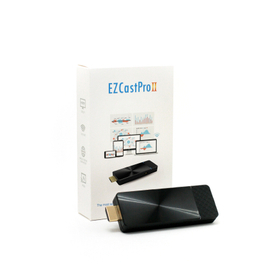
This is a multi-OS / 4K compatible mirroring and media streaming dongle. In addition to stable regular mirroring, the following features can also be configured: * Administrator Features You can select the projector. There are many settings menus that only administrators can access. * Quad-Screen Display In schools or companies, you can project four devices simultaneously, allowing for comparisons of four individuals on one screen. * Multicast By connecting multiple receiving devices to the EZCast Pro2, simultaneous screen mirroring from one to multiple devices is possible. * AirView Function The projected screen can be received on students' iPads and other devices. * Additionally, it is equipped with many more features that we have not yet introduced. Please feel free to contact us.
Added to bookmarks
Bookmarks listBookmark has been removed
Bookmarks listYou can't add any more bookmarks
By registering as a member, you can increase the number of bookmarks you can save and organize them with labels.
Free membership registration
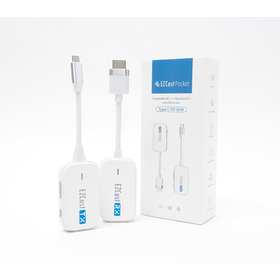
It automatically displays the screen of a PC or smartphone on a large screen. The receiver connects to a monitor (TV/monitor/projector, etc.) via HDMI and power connection to show the standby screen. After that, by plugging a DP-Alt compatible transmitter into the Type-C port of the sending device, it can automatically mirror the screen in just 10 seconds. It supports three resolutions: 720x480, 1280x720, and 1920x1080 (60P).
Added to bookmarks
Bookmarks listBookmark has been removed
Bookmarks listYou can't add any more bookmarks
By registering as a member, you can increase the number of bookmarks you can save and organize them with labels.
Free membership registration
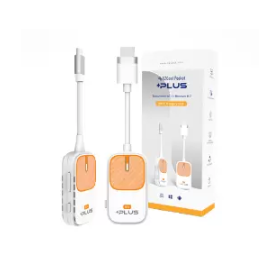
Point 1: The hybrid 2-in-1 of "plug-and-play projection" and "wireless projection" expands the range of mirroring. "Plug-and-play projection" automatically displays the screen when a Type-C transmitter is connected. "Wireless projection" does not require router or app settings with Miracast/Airplay functionality, significantly reducing preparation time for meetings and classes. Point 2: Industry-first "MiraPlug" app allows projection even on Android devices that do not support DP-Alt (video output). By downloading the manufacturer-developed "MiraPlug" app from Google Play, all Android smartphones that previously did not support video output can now project. *The MiraPlug app does not support HDCP. Point 3: Change projection methods according to location and situation for optimal mirroring environments for each OS. For example, when using a Chromebook or watching video streaming apps, you can choose "plug-and-play projection," and when you don't want to attach a transmitter to your smartphone, you can opt for "wireless projection." It is effective in a wide range of scenes, including education, business, and video viewing.
Added to bookmarks
Bookmarks listBookmark has been removed
Bookmarks listYou can't add any more bookmarks
By registering as a member, you can increase the number of bookmarks you can save and organize them with labels.
Free membership registration
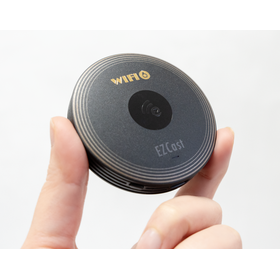
Point 1: Upgrade to the new generation Wi-Fi 6 & 2T2R, setting the standard for "stability"! With the latest Wi-Fi 6 standard and double (2T2R) antennas, which were not available in the previous model, we achieve unprecedentedly smooth and stable mirroring. This enables seamless information sharing across various contexts such as presentations, classes, and video playback, enhancing communication. Point 2: Break through the multi-OS barrier! Use both Mac and Windows without switching! Easily connect with PCs, smartphones, and all major operating systems, including Windows and Mac. With Miracast/Airplay support, no app setup is required. The OS-compliant mirroring function facilitates communication across different platforms. (Compatible with Windows/Mac/Android/iOS/Chrome) Point 3: No more "cable swapping" for meeting preparations! Connect devices like PCs via P2P, providing an attractive meeting space affordably and without security concerns. By permanently installing it in conference rooms or classrooms, you can start mirroring instantly. Enjoy exceptional stability with up to 4K resolution.
Added to bookmarks
Bookmarks listBookmark has been removed
Bookmarks listYou can't add any more bookmarks
By registering as a member, you can increase the number of bookmarks you can save and organize them with labels.
Free membership registration