Touchscreen - List of Manufacturers, Suppliers, Companies and Products | IPROS

Touchscreen Product List

1~11 item / All 11 items

Displayed results

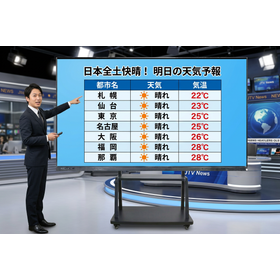
e-screen98 for the broadcasting industry

Improve monitoring efficiency with a 98-inch large screen! Compatible with Windows/Android.

In the broadcasting industry, accurate verification of video and information sharing are essential for monitoring purposes. Especially when it is necessary to check multiple video sources simultaneously, a large screen with clear display is indispensable. Additionally, for rapid information sharing on-site, intuitive operability through wireless projection and touch controls is also important. The e-screen98 addresses these challenges with its 98-inch large screen and compatibility with both Windows and Android operating systems. 【Usage Scenarios】 - Broadcasting station studios - Program production sites - Monitoring rooms - Video editing rooms 【Benefits of Implementation】 - Allows detailed verification of video on a large screen - Enables simultaneous display of multiple sources - Intuitive operation through touch controls - Smooth information sharing via wireless projection *For more details, please refer to the materials. Feel free to contact us with any inquiries.

  • s1.jpg
  • screen
  • Touchscreen

Added to bookmarks

Bookmarks list

Bookmark has been removed

Bookmarks list

You can't add any more bookmarks

By registering as a member, you can increase the number of bookmarks you can save and organize them with labels.

Free membership registration

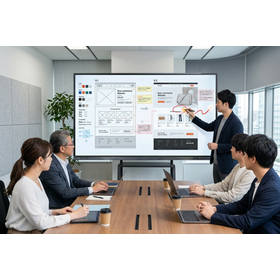
For design and production companies | 98-inch large touch screen

Perfect for sharing mockups! Large touch display/screen 'e-screen98' compatible with Windows/Android.

In the design industry and mockup creation, visualizing ideas and facilitating smooth information sharing among stakeholders is essential. Particularly, to accurately convey the details of the design and effectively incorporate feedback, large-screen display and intuitive operation are crucial. Inadequate display environments or sharing methods can lead to miscommunication of intentions, resulting in rework and discrepancies in understanding. Our product, 'e-screen98,' features a 98-inch large touch screen that displays mockups and design materials clearly even in bright indoor settings, ensuring smooth information transmission. 【Usage Scenarios】 ■ Review of design mockups ■ Presentations to clients ■ Sharing ideas within the team ■ Demonstrations of UI/UX design 【Benefits of Implementation】 ■ Share mockups on a large screen for detailed review ■ Reflect feedback on the spot with touch operations or pen writing ■ Easily share screens from various devices with wireless projection ■ Switch between Windows and Android to support a wide range of applications *For more details, please check the catalog download button.

  • s1.jpg
  • screen
  • Touchscreen

Added to bookmarks

Bookmarks list

Bookmark has been removed

Bookmarks list

You can't add any more bookmarks

By registering as a member, you can increase the number of bookmarks you can save and organize them with labels.

Free membership registration

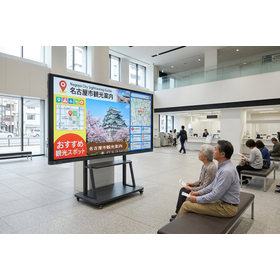
For Public Institutions | 98-inch Large Touch Screen

Large touch display/screen 'e-screen98' for smooth information provision by public institutions.

In public institutions, clear communication of information to visitors and staff is essential. Particularly in lobbies and waiting areas that are frequented by many people, it is important that the content is visible from a distance and can be easily updated with the latest information. Inadequate information provision can lead to confusion among users and a decrease in satisfaction. The 'e-screen98' features a large 98-inch touchscreen that displays materials and videos clearly even in bright indoor environments, facilitating smooth information transmission. It is equipped with both Windows 11 and Android operating systems, accommodating a wide range of applications including PC connectivity and app usage. With wireless projection capabilities, screen sharing from devices is also possible. Its stand allows for flexible placement, making it a useful product for information provision in public spaces. 【Usage Scenarios】 ■ Information display in public facilities ■ Information provision at event venues ■ Display of explanatory materials at service counters ■ Information sharing in conference rooms 【Benefits of Implementation】 ■ Clearer information provision to visitors ■ Quick updates to the latest information ■ Easier information sharing with large groups *For more details, please check the catalog download button.

  • s1.jpg
  • screen
  • Touchscreen

Added to bookmarks

Bookmarks list

Bookmark has been removed

Bookmarks list

You can't add any more bookmarks

By registering as a member, you can increase the number of bookmarks you can save and organize them with labels.

Free membership registration

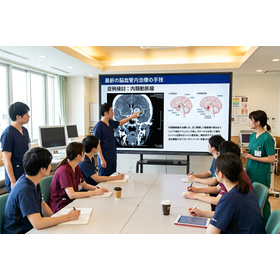
e-screen98 for Medical Institutions

Smooth information sharing in medical settings with a 98-inch large screen.

In the medical field, clear and understandable communication of information is essential for sharing information with patients and facilitating collaboration within the team. Accurate information transmission is particularly crucial for explaining surgical plans, treatment policies, and sharing test results. Traditional projectors often required darkening the room, which could restrict the movements of doctors and nurses. The e-screen98 features a 98-inch large screen, touch operation, and wireless projection capabilities, allowing for clear images even in bright indoor settings. This enables healthcare professionals to smoothly share information with patients and colleagues, leading to higher quality medical care. 【Usage Scenarios】 - Case discussions at conferences - Treatment explanations to patients - Information sharing within the team - Use in training sessions 【Benefits of Implementation】 - Increased efficiency in information sharing - Smoother communication - Improved quality of healthcare *For more details, please refer to the materials. Feel free to contact us with any inquiries.*

  • s1.jpg
  • screen
  • Touchscreen

Added to bookmarks

Bookmarks list

Bookmark has been removed

Bookmarks list

You can't add any more bookmarks

By registering as a member, you can increase the number of bookmarks you can save and organize them with labels.

Free membership registration

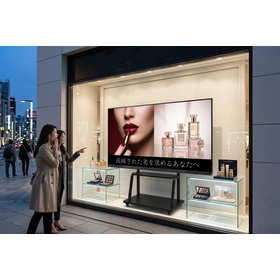
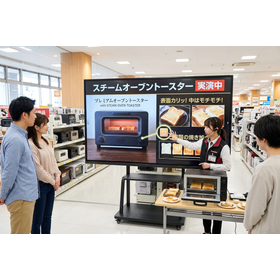
e-screen98 for Retail: Ideal for Digital Signage

Information dissemination on a 98-inch large screen! Digital signage compatible with Windows/Android.

In the retail industry, effective communication of information to customers through digital signage is crucial. To maximize the appeal of products and stimulate purchasing intent, clear visuals and high visibility are essential. Additionally, the ability to flexibly display diverse content is also important. The e-screen98 addresses these challenges with its 98-inch large touch screen and dual OS of Windows 11/Android. With its sharp 4K display, it effectively showcases detailed information and videos about products, capturing customers' attention. Interactive information delivery is made possible through touch operation and wireless projection features. This enhances the customer experience and contributes to increased sales. 【Usage Scenarios】 - Store windows - In-store product introductions - Information display in event spaces - Customer guidance 【Benefits of Implementation】 - Maximizes product appeal - Stimulates customer purchasing intent - Enhances store brand image - Streamlines information dissemination *For more details, please refer to the materials. Feel free to contact us as well.*

  • s1.jpg
  • screen
  • Touchscreen

Added to bookmarks

Bookmarks list

Bookmark has been removed

Bookmarks list

You can't add any more bookmarks

By registering as a member, you can increase the number of bookmarks you can save and organize them with labels.

Free membership registration

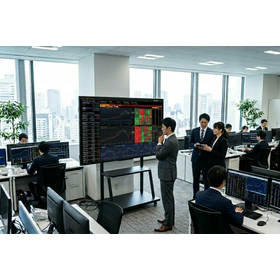
e-screen98 for financial institutions

Displays financial information clearly on a 98-inch large screen. Supports touch operation and wireless projection.

In the presentation of information by financial institutions, providing clear information to customers and ensuring smooth communication are essential. Particularly when explaining important financial products or sharing market trend analysis results with a large audience, clear displays and intuitive operability are required. The e-screen98 meets these needs with its 98-inch large touch screen and dual OS of Windows 11/Android. 【Usage Scenarios】 - Explanation of products and services to customers - Sharing market analysis results in meetings - Information presentation in training sessions 【Benefits of Implementation】 - Large screen that is easy to see for a large audience - Intuitive operation through touch controls - Smooth information sharing via wireless projection *For more details, please refer to the materials. Feel free to contact us with any inquiries.

  • s1.jpg
  • screen
  • Touchscreen

Added to bookmarks

Bookmarks list

Bookmark has been removed

Bookmarks list

You can't add any more bookmarks

By registering as a member, you can increase the number of bookmarks you can save and organize them with labels.

Free membership registration

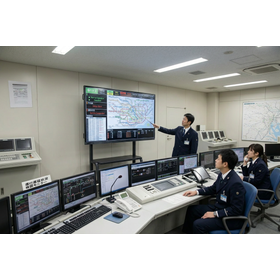
e-screen98 for Operations Management

Share operational status in real-time on a 98-inch large screen.

In operations management, accurate information sharing and quick decision-making are essential. The e-screen98 is a 4K LCD display equipped with a 98-inch large touchscreen that allows for the sharing of meeting materials and videos while maintaining indoor brightness, facilitating smooth communication during meetings. Please utilize the e-screen98 to visualize operational status, ensuring safe operations and efficient business execution. There are various ways to use it, such as sharing operational status, traffic information, and emergency contacts among all stakeholders. 【Usage Scenarios】 - Real-time information sharing in the operations management room - Reporting operational status in the conference room - Communicating information to drivers 【Benefits of Implementation】 - Improved safety through visualization of operational status - Faster decision-making through quick information sharing - Intuitive operation through touch controls *For more details, please refer to the materials. Feel free to contact us with any inquiries.

  • s1.jpg
  • screen
  • Touchscreen

Added to bookmarks

Bookmarks list

Bookmark has been removed

Bookmarks list

You can't add any more bookmarks

By registering as a member, you can increase the number of bookmarks you can save and organize them with labels.

Free membership registration

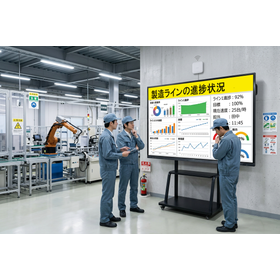
e-screen98 Process Display for Manufacturing Industry

Displays information about the manufacturing process clearly on a 98-inch large screen.

In manufacturing process displays, it is important to share work progress and quality information in real-time to enable efficient production management. In particular, high visibility displays and rapid information updates are required. Traditional paper-based process charts and small screen displays can complicate information sharing, leading to potential misinterpretations and delays. The e-screen98, with its 98-inch large touchscreen and dual OS of Windows 11/Android, presents diverse information clearly and facilitates smooth information sharing. 【Usage Scenarios】 - Displaying progress status of the manufacturing line - Displaying quality control data - Displaying work procedures - Displaying safety instructions - Sharing information in meetings and discussions 【Benefits of Implementation】 - Improved work efficiency - Smoother information transmission - Reduction of errors - Enhanced communication - Rapid decision-making *For more details, please refer to the materials. Feel free to contact us with any inquiries.

  • s1.jpg
  • screen
  • Touchscreen

Added to bookmarks

Bookmarks list

Bookmark has been removed

Bookmarks list

You can't add any more bookmarks

By registering as a member, you can increase the number of bookmarks you can save and organize them with labels.

Free membership registration

e-screen98 for the design industry

Share design works on a 98-inch large screen. Supports touch operation and wireless projection.

In the design industry, the quality of visual information transmission is crucial when sharing work with clients and team members. In particular, to accurately convey the details and colors of designs and to facilitate smooth correction instructions, a large display and interactive operation are required. The e-screen98, with its 98-inch large screen, touch operation, and wireless projection capabilities, streamlines design reviews and presentations. 【Usage Scenarios】 - Client reviews at design firms - Checking design progress within teams - Showcasing works at exhibitions 【Benefits of Implementation】 - Displays details of works clearly, ensuring accurate information transmission - Enables intuitive operation through touch, promoting smooth exchanges of opinions - Allows screen sharing from various devices via wireless projection *For more details, please refer to the materials. Feel free to contact us with any inquiries.

  • s1.jpg
  • screen
  • Touchscreen

Added to bookmarks

Bookmarks list

Bookmark has been removed

Bookmarks list

You can't add any more bookmarks

By registering as a member, you can increase the number of bookmarks you can save and organize them with labels.

Free membership registration

[For IT] 98-inch Large Touch Monitor 'e-screen98'

Smooth demo and presentation. Large touch display compatible with both Windows and Android.

In IT and technology industry demonstrations and presentations, it is essential to convey technical details and complex information clearly and effectively. Particularly in demonstrations of the latest software and hardware, it is important that all participants can clearly see the screen and that the environment allows for interactive operations to deepen understanding. Insufficient display capabilities or usability can undermine the effectiveness of the demo and make it difficult to convey the product's appeal. Our product, 'e-screen98', provides an environment that is easy for all participants to see with its 98-inch large touch screen, and enables interactive demos through touch operations and writing features with a stylus. 【Usage Scenarios】 - Demonstration of the latest technology - Software operation explanations - Introduction of product features - Brainstorming sessions 【Benefits of Implementation】 - All participants can clearly see the screen - Understanding can be deepened through touch operations and writing with a pen - Supports a variety of demos through PC connections and app usage - Smooth screen sharing is possible with wireless projection

  • s1.jpg
  • screen
  • Touchscreen

Added to bookmarks

Bookmarks list

Bookmark has been removed

Bookmarks list

You can't add any more bookmarks

By registering as a member, you can increase the number of bookmarks you can save and organize them with labels.

Free membership registration

Retail-oriented e-screen98

Engaging product promotions with a large touchscreen.

In the retail industry, it is essential to communicate information that captures the interest of customers and effectively conveys the appeal of products. Particularly, it is important to present a lot of information clearly and attractively within the limited space of a store. Low-visibility displays and one-sided information provision make it difficult to enhance customers' purchasing motivation. Our product, 'e-screen98', features a large 98-inch touchscreen that displays clear images even in bright store environments, allowing customers to see it clearly from a distance, thereby attracting attention and increasing interest in the products. 【Usage Scenarios】 - Product introductions and demonstrations within the store - Sale information and campaign announcements - Providing interactive customer experiences 【Benefits of Implementation】 - Attracting customer attention and extending their stay - Visually conveying the appeal of products and enhancing purchasing motivation - Contributing to the improvement of the store's brand image *For more details, please refer to the materials. Feel free to contact us with any inquiries.

  • s1.jpg
  • screen
  • Touchscreen

Added to bookmarks

Bookmarks list

Bookmark has been removed

Bookmarks list

You can't add any more bookmarks

By registering as a member, you can increase the number of bookmarks you can save and organize them with labels.

Free membership registration