A collection of case studies featuring user feedback as a gift!
"IronCAD" is a 3D CAD that boasts exceptional operability. With unique features such as drag-and-drop from the "catalog" and the placement tool "TriBall" that does not require constraints, quick modeling is possible. Since parts and assemblies can be treated the same, it is suitable for conceptual design, allowing ideas to be quickly realized. It is easy to learn, so it does not take much time to master. In mechanical design for devices and jigs, it enables a significant speed-up in design and a substantial reduction in man-hours. <IronCAD's 7 Strengths> ● Feature-based direct modeling ● No constraints needed for assembly work ● Easy top-down design ● Smooth handling of large assemblies ● High data compatibility ● Editable intermediate files ● Equipped with DWG-compatible 2D CAD
Inquire About This Product
basic information
IRONCAD is equipped with features comparable to general 3D CAD, but it also has distinctive unique functions. ●IRONCAD is a feature-parametric and direct modeling 3D CAD You can drag and drop 3D shapes like blocks and cylinders from a catalog and stack them, allowing for direct modification of shapes. The same applies when creating holes. For devices or jigs made from combinations of simple shapes, there is no need to draw sketches. Additionally, the 3D shapes you drag and drop have 2D drawings internally, which can be edited just like in other 3D CAD software. ●IRONCAD does not require constraints for assembly work In IRONCAD, parts are first positioned using the unique placement tool "TriBall." All complex movements such as point movement, axis movement, plane movement, direction adjustment, and mirroring can be completed solely with TriBall. Furthermore, not only movement but also copying and arraying are possible. Next, you can select the parts you want to group and assemble them with just the press of a button. Disassembling is also done with a single button. Constraints should only be used where necessary, such as for driving components, so you are free from issues caused by constraint errors.
Applications/Examples of results
*For more details, please see the PDF.*
catalog(3)
Download All Catalogs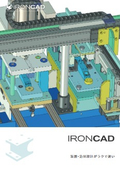
Mid-range 3D CAD for mechanical design 'IRONCAD'

Case Studies for Mid-Range 3D CAD 'IRONCAD' for Mechanical Design

How to Choose the Right CAD
Company information
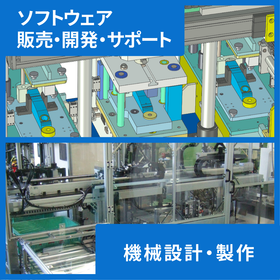
Creative Machine Co., Ltd. specializes in mechanical design and manufacturing using 3D CAD, and feeds back the know-how gained from 3D design into the sales, development, and support of "IRONCAD" to contribute to the Japanese manufacturing industry as an engineering company.
![[Data Presentation] SOLIDWORKS Automation & Efficiency Tools](https://image.www.ipros.com/public/product/image/398/2001507186/IPROS15177748072957567565.png?w=280&h=280)
![[Case Study of 3D CAD Software for Mechanical Design] Toshiba Electronic Engineering Co., Ltd.](https://image.www.ipros.com/public/default/object/noimage_l.gif?w=280&h=280)




![[Case Study] Sensor Reduces Sorting Time by Half! Higashi Nihon Recycling Systems](https://image.www.ipros.com/public/product/image/add/2001211187/IPROS42997668617422795954.png?w=280&h=280)
![[Case Study] 90% Recycling Rate of Waste Plastics! Meiwa Packs](https://image.www.ipros.com/public/product/image/c34/2001211193/IPROS77251652406533655175.png?w=280&h=280)